47
5.8.2 IO Diagnosis
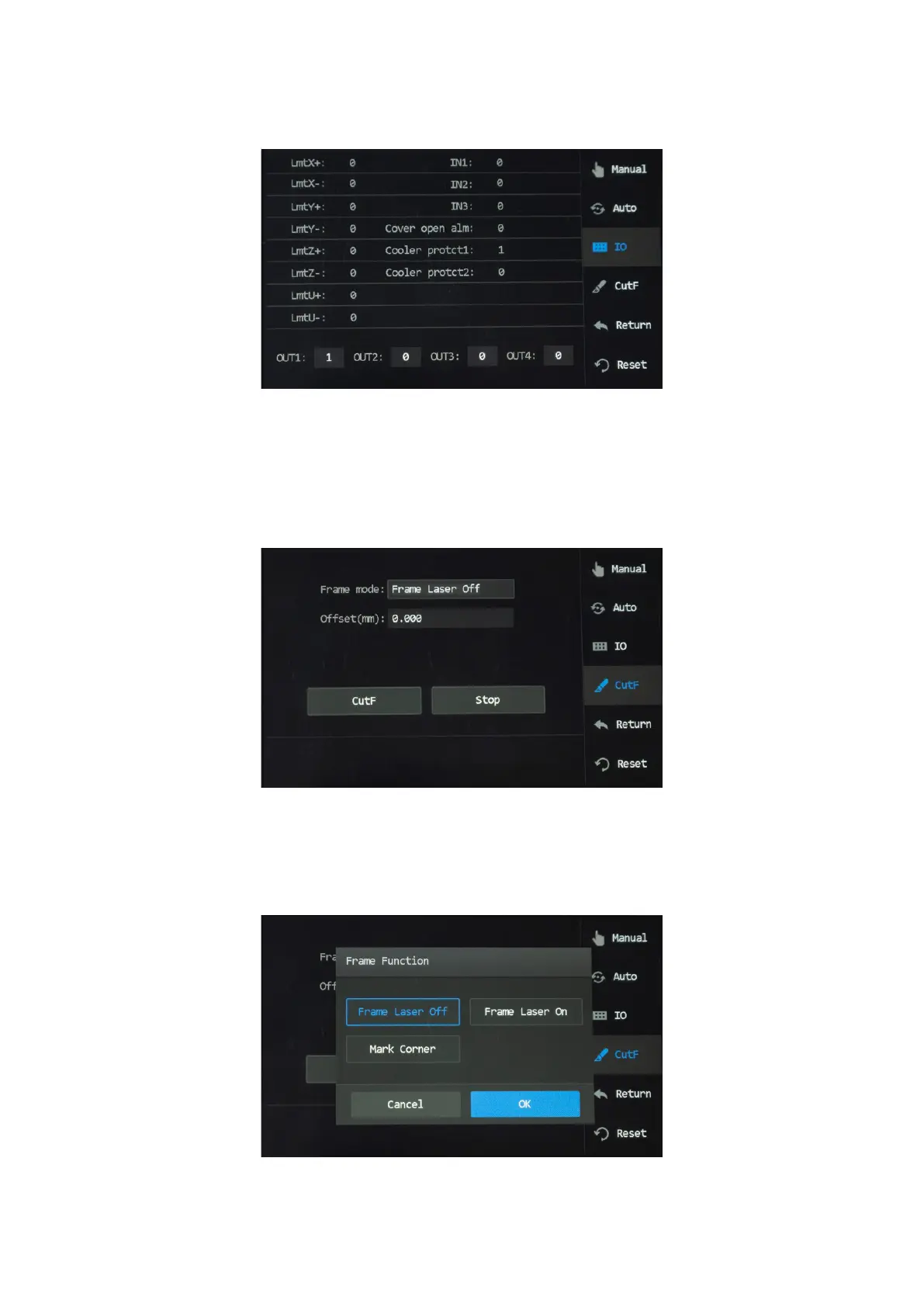
Tap “I/O”, and the menu pops up as shown.
The alteration of those parameters is currently disabled.
5.8.3 Frame Cutting
Tap “ CutF” , and the menu as shown pops up.
To cut a frame at a set distance from the outer circumference of the design le,
1. Tap the box after “Frame mode” and choose “Frame laser on”. Choosing “Frame Laser O” disables the laser.
Tapping “Mark Corner” sets the laser to cut a hole at each corner of the frame.
2. Set your desired distance between the frame to be cut and the outer circumference of the design le.
3. Tap “Cut Frame” and the laser should start ring. To stop, tap “Stop” to shut o the laser.



 To Next Page