26
3.8.4 Connection Through Wi-Fi
RDWorks V8
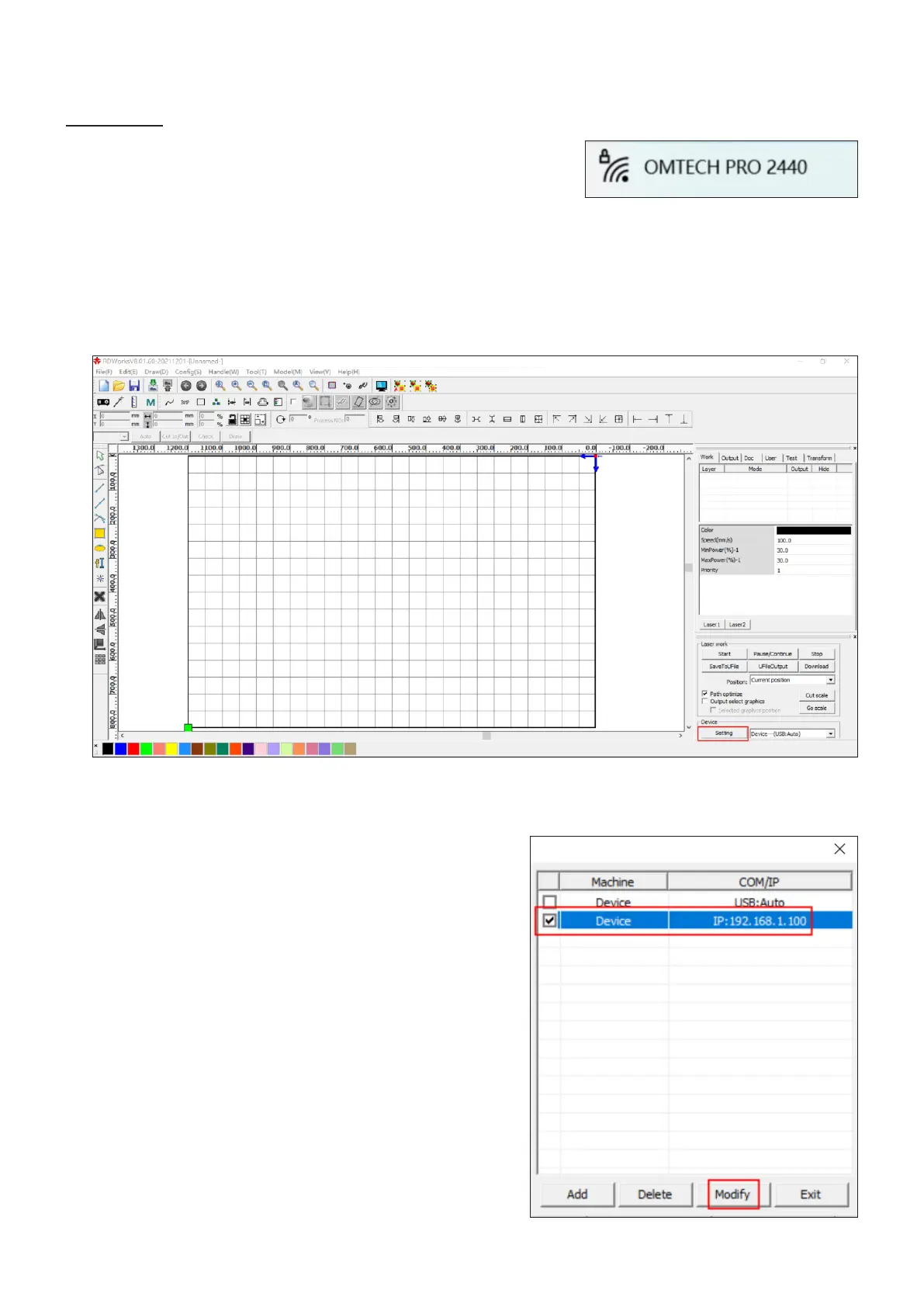
1. Enable Wi-Fi on your computer. Search or select network
“OMTECH PRO 2440”. Enter the passcode (123456abc)
to connect your control computer to the laser engraver.
3. Click to tick the box before “Device”, being sure the IP
address is as shown. Click “Modify”.
2. Initiate RDWorksV8. Click “Setting”.



 To Next Page