28
Lightburn
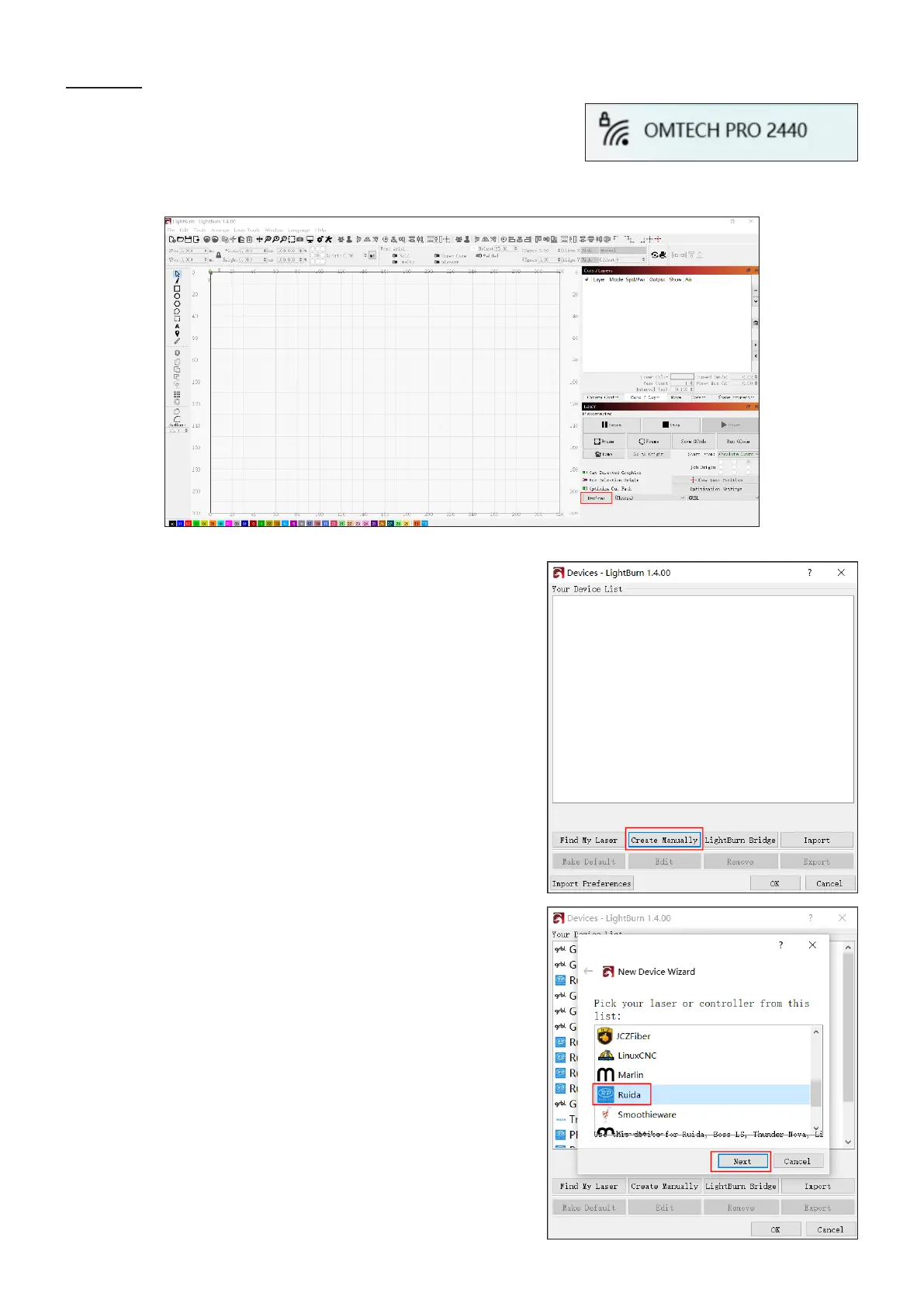
1. Enable Wi-Fi on your computer. Search or select network
“OMTECH PRO 2440”. Enter the passcode (123456abc)
to connect your control computer to the laser engraver.
2. Initiate Lightburn and click “Device” in the lower right corner as shown.
3. Click “Create Manually” in the dialogue box as shown.
4. Choose “Ruida” from the list and click “Next”.



 To Next Page