Crocus CNV Installing and connecting the Crocus CNV
User manual 23
2.6.4 Connecting to the onboard G703 through the line connector block
It is possible to connect to the onboard G703 interface through the line connector block instead of
through the RJ45 connectors (as explained in Section 2.6.3 - Connecting to the onboard G703 using the
RJ45 or line connector block).
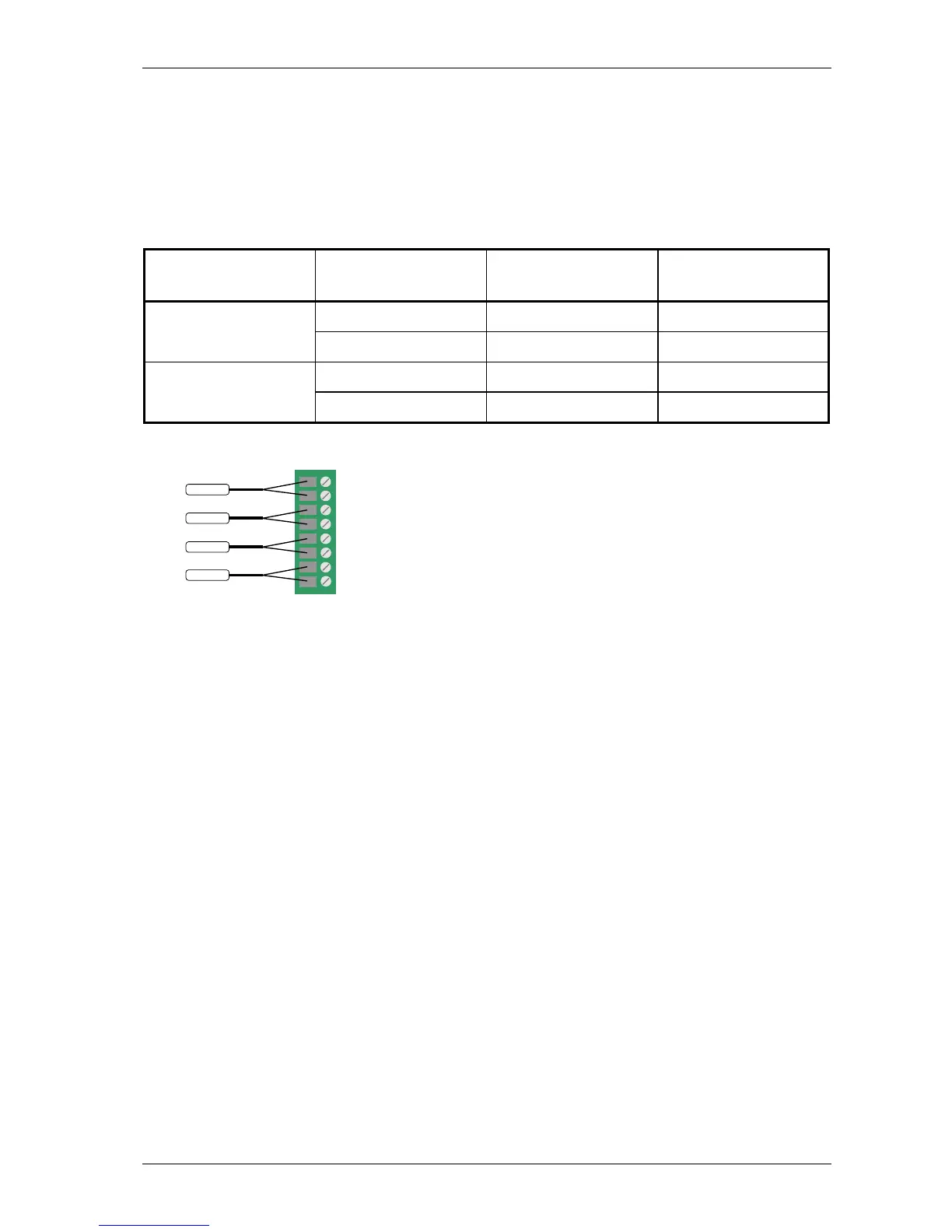
The following table explains how to connect the wires to the line connector block located at the back of
the CN4 card nest:
Converter no. RX / TX Line connector block
positions
DTE
receive 1 and 2 input converter A
transmit 3 and 4 output
receive 5 and 6 input converter B
transmit 7 and 8 output
The following figure gives a graphical representation of the table above:
1
RX-A
2
3
4
5
6
7
8
TX-A
RX-B
TX-B



 To Next Page