Crocus CNV DIP switches and straps of the Crocus CNV
User manual 35
3.1.4 Changing DIP switch and strap settings of the Table Top
To change the DIP switch settings of the Crocus CNV TT, proceed as follows:
Step Action
1 Switch the Crocus CNV TT off.
2 Disconnect the Crocus CNV TT from the mains.
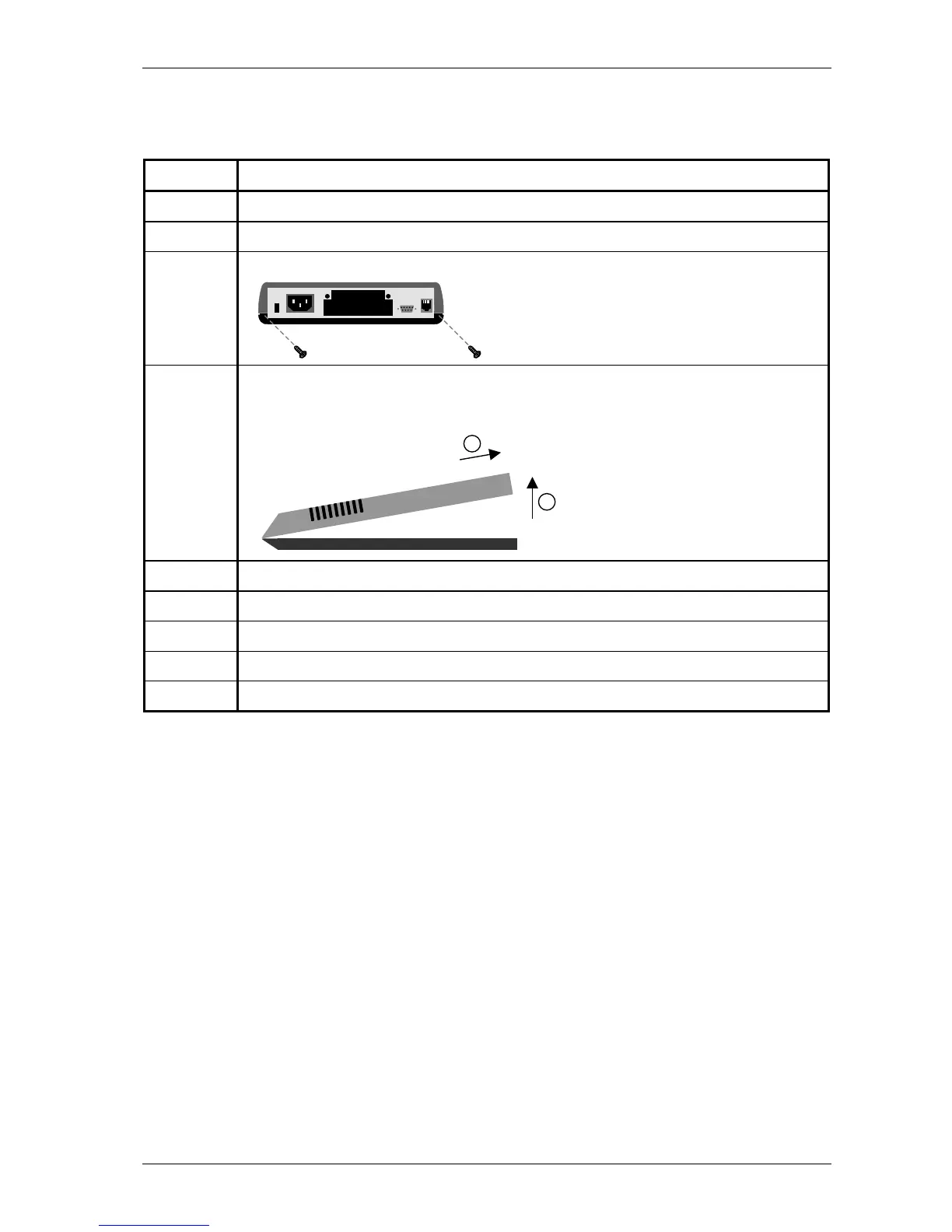
3 Unscrew the two screws located at the back of the Crocus CNV TT.
4 Remove the cover as follows:
1. Carefully lift the back of the cover a few centimetres.
2. Gently pull the cover backwards from under the nose of the Crocus CNV TT.
5 Change the DIP switch and/or strap settings.
6 Replace the cover and close tight.
7 Fasten the two screws located at the back of the Crocus CNV TT.
8 Reconnect the Crocus CNV TT to the mains.
9 Switch the Crocus CNV TT on.
1
2



 To Next Page