Crocus CNV Step-by-step configuration
User manual 69
5.5.2 Configuring the LAN filter (Bridge)
crocusIfConv<2m/Nx64><Tt/Cv>/bridge/IanFilter default: enabled
Use the lanFilter attribute to enable or disable the filter functionality of the bridge. The lanFilter attribute can
be set to:
Value Description
enabled
The bridge acts as a filter.
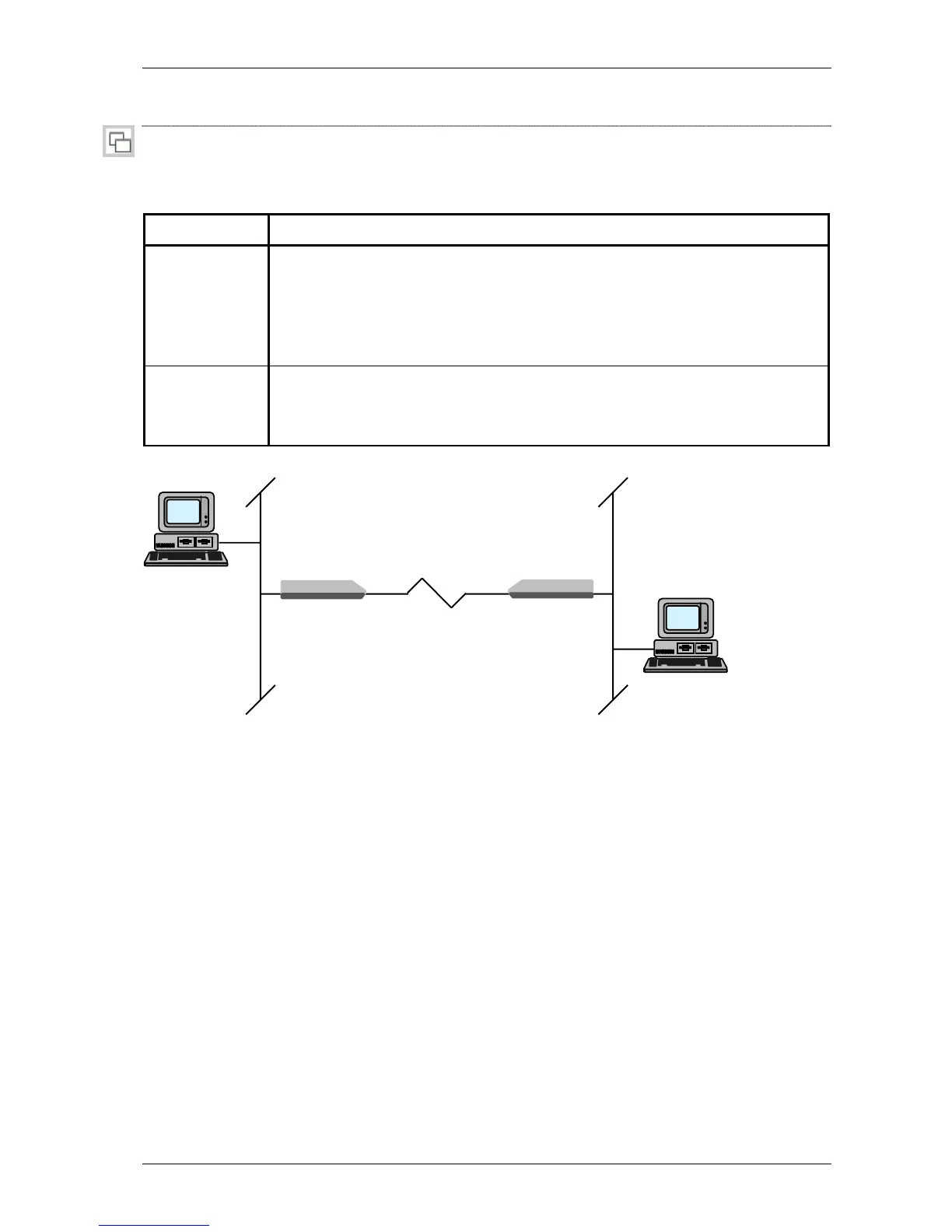
Refer to the figure below. Data coming from network 1, will only be let through by
the bridge if this data has a destination address outside network 1 or a multicast or
broadcast address. The bridge filters the data and decreases the traffic on the serial
line.
disabled
The bridge acts as a repeater.
Refer to the figure below. All the data which originates from network 1 will be let
through to network 2. Even if the data is not destined for that network.
The following figure depicts a bridge set-up:
Figure 5.1: Bridge functionality
PC1
network 1 network 2
modem +
bridge
modem +
bridge
PC2



 To Next Page