WorkBee CNC Limit Switches & Wire Routing 32
4.2.4 Screw Driven - Y-Axis Wire Routing - Part 1
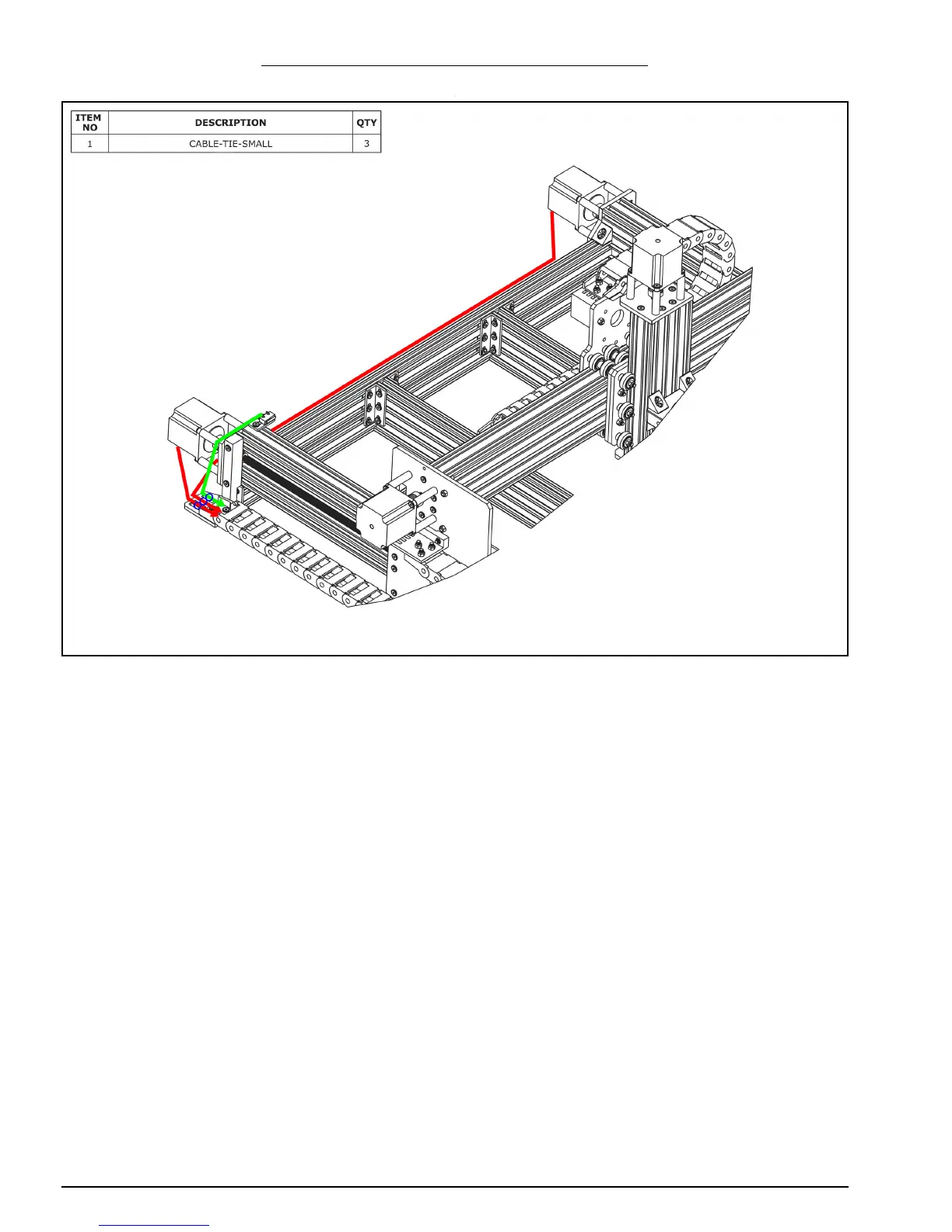
A. Connect the two stepper motor wires in the Y-Drag-Chain to the pigtails on the Y-Axis
stepper motors. In Section 2.1.5 Step B, one of the stepper motor wires will be longer
than the other, the longer wire should connect to the right hand stepper motor.
B. Secure the stepper motor wires to the Y-Axis-Fixed-End-Mount using Cable-Tie-
Smalls. The wire for the right hand stepper motor can be tucked into a slot on one of
the extrusions along the back.
C. Secure the lead on the Y-Axis limit switch to the Y-Axis-Fixed-End-Mount using a
Cable-Tie-Small.


 To Next Page
 Loading...