U
U
s
s
e
e
r
r
m
m
a
a
n
n
u
u
a
a
l
l
14
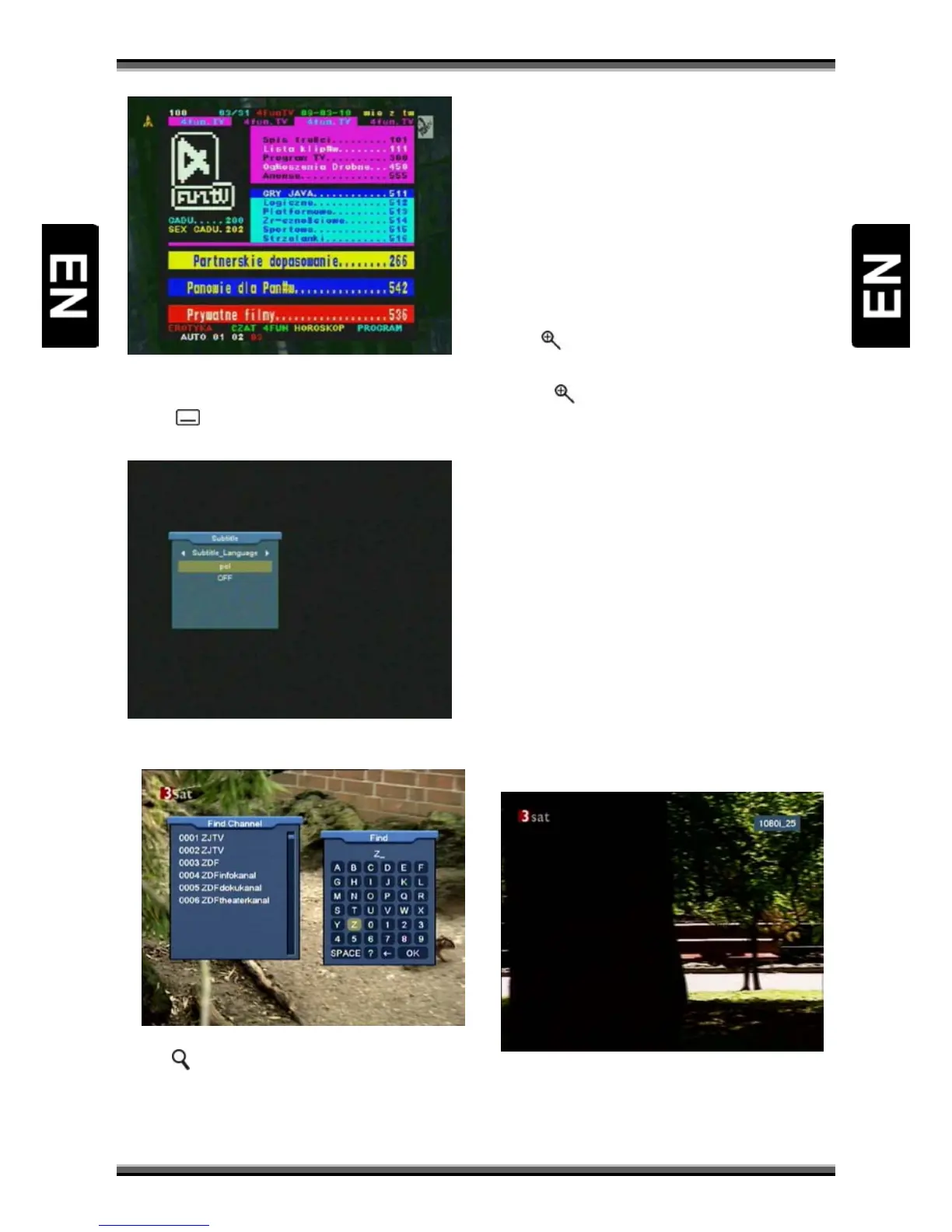
9.18. Subtitle
1.Press [ (YELLOW KEY)] key in full screen, you can
switch subtitle on or off.
9.19. Find
1.Press[ (FIND)] key in full screen can open the
“Find” window. You can press [←,→,↑,↓] Channel
Up/Channel Down/Volume Up/Volume Down]key
to move highlight and press[OK]key to input the
selected symbol or letter into the dialogue.
2.After input each character, the program list on
the left will search the channel according your
input, and list the matched channel.
3.Move highlight to “OK” and press [OK] key can
close “Find” window and you can select channel
from the channels list directly.
9.20. Zoom
1.The [ (ZOOM)] key allows you to magnify a
certain area on the images
2.Press [
(ZOOM)] key again, the image will
enlarge rotate as x1, x2, x4, x6, x8, x12, x16.
3.In “x2 ~ x16” mode, using [←,→,↑,↓] keys to
move the image center area you want to see.
4.In zoom mode, press [EXIT] to close “Zoom”
window.
9.21. TV/RCV
1.Press [TV/RCV] key can switch between TV mode
and STB mode
9.22. Menu
1.Press [MENU] key can open the menu, exit the
current menu to last menu or close the window.
9.23. Video Format
1.Press [P/N (WHITE KEY)] key under Full Screen
playback for 1
st
, it will show the current system
outputting video resolution, continuously press



 To Next Page