U
U
s
s
e
e
r
r
m
m
a
a
n
n
u
u
a
a
l
l
25
13.2. Default setting
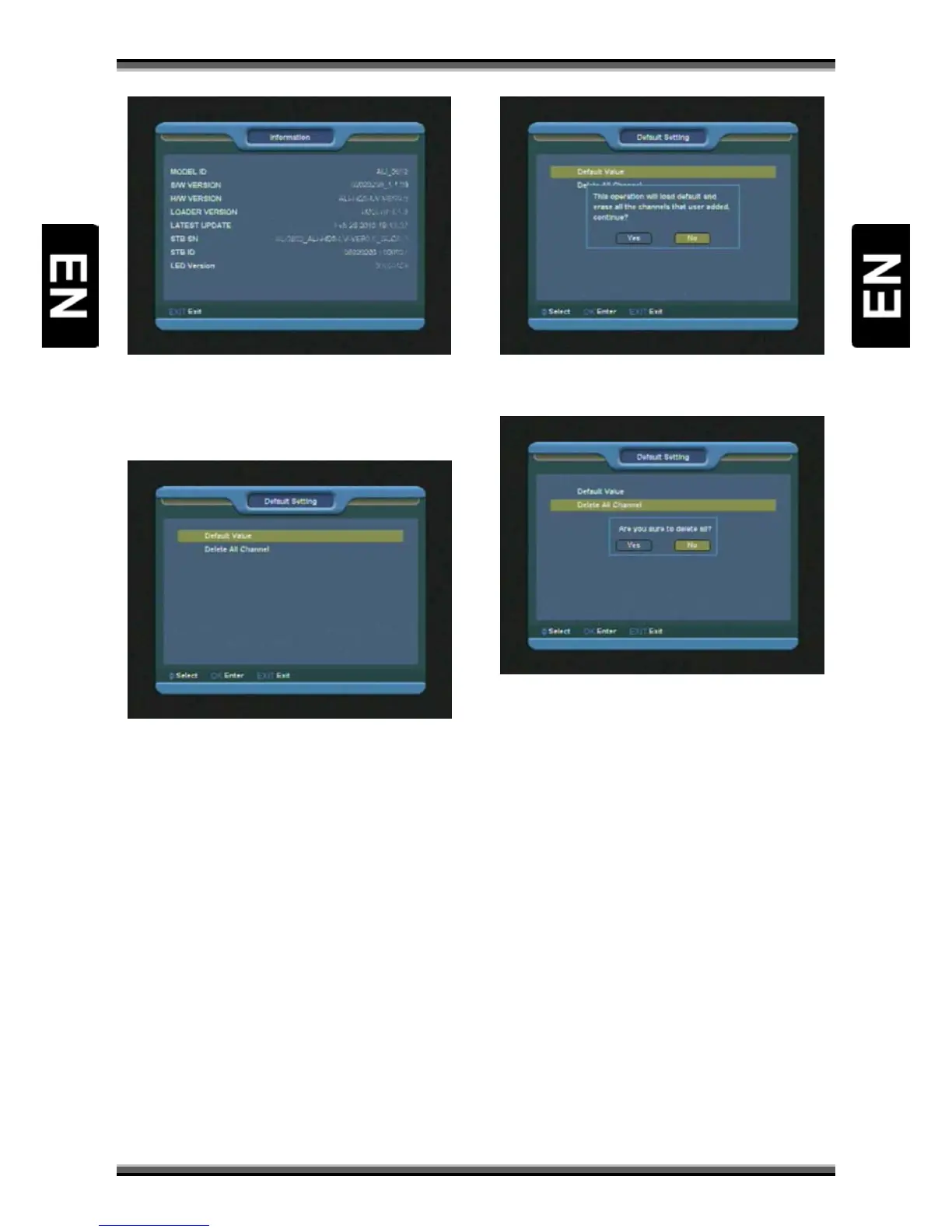
1.When you enter to “Default setting” menu, you
will see a screen like below:
1.When you press [OK] key in the “Default Value”
item there will appear a dialogue box for you to
enter the password, and the default password is
“0000”.
After you input the correct password, there will
show a warning message to inquiry you “The
operation will load default and erase all the
channels that user added, continue?”.
If you select “Yes” option, the all revised
parameters of the receiver will reset to default
value. Please carefully to using this function.
In step 1 and step 2, press [EXIT] key can draw
back from this item and without saving.
2.When you press [OK] key in the “Delete All
Channel” you will see a screen like below:
If you select “Yes”, all channels will be deleted.
In step 1 and step 2, press [EXIT] key can exit the
function directly without save.
? Frequently Asked Question
Q: IF I incautiously delete all channels, what
should I do?
A: There are two ways to restore:
To re-search all channels in “Installation” function.
Use “Default Value” function to restore all
channels in “Tools” function
13.3. Software upgrade



 To Next Page