U
U
s
s
e
e
r
r
m
m
a
a
n
n
u
u
a
a
l
l
29
press [BLUE] button.
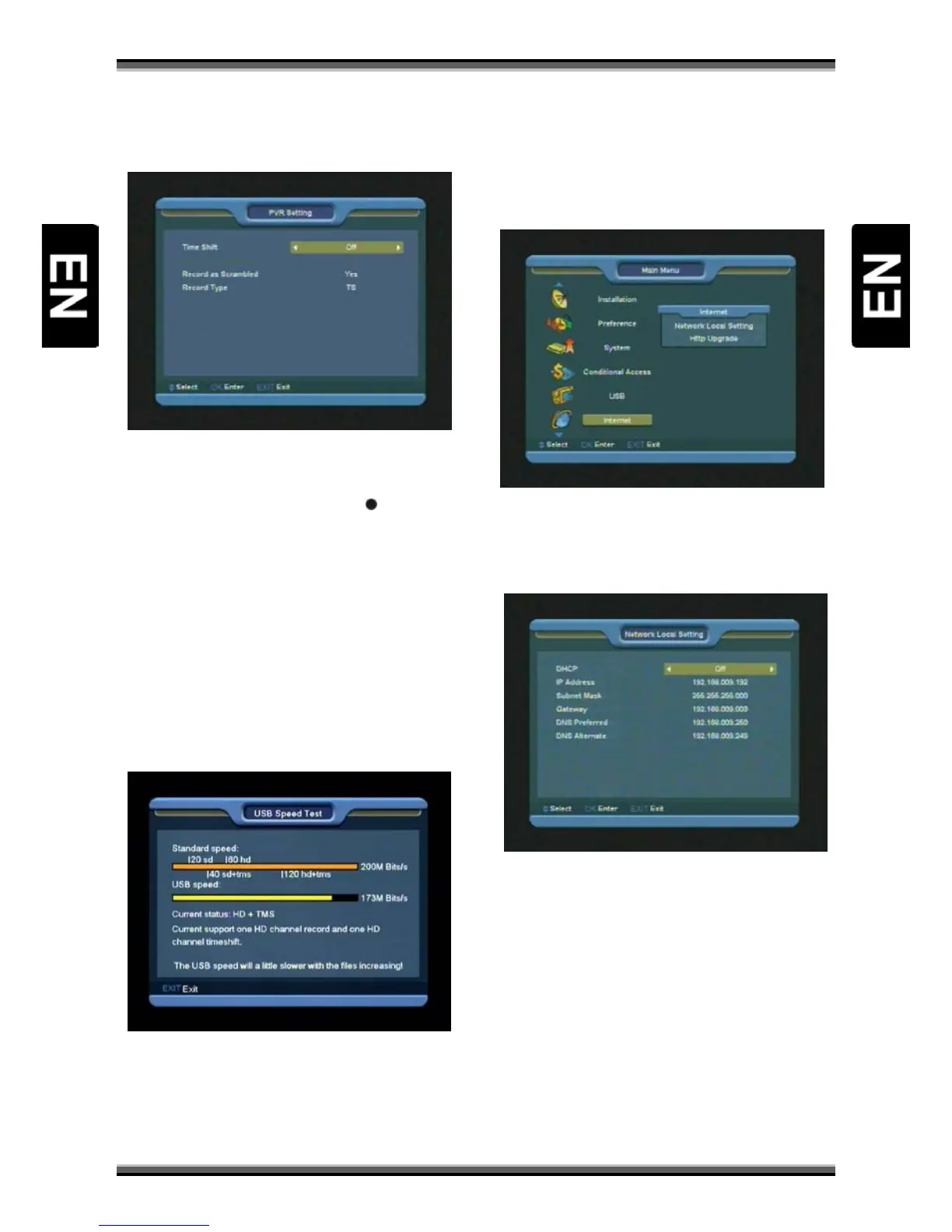
15.4. PVR Setting
1.Time Shift: Enable the Time Shift function.
2.Timeshift to Record: When this function is
turned on, when you press the [
] button to
record the program, it will merge before
Timeshifted file with actually recorded file.
3.Record as Scrambled: When this function is
turned on, when you play the recorded before
scrambled file, you must insert the CI module
and/or the smart card.
4.Record Type: This function enables to choose file
format of recorded file.
15.5. USB Speed Test
In "USB Speed Test" menu you can see the
Standard speed and your USB hard disk speed,
according this information you can know what
operation your disk can support.
16. Menu “Internet”
(optional)
If you enter to the " Internet " Menu, you will see
the picture like the below:
You can get a new software from the network via
LAN port.
16.1. Network Local Setting
1.In this menu you may assign a dynamic IP
address to the digital receiver. To do so, select the
DHCP On.
2.If you have a static IP address, unselect the
DHCP Enable, then the IP Address, Subnet Mask,
Gateway and DNS options become enabled. You
have to set these options according to your IP
address.
16.2. Http Upgrade



 To Next Page