U
U
s
s
e
e
r
r
m
m
a
a
n
n
u
u
a
a
l
l
26
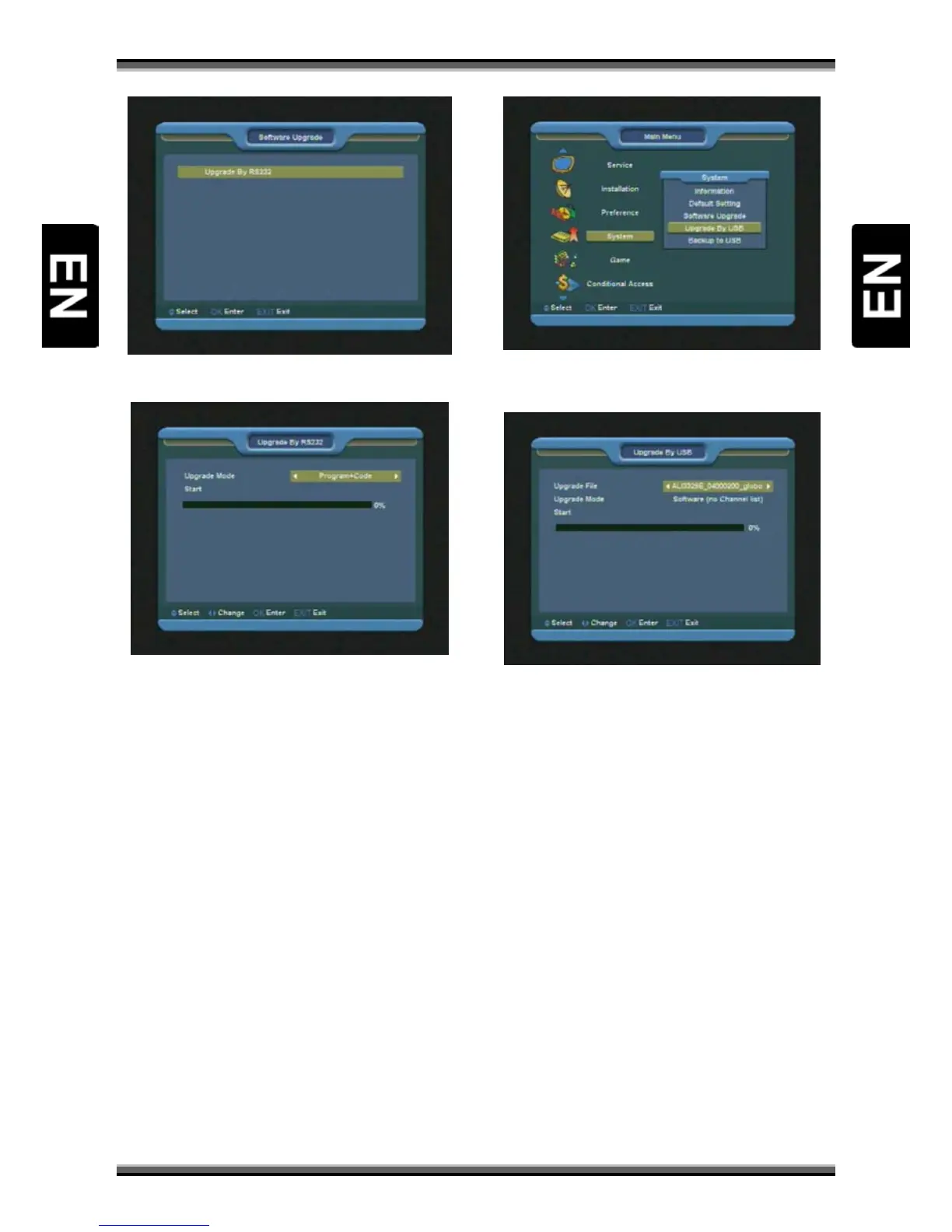
13.3.1. Upgrade by RS232:
1.We offer the functions for user to connecting
receiver (Master) to the other receiver (Slave) via
serial interface.
2.Connect master receiver to slave receiver via
serial interface. Enter “Software Upgrade” menu
in master receiver and press [↑/↓] keys to switch
upgrade mode.
3.Upgrade modes include: Code / Program List /
User Back / Video Back / Radio Back / DefaultBD
/Default DB + User DB/ Program + Code
4.Moving highlight to “Start” on master receiver
and press [OK] key to start upgrade.
5.Turn on slave receiver and it needn’t operate any
setting.
Press [EXIT]key to draw back.
13.4. Upgrade By USB
In this menu you can upgrade the software from
USB conveniently, press [OK] button to enter.
In this menu you can select the Upgrade Mode
among Software (no channel list), Channel list, All
SW + bootloader, All SW + Channel list. You can
select the appropriate upgrade file on "Upgrade
File" item. After you select the "Upgrade Mode"
and "Upgrade File", press [OK] button on "Start"
item, the receiver can upgrade automatically.
NOTE: You must put the upgrade file on the /ROOT
DIRECTORY of the USB storage.
13.5. Backup to USB
In this menu ,you can dump the software to the
USB equipment.
In "Backup file", you can press [OK] key to edit the
file name.
In "Backup to USB", you can press [OK] to start
dumping software.



 To Next Page