49
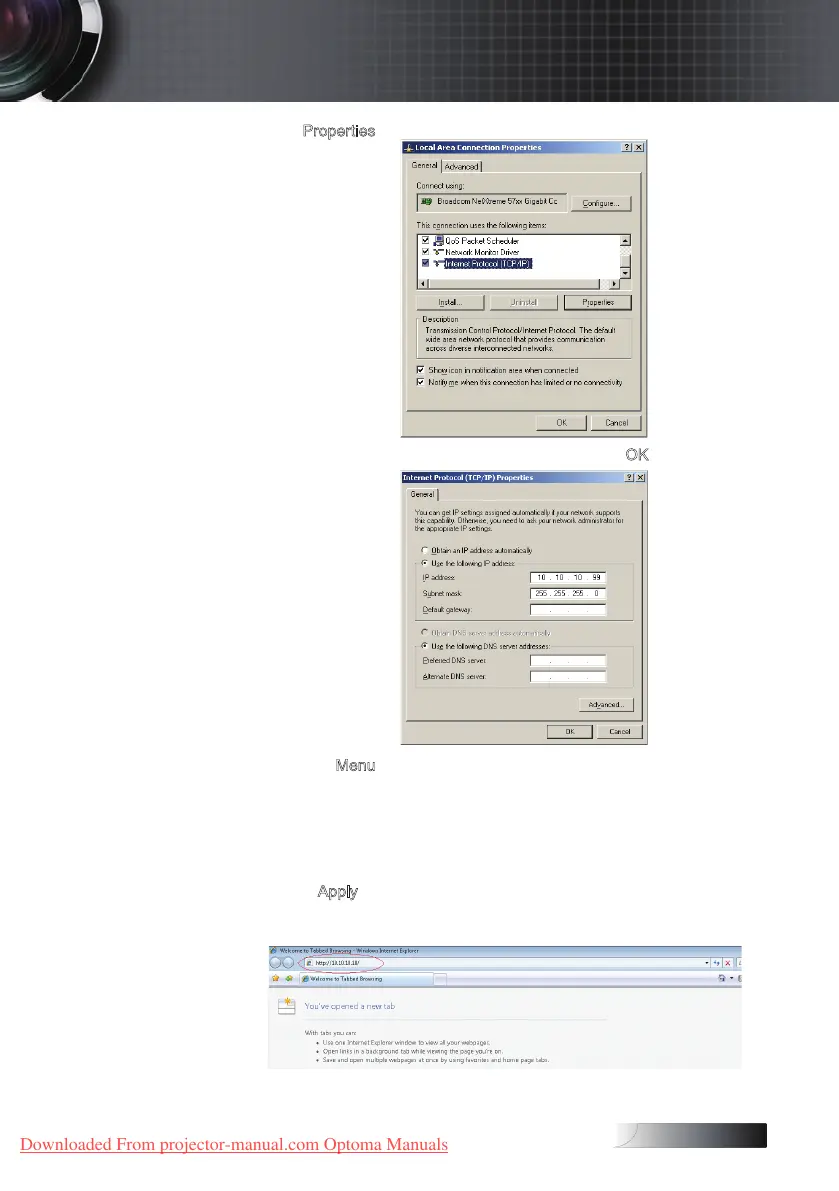
5. Click Properties.
6. Fill in the IP address and Subnet mask, then press OK.
7. Press the
Menu button on the projector.
8. Select OSD-> SETUP-> Network-> Enabled.
9. Input the following:
4
IP Address: 10.10.10.10
4
Subnet Mask: 255.255.255.0
4
Gateway: 0.0.0.0
4
DNS: 0.0.0.0
10. Press Apply (Enter) to conrm settings.
11. Open a web browser (ex, Microsoft Internet Explorer with Adobe
Flash Player 9.0 or higher).
User Controls
Downloaded From projector-manual.com Optoma Manuals





 To Next Page