50
12. In the Address bar, input the IP address: 10.10.10.10.
13. Press Apply.
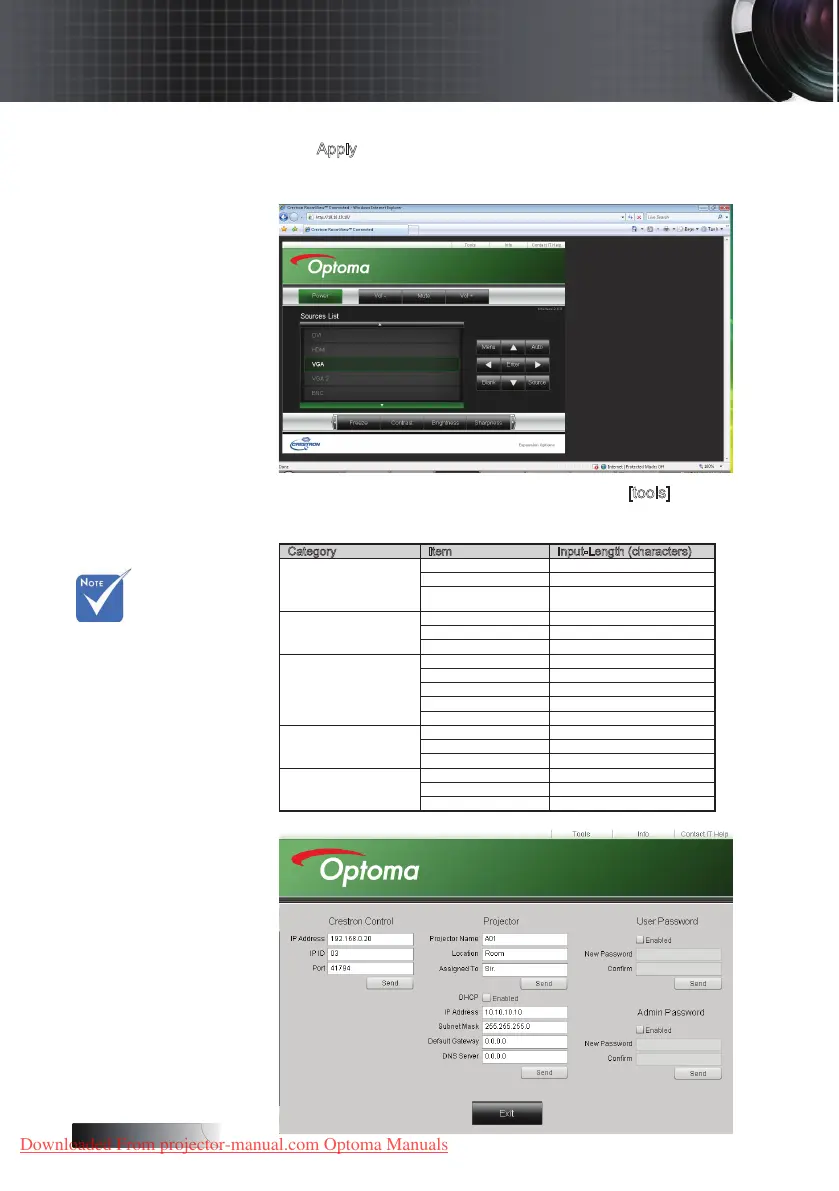
The projector is setup for remote management. The LAN/RJ45 function
displays as follows.
14. Based on network web-page for the input-string in [tools] tab, the
limitation for Input-Length is in the below list (“space” and the other
punctuation key included):
Category Item Input-Length (characters)
Crestron Control
IP Address 15
IP ID 2
Port 5
Projector
Projector Name 10
Location 9
Assigned To 9
Network Conguration
DHCP (Enabled) (N/A)
IP Address 15
Subnet Mask 15
Default Gateway 15
DNS Server 15
User Password
Enabled (N/A)
New Password 15
Conrm 15
Admin Password
Enabled (N/A)
New Password 15
Conrm 15
v For more
information,
please visit
http://www.
crestron.com
User Controls
Downloaded From projector-manual.com Optoma Manuals





 To Next Page