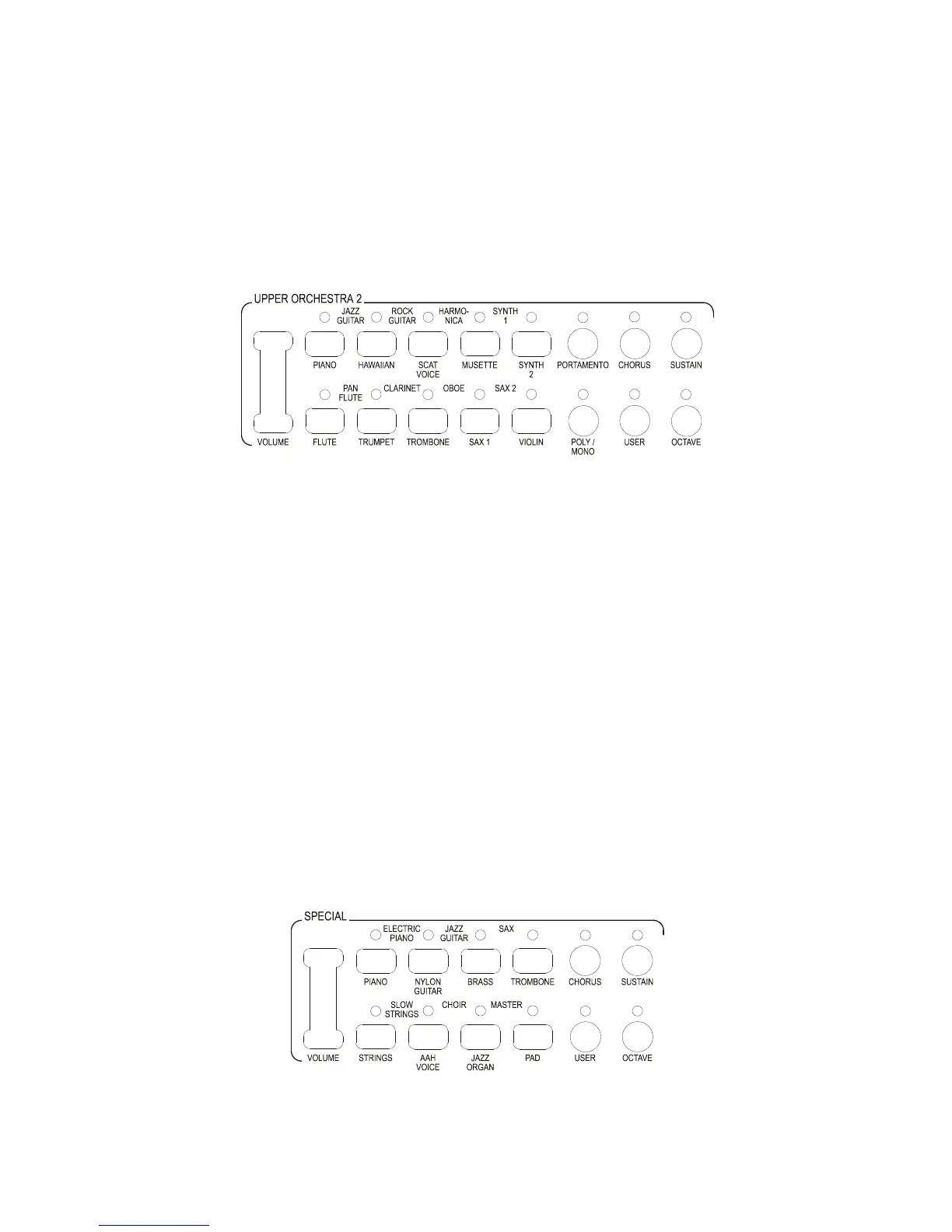
provide an alternative sound to that indicated on the button. The User sound can be altered. See later in
the manual.
Upper Orchestra 2 can be selected by switching On the Upper Orchestra 2 button in the Conductor
section. If Upper Orchestra 1 and Upper Orchestra 2 are both illuminated then the sounds in both
sections will sound simultaneously when played.
If Upper Orchestra 1 is switched Off in the Conductor then the sound of Upper Orchestra 2 will remain
on its own. The sound of Upper Orchestra 1 will not be heard even though the selected sound remains
illuminated in the section. This indicates the sound that is selected in Orchestra 1, which will activate
only when the Orchestra 1 Conductor button is switched On.
The sounds in Upper Orchestra 2 are selected in the same way as in Upper Orchestra 1. Unlike upper
Orchestra 1 which is permanently in a Poly mode (more than one note can be played simultaneously)
Orchestra 2 can also be used in a Mono mode (only one note can be played at the time).
Both sections have an Octave switch, which in the factory settings usually takes the sound on the Upper
keyboard down 1 octave. This can be altered. See relevant section later in the manual.
There is also a Sustain switch which when selected will make the sound carry on and gradually
decrease after the note is released, in the factory settings the amount of sustain is set to be suitable for
each instrument. The sustain time can be altered. See relevant section later in the manual.
Each section also has a Chorus button. This when selected provides a third dimension to the sound.
This can be changed. See relevant section later in the manual.
Upper Orchestra 2 also has a Portamento button. This only works when Orchestra 2 is set in Mono
mode. When selected if the notes are played in a legato fashion they will slide from one note to another.
If played in a staccato fashion there is no Portamento effect. This technique requires considerable
practice to perfect.
The Special section is different to all of the other sections in as much as it is not dedicated to a
particular keyboard. If it is selected in the Upper Conductor it becomes a third section for the Upper
keyboard. If selected in the Lower Conductor it becomes a second section for the Lower keyboard.
It cannot be used simultaneously on both keyboards. It also has a third use.



 To Next Page