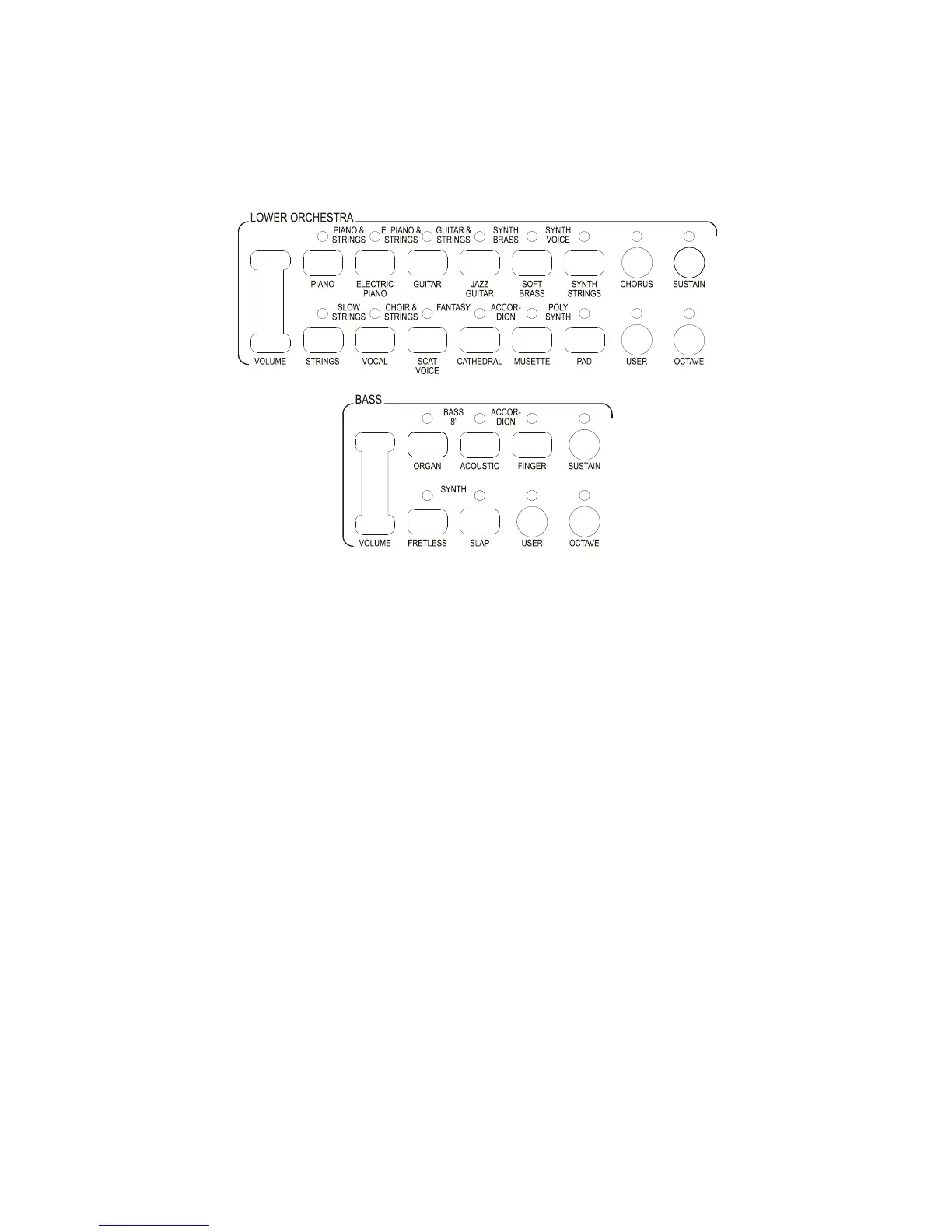
When the Lower Split is selected it is the section that provides the sound for the right hand side of the
Lower keyboard. The Lower Orchestra and the Lower Flutes provide the sound for the left-hand side of
the Lower keyboard when the Split is switched On.
The Lower Orchestra works in exactly the same way as the Upper Orchestra 1 but on the Lower
Keyboard. It is situated above the Flute Bars at the top of the control panel.
BASS
The instrument has 8 different Bass voices available for manual Bass. To select these press any of the
BASS tabs. The BASS section can be played in the Lower keyboard and can be activated via the BASS
button in the CONDUCTOR section.
The Bass section can be played only in monophonic mode.
All of the Orchestra sections have their own Volume control, which is situated, to the left of the
section. The green LED’s indicate the level of volume. To increase the volume press the button at the
top and to decrease the volume press the button at the bottom. There are more steps of volume than
there are LED’s so the lights do not change at every press of the button.



 To Next Page