4- To retain the original file press the ESCAPE/NO button
5 - To replace the file press the ENTER/YES button and the display will show:
FILE
!!SAVING!!
When the screen changes the song is saved
C) NAME THE SONG
1- Move the cursor using the (<) and (>) DATA buttons and set the cursor under the first letter.
Using the (/\) and (\/) DATA buttons select the letters to write the new name of the song and
confirm by pressing the ENTER/YES button..
2 - If the new name already exists the display will show:
FILE EXIST
Replace it?
3 - If the file is not to be replaced press the ESCAPE/NO button
4 - If the file is to be replaced press the ENTER/YES button and the display will show:
FILE
!!SAVING!!
When the screen changes the song is saved
GT5000 STANDARD MIDI DISK DRIVE
Using the SMF disk drive you can provide a professional backing to your music. The SMF disk drive is
able to play any disk containing songs composed in Standard Midi File format.
It can play SMF in format 0 (all the information in a single track) or in format 1 (all the information in
16 tracks).
CARE AND USE OF THE DISK DRIVE
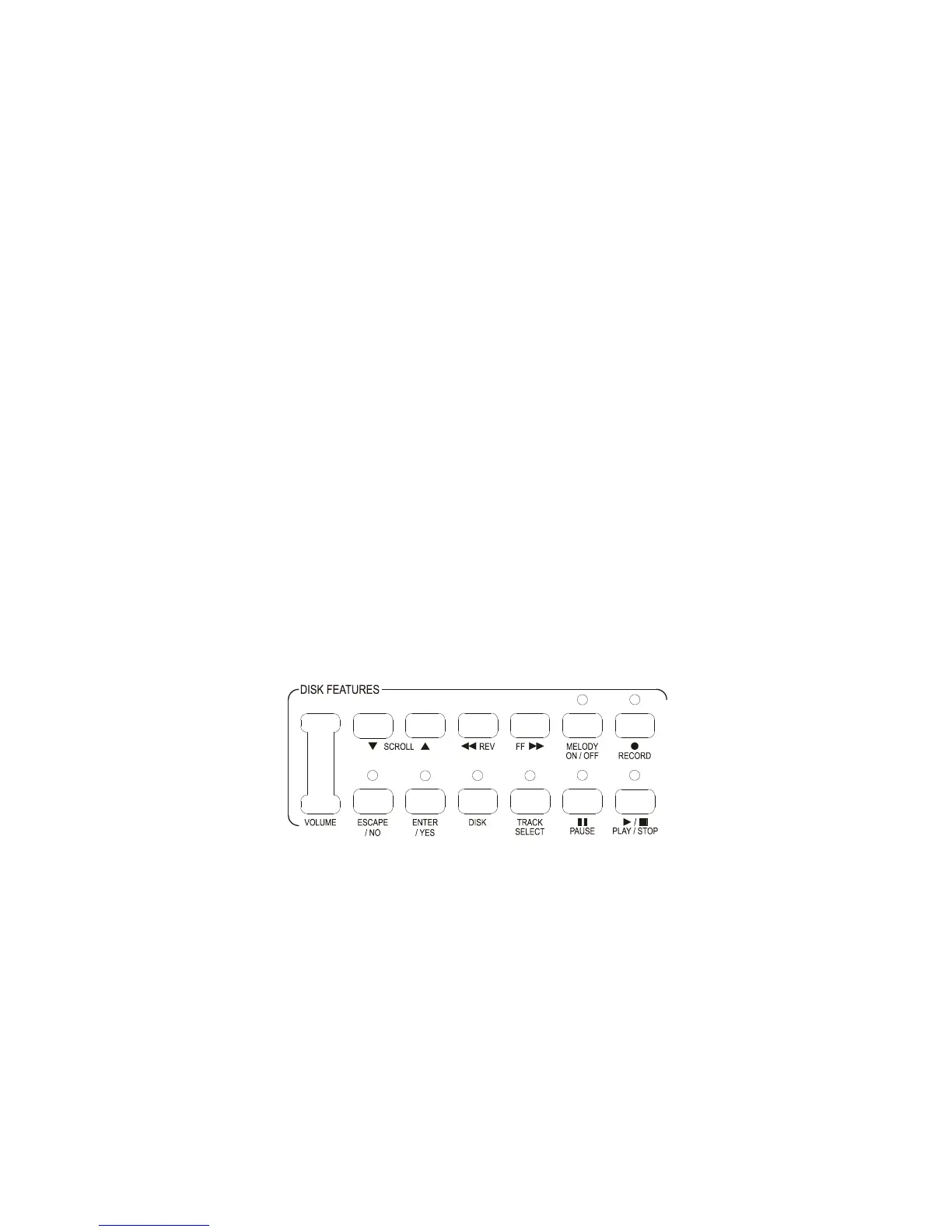
Your GT5000 is equipped with a full-function, Floppy disk drive, located at the far left-hand end of the
Upper keyboard; the disk drive controls are between the keyboard and the drive itself. The disk drive
allows you to save information onto disks, and to store it indefinitely. It also allows you to play that
information back, it even helps you play along with it!



 To Next Page