The Midi IN 1 (KEYB.) connector also receives the Midi data from an external Midi device. Using
MIDI IN 1 it is possible to send midi information to the second set of Midi Channels that the
instrument provides without affecting the operations of the disk/song section.
The Midi THRU connector retransmits any data from the Midi IN directly to other Midi devices.
The Midi OUT connector transmits Midi data generated by the instrument to other Midi instruments
and it is possible to configure it to send out Song notes or keyboard notes.
BASS PEDALBOARD
This is the connection of the 13 notes bass pedalboard.
SWITCH PEDAL
This is the connection of the 2 switch pedals that can be programmed to your requirements.
VOLUME PEDAL
Note that there are two separate VOLUME PEDAL sockets:
- The first is located near to the SWITCH-PEDALBOARD socket.
This is a Digitally controlled Volume Pedal socket and will be very useful to control the
instrument volume when using the LOWER VOLUME feature or while recording your volume
changes in SONG RECORDING (see paragraph).
- The second is located near to the SUSTAIN pedal socket. This is an analog controlled Volume
Pedal and this also will control the level of the input sockets .
RESET
This instrument contains protection against power surges or electromagnetic waves. Should it be
affected it may cause the instrument to cease to function correctly. Usually if this occurs simply
switching off and waiting for about 20 seconds before switching on will restore the functions . If this is
not successful a full reset may be necessary. A reset should only be used as a last resort as all user
settings will be erased.
If it should be necessary to completely erase the internal RAM memory, a very simple reset feature is
provided.
1 - Make sure that the instrument is switched off.
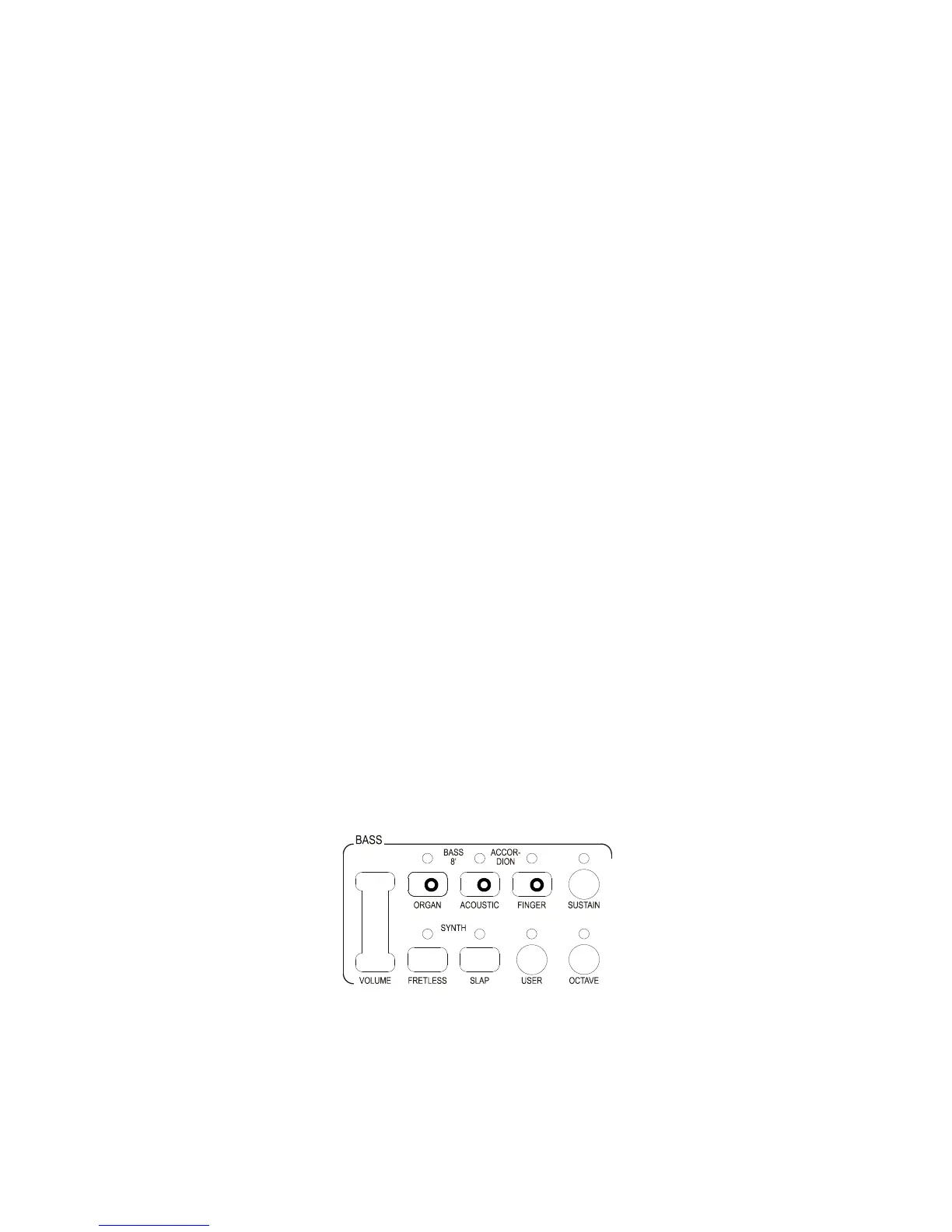
2 - Press and hold the top 3 bass sound buttons
3 - Switch on the instrument holding the 3 buttons down.
Do not reset the instrument if is not necessary. All your information will be automatically erased
from the internal RAM memory.



 To Next Page