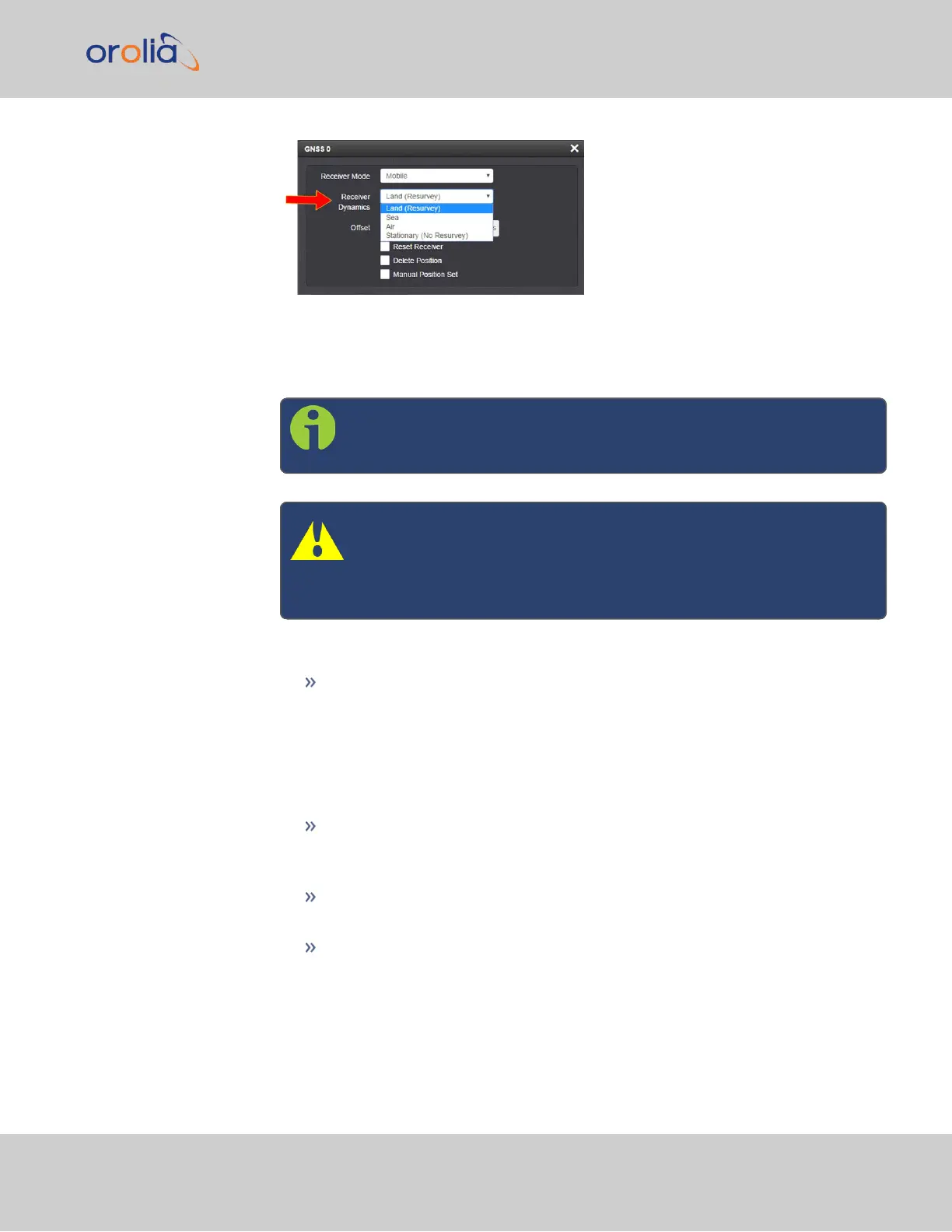
4.
Select a setting and click Submit.
Available GNSS Receiver Dynamics Settings
Note: This option only applies to the M8T receiver in your device, not
to SAASM GPS receivers (if equipped).
Caution: If you select a setting that does NOT resurvey, and sub-
sequently relocate your unit (antenna) by more than 100m, the
receiver will NOT detect the new position, and hence provide an
incorrect time.
The following Receiver Dynamics exist:
Land (Resurvey/No Resurvey):
When used with the Mobile Receiver Mode, the receiver is adjusted for typ-
ical dynamic land-based applications.
When used with the Standard Receiver Mode, this setting also will auto-
matically initiate a resurvey after VersaSync reboots, in order to account for a
possible relocation.
Sea: The receiver dynamics will be optimized for mobile motion patterns typ-
ical with marine applications, resulting in greater timing accuracy, and avoiding
premature loss of synchronization.
Air: The receiver dynamics will be optimized for acceleration forces typically
experienced in civil aviation applications.
Stationary (No Resurvey): In Standard Mode, the receiver is set to a non-
dynamic value for stationary applications; there will be no automatic resurvey
after a reboot. Hence, should a unit be relocated, you need to delete its pos-
ition, thus initiating a new survey.
The following table summarizes the different settings and their inter-dependencies:
3.3 Managing References
CHAPTER 3 • VersaSync User Manual Rev. 7.0
181


 To Next Page