Monitor Settings
28
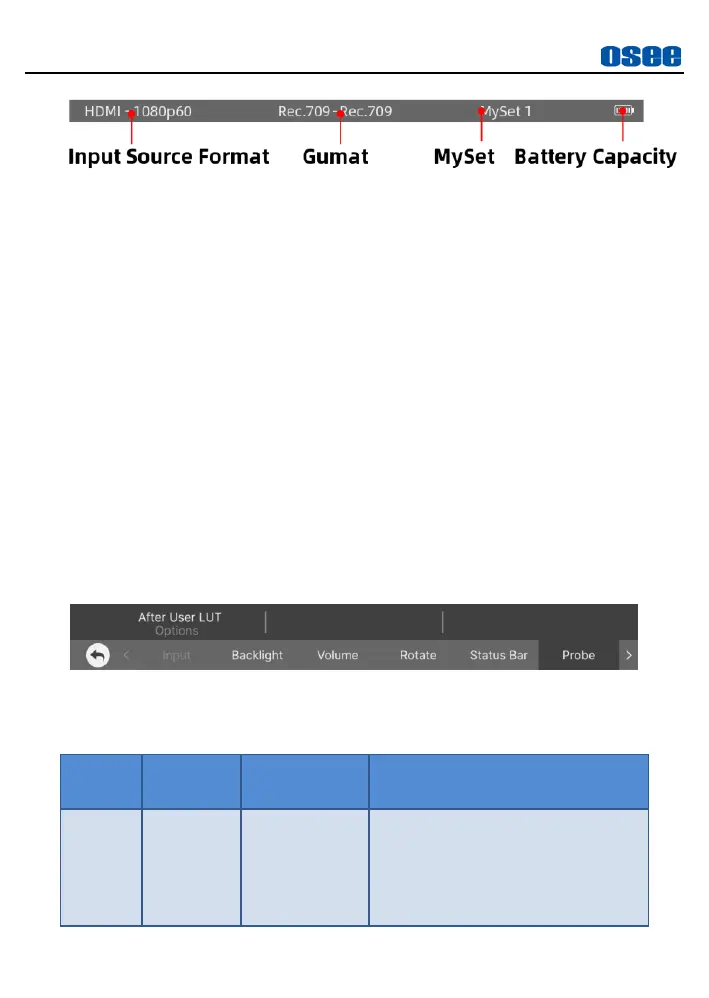
Figure 5.2-9 Status Bar
INPUT FORMAT
The
Signal Format
usually displays the following situations:
UNKNOWN
: appears if an unsupported signal is input.
No
Signal
: appears if no signal is detected.
Normal
: the signal format is displayed as HDMI 1080i59.94, etc.
when the input is supported by the monitor.
5.2.6 Probe
The Probe menu is used to set probe position whether after loading User
LUT or before, as shown in Figure 5.2-10:
Figure 5.2-10 Probe Menu
Table 5.2-6 Description of Probe Menu
When this item is set to After User
LUT, the exposure tools will
analyse the LUT applied signal,
otherwise the original signal is
analysed.



 To Next Page