MySets and Tools
75
Continue to add other tools for a MySet, and you can add up to 8 tools in a
MySet.
Tap close button to close the tool list.
6.2.4 Load/Close Tool Bar
In a MySet, tap the screen to load or close the tool bar. The instructions
are as below:
Load Tool Bar
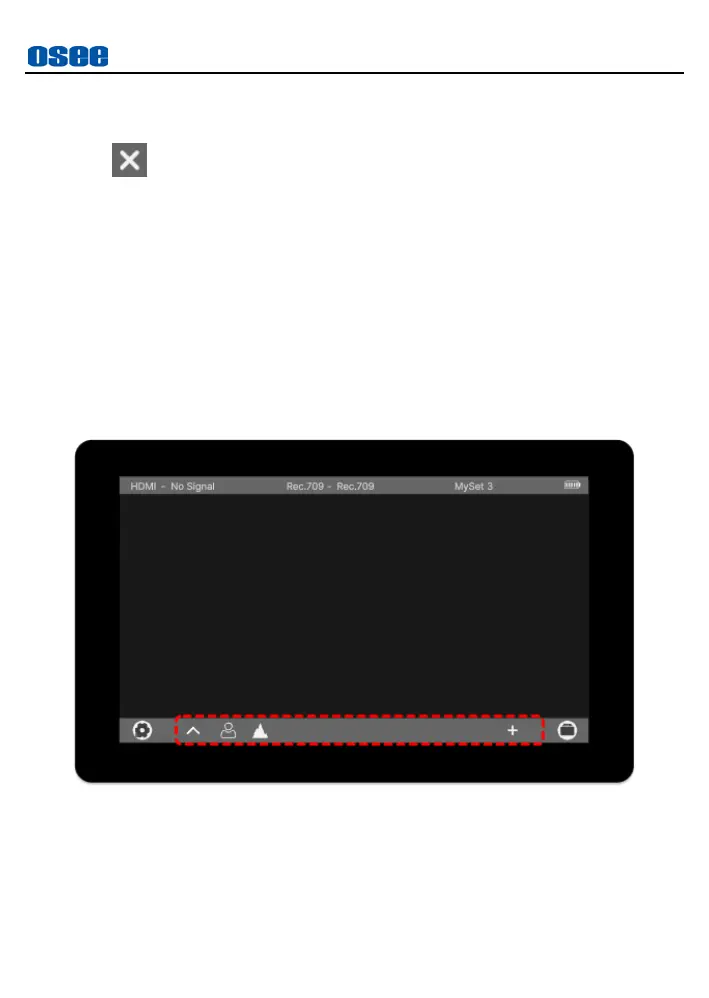
Tap the screen to load tool bar for current MySet, the tool bar will be
displayed at the bottom of the screen, as shown in Figure 6.2-12. The
bar labeled in the red rectangle is the tool bar for current MySet.
Figure 6.2-12 Tool Bar for A MySet
Close Tool Bar
After loading a tool bar, tap the screen again to close the tool bar.



 To Next Page