MySets and Tools
74
Figure 6.2-9 Add a Tool
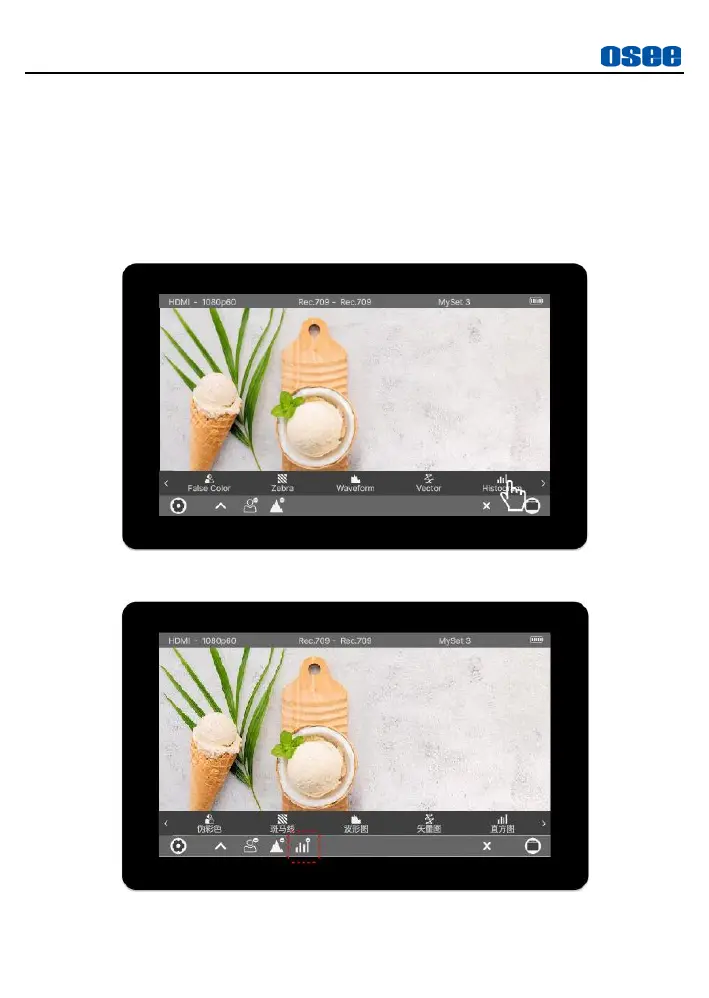
Step 2 Add HISTORGRAM Tool
Swipe left until
Historgram
item shows up, as shown in Figure 6.2-10.
Tap on
Historgram
to confirm the selection, the
Historgram
tool icon
will be added into the tool bar, as shown in Figure 6.2-11:
Figure 6.2-10 Choose Histogram Tool
Figure 6.2-11 Histogram in the Tool Bar



 To Next Page