MySets and Tools
64
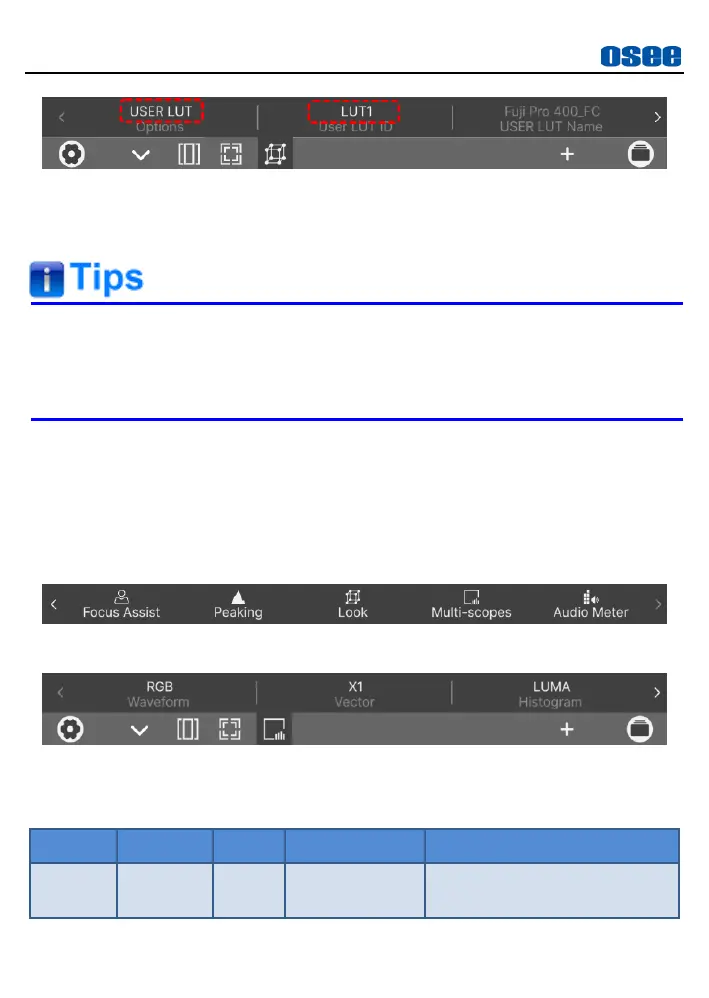
Figure 6.1-23 User LUT Tool
Then, you can adjust intensity of this LUT effectiveness on screen
through the
Intensity
item.
Lilmon 5 supports color management software CalMAN, the
customized 3D LUT profiles (*.cube) produced by these software
could be loaded to SD card by a control computer.
6.1.5 Analysis Tool
Analysis tool is used to swiftly display or hide all common used analysis
charts on screen, including audio meter, waveform, histogram and vector,
as shown in Figure 6.1-24 and Figure 6.1-25:
Figure 6.1-24 Analysis Tools
Figure 6.1-25 Multi-Scopes Settings
Table 6.1-8 Description of Multi-Scopes Tool



 To Next Page