Set the density of audio meter,
waveform, histogram and
vector displayed on screen
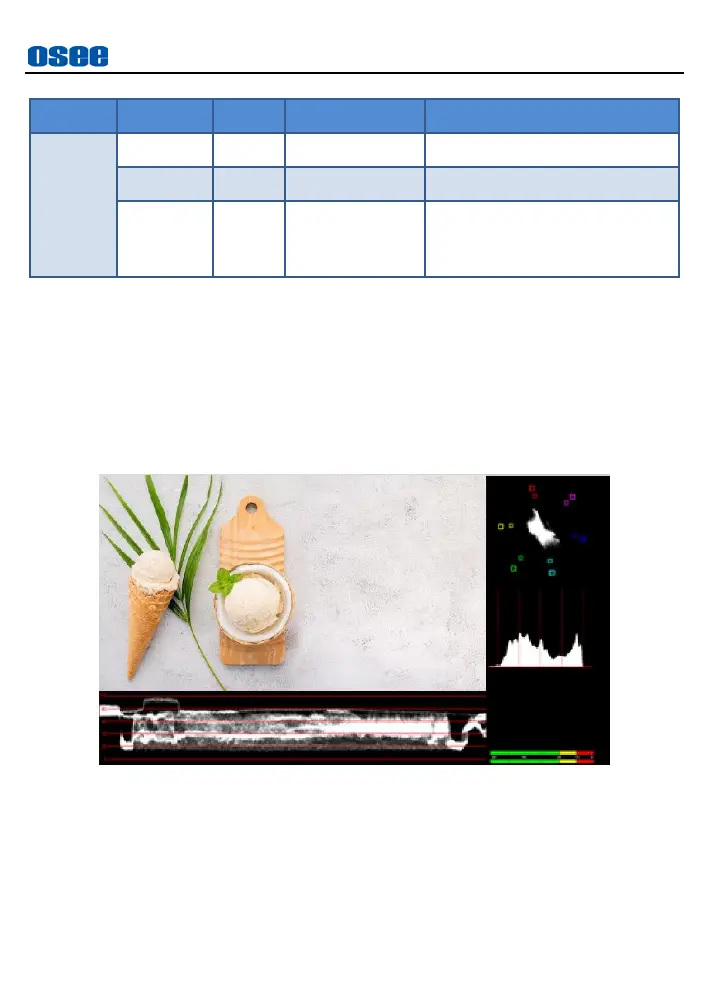
This tool puts multiple analysis charts and the image together.
Activate Analysis Tools
Tap
Multi-scopes
tool and enable it
,
it will zoom out to display the
signal on the top left area, and show all common used analysis tools
including vector, histogram, waveform and audio meter which are all
activated. The layout of these tools on screen are as shown in Figure
6.1-26:
Figure 6.1-26 Analysis Tools
Type & Density
You can choose different types for these charts through their
corresponding items in this tool, but their positions can’t be modified.
Adjust density of these tools all together through the
Density
item.



 To Next Page