MySets and Tools
69
operation bar, as shown in Figure 6.2-2.
Lilmon 5 supports up to 8 customized MySets.
The 8 MySets exist by default and undeletable.
Factory has 3 MySets (frame, exposure, focus) preset, you can edit
them to your preferences.
6.2.2 Clear a MySet
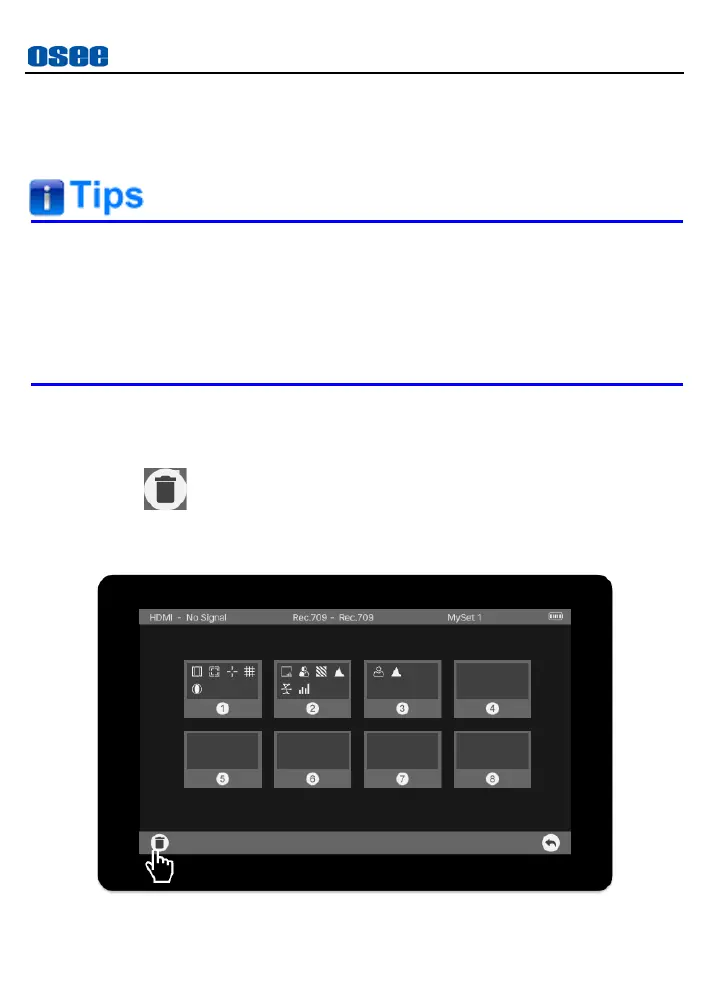
Tap the trash button to enter clear mode for MySets.
Tap the trash button at the leftmost of the operation bar in MySet preview
page, as shown in Figure 6.2-3:
Figure 6.2-3 Delete a MySet



 To Next Page