Hold SHIFT and press a button to access secondary functions,
those printed in turquoise.
–––––––––––––––––––––
· SEQUENCERS
Pressing a sequencer number button selects the sequencer that is displayed on the interface.
- MUTE + Sequencer button activates/deactivates the specific sequencer for playback.
It is possible to activate/deactivate several sequencers at once.
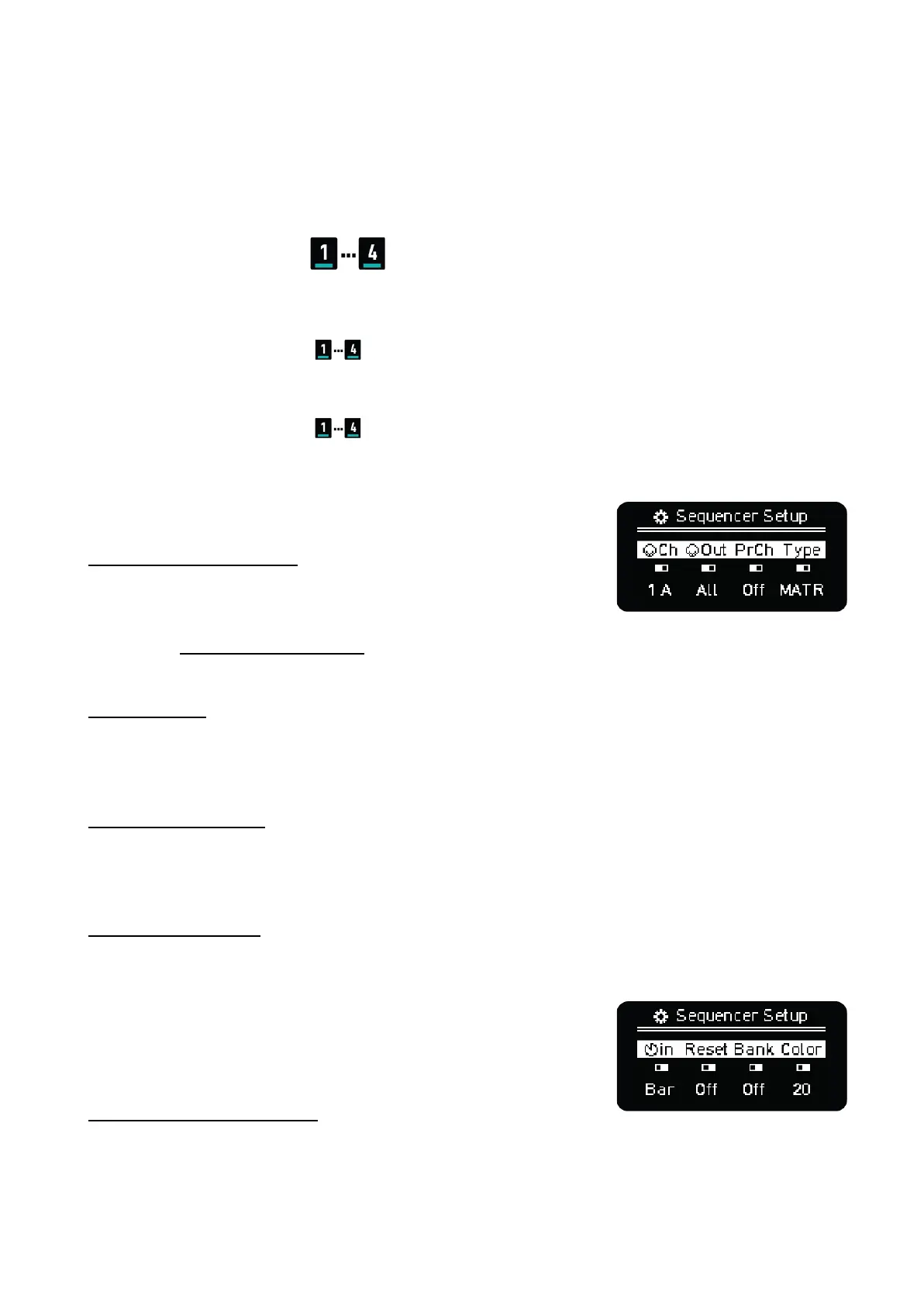
- SHIFT + Sequencer button accesses the Sequencer Setup menu. From left to right you can
change.
SEQUENCER SETTINGS
GLOBAL MIDI CHANNEL
for the selected Sequencer. For Multitrack Sequencers, each of the
eight tracks can be assigned a separate MIDI channel and output.
See the Multitrack Mode section for details.
NOTE: The MIDI In Channel Filtering setting defines how OXI One
routes the input MIDI data to the different sequencers.
MIDI OUTPUT
Defines where the Sequencer MIDI data is through: ALL, TRS, USB or BLE destinations. This setting
doesn’t affect the CV-Gate outputs.
Note: This parameter is set per track in Multitrack Mode.
PROGRAM CHANGE
Sends a MIDI Program Change message to the selected MIDI channel and Output destination on
pattern load or in the Arranger if configured.
Note: This parameter is set per track in Multitrack Mode.
SEQUENCER MODE
Mono, Poly, Chord, Multitrack, Stochastic and Matriceal mode selection.
SEQUENCER SETTINGS PAGE 2
SHIFT + Press Any Encoder to access the second Sequencer
Setup menu. From left to right you can change:
PUNCH-IN QUANTIZATION
Sets the countdown for the sequencer to be launched (activated)
when playback is active so it starts in sync with other sequencers.



 To Next Page