SEQUENCER MODES
There are 6 Modes available: Mono, Polyphonic, Chords, Multitrack, Stochastic and Matriceal. Each
Sequencer Mode is designed to accomplish a specific purpose. Stochastic and Matriceal are two
kinds of generative engines.
To change the mode in the selected sequencer hold SHIFT and tap the sequencer button to enter the
sequencer settings menu. Then select the desired mode from the list using the rightmost encoder.
· MONO
Mono mode is a great place to create the leads and main melodies of your song, perform or automate
them.
In Mono mode, every row represents the note position according to the selected scale, starting from
the selected root note. For example, in the C Major scale, steps would be C, D, E, F, G, A, B and C in
a higher octave.
There’s up to 128 steps, review Init and End function buttons to recall how to change the length.
To enter notes, short press on the pad you want to set on. To remove them, short press on the active
pad. You may enter or remove several notes at once by doing this.
- Remember to use Y DIV and first encoder to scroll up/down to reach higher/lower notes. You
can also push + turn the 2nd encoder. The row being highlighted is your root note.
When one note is on a higher or lower octave, a led will light up on the top or bottom row indicating
the higher or lower pitch, the note will be also visible on its respective row, so it helps you to have all
the notes at sight and controlled.
You can have notes that are longer than a single step by adding TIEs. To enter a TIED note, hold the
first step you want to activate, and press the last step you want the TIE to be active on the same row
(note that this action requires holding the first note before pressing the second, otherwise you activate
Multipress edition, see below). The same action also removes TIED notes. You can also remove a
TIED note by tapping its first step.
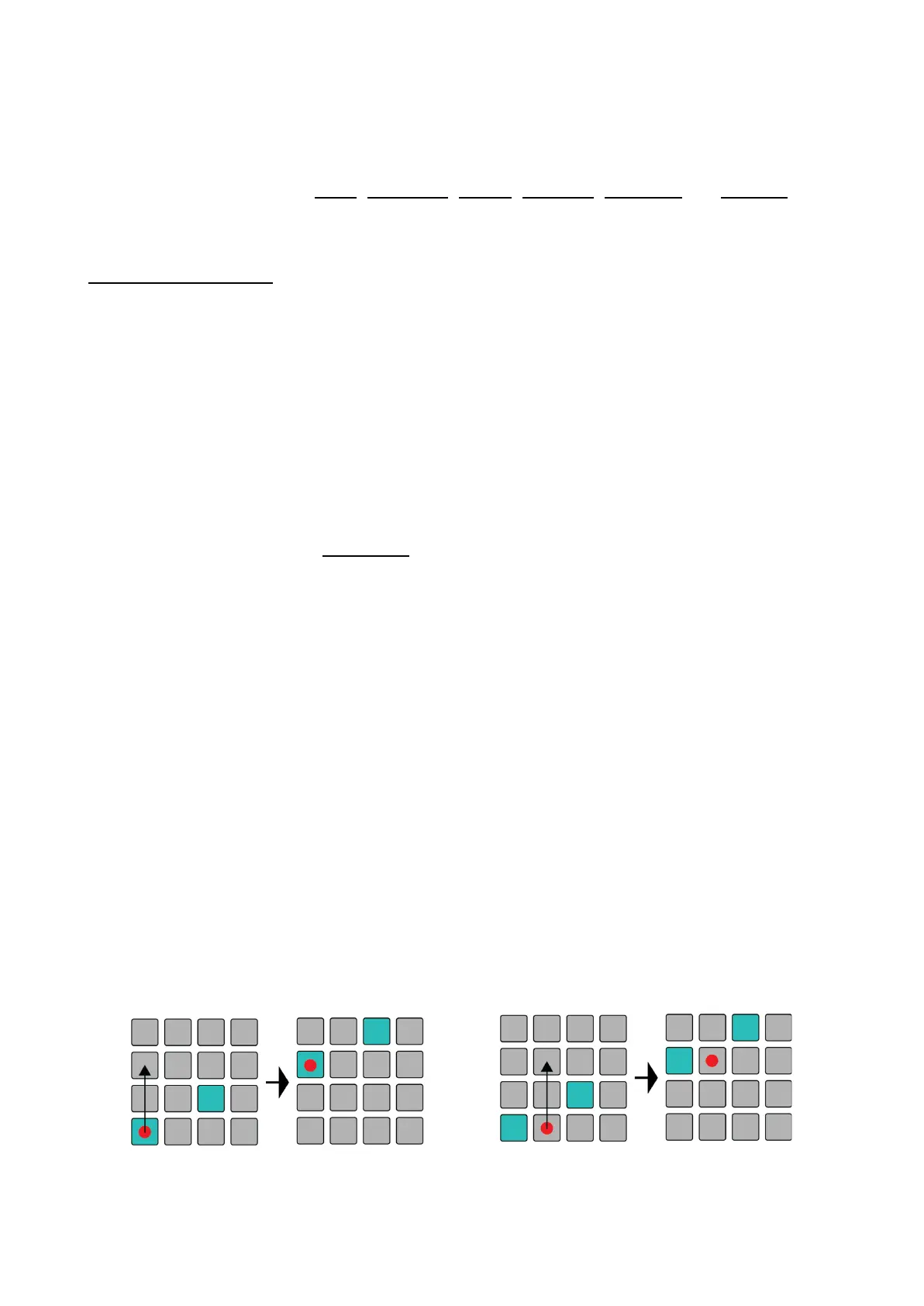
You can quickly transpose the whole sequence by holding the respective Sequencer button and
pressing an empty note higher or lower than an active one. The distance from the active note to your
pressed pad in the column will dictate the transposition direction and distance.



 To Next Page