When fully CCW you get to SKIP, if selected the step timing will be ignored by the transport bar, thus
making the sequence length shorter. Skip is only supported in Mono, Multi and Matriceal modes.
–––––––––––––––––––––
Use Skip to abruptly change the timing and feel of the pattern.
Randomize Skip steps to get different sequence lengths every bar by adding and removing notes,
in Retrig on Random Perform screen.
–––––––––––––––––––––
Offset, sets the time deviation of the note from -40% to 40% of the current time division. 25% is a
±
quarter deviation from the duration of the step.
When recording live from the keyboard or using external MIDI, the quantization percentage on the
Recording menu sets the time offset of the notes. If quantization is set to 100% the offset will be 0%,
other than that it’ll be more or less exact to the grid.
KEYBOARD
Check the keyboard and ARP section to know more.
· CHORD
In Chord mode, each pad triggers an up to 8 notes chord, every grid row represents by default, each
degree of the selected scale. For example, in the C Major scale, from bottom to top the rows would
represent Cmaj, Dmin, Emin, Fmaj, etc.
CHORD EDITING
Chord mode was built around the premise of being an inspirational and learning playground. You can
create from simple triad progressions to complex chord progressions with all kinds of tensions,
inversions and all that related to the scale degrees, in a very intuitive manner.
There are two banks of chords available, bank A and B.
Bank A avoids more dissonant chords like augmented, diminished and dominant chords, that are
generally more difficult to use by non musically trained users. You will find all those chords in Bank B.
The auto voicing engine, in charge of assigning the best possible voicings to every chord in order to
get the least voice movement, is enabled by default.
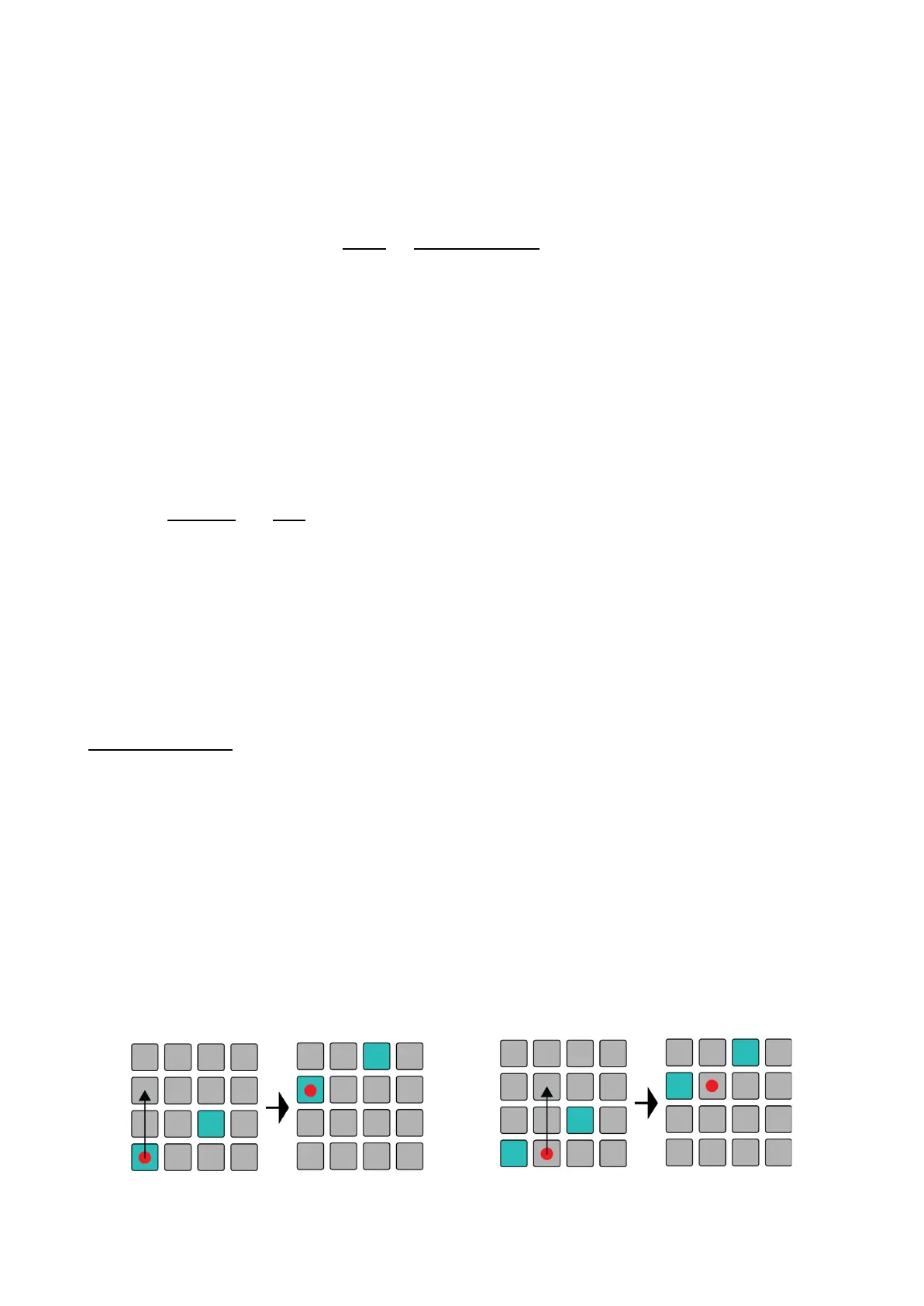
You can quickly transpose the whole chord progression by holding the respective Sequencer button
and pressing an empty pad higher or lower than an active one. The distance from the active note to
your pressed pad in the column will dictate the transposition direction and distance.



 To Next Page