ARRANGER
This is the place to create your Songs, link several patterns or launch them manually.
To activate the Arranger playback hold Shift + Arranger, you'll see “Arranger ON” on the screen.
The Arranger is then ready for playback. Turn OFF Arranger from playing with the same command.
The Arranger is deactivated once you play Stop. Re-enabling the Arranger loads the patterns of the
first slots of the current song.
ARRANGER SCREEN
The arranger screen shows the Song that is loaded. A song represents
the arrangement, how the patterns are set in the timeline. Every project
contains 10 songs.
The screen shows the launch quantization setting, the tempo and the
progress bar of each sequencer.
Lastly, the two Load (folder) and Save (disk) icons indicate that you can navigate the songs loading
and saving them with the 1st and 2nd encoder respectively.
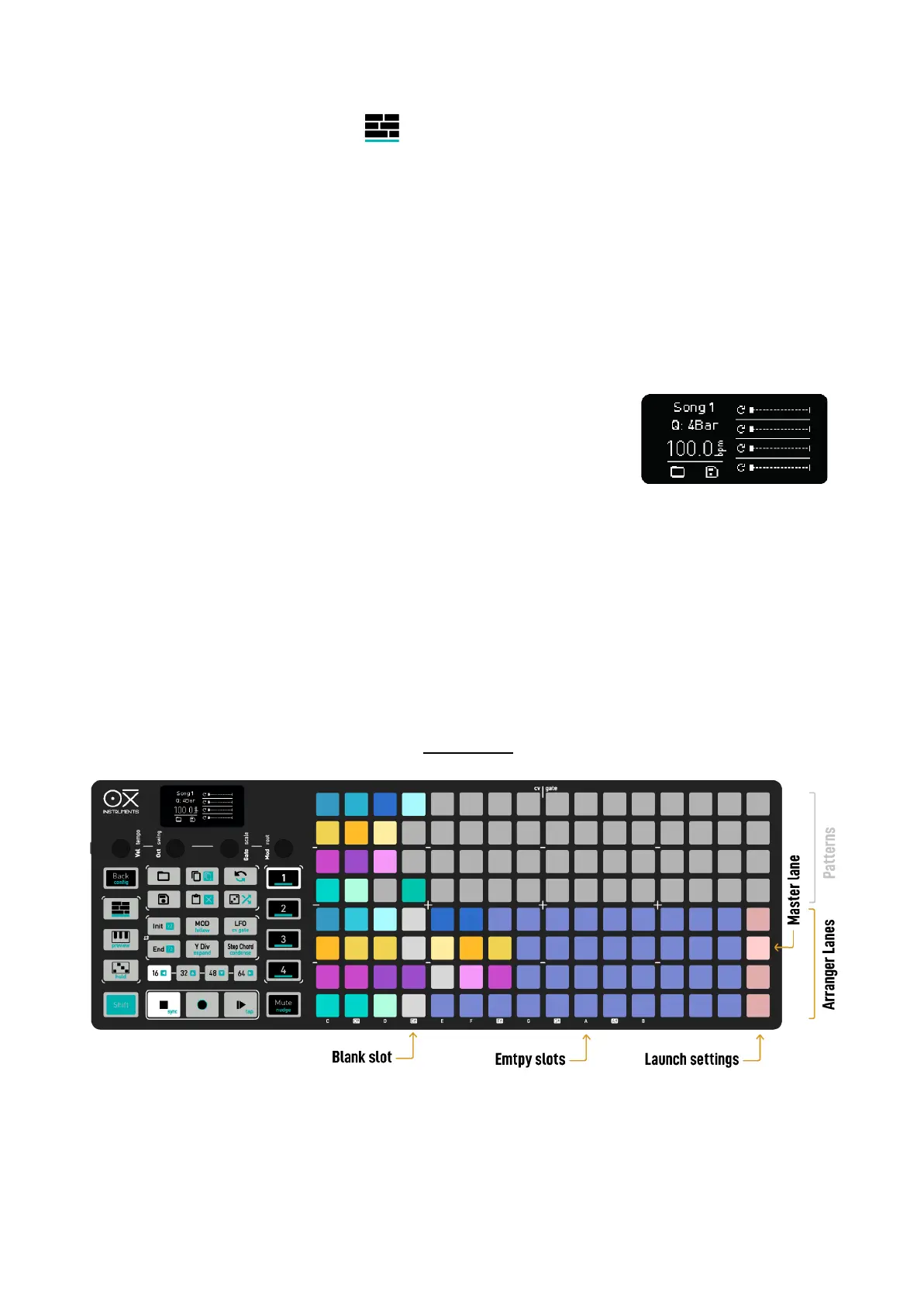
GRID LAYOUT
The bottom 4 rows of the grid represent a 15 position sequence for each Sequencer respectively, so
you have 4 lanes of pattern playback. The top 4 rows are the Memory Access where you can see the
saved patterns of the 4 Sequencers.
The 4 bottom pads of the last column set the Master Lane.
To add a pattern on the arranger, simply hold its slot pad and press a pad in the desired position of
the corresponding Sequencer lane of the arranger. If there’s a gap between the last arranger slot
when adding a new pattern, the middle slots will be filled with blank patterns.



 To Next Page