Pressing any page button from any screen other than Sequencer view will take you to this view. new
ARROW MOVEMENTS
Shift + Page moves the sequence on the grid according to the arrows displayed. Move the sequence
left, up, down and right one step at a time to rotate horizontally or transpose vertically.
It applies to the active range of steps only.
Alternatively, you can also shift a range of steps by holding two pads of the grid and Shift + Page.
· LOAD AND SAVE
MEMORY ACCESS
–––––––––––––––––––––
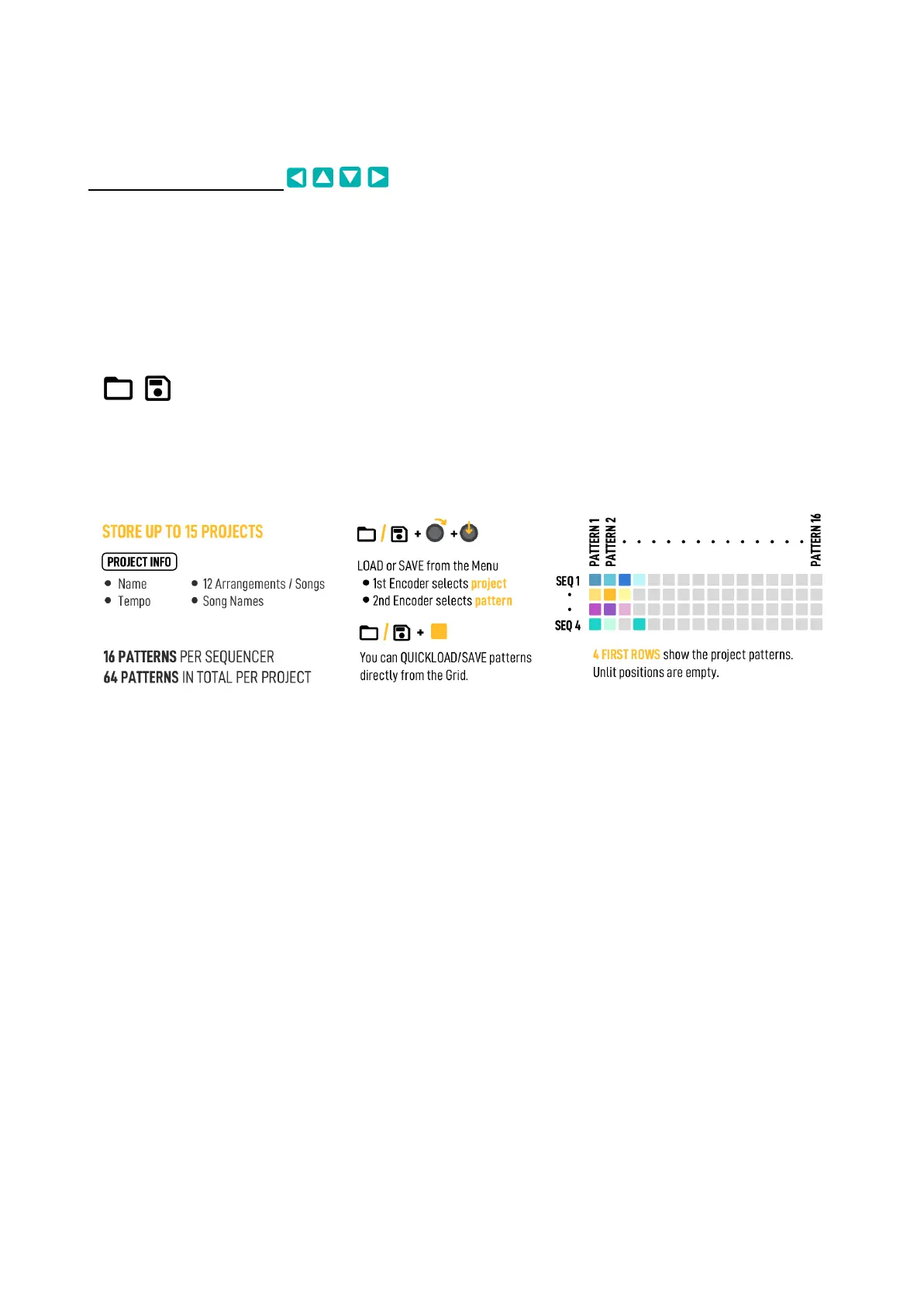
OXI One can store 15 Projects, each Project stores up to 16 Patterns per Sequencer, for a total of
64 patterns per project. Each pattern stores all sequencer data, including its mode (Mono, Chord,
etc.), and different patterns of a sequencer can be for different modes. There is also a Templates
folder with 32 pattern templates.
To save a sequence, hold the Save button, Memory Access view for the current project will show up
on the grid. This layout is independent of the Sequencer you have selected.
The 4 top rows of pads of the grid show the Patterns, one row per Sequencer. Each slot contains one
pattern of one single sequencer.
Each Sequencer can load and play any of its 16 patterns independently of which pattern the other
sequencers are playing, so we’ve arranged the Memory Access with a matrix style correlation to tidy
up the structure.



 To Next Page