Mute On ReleaseSame as before but on Mute button release.
RECORDING MENU
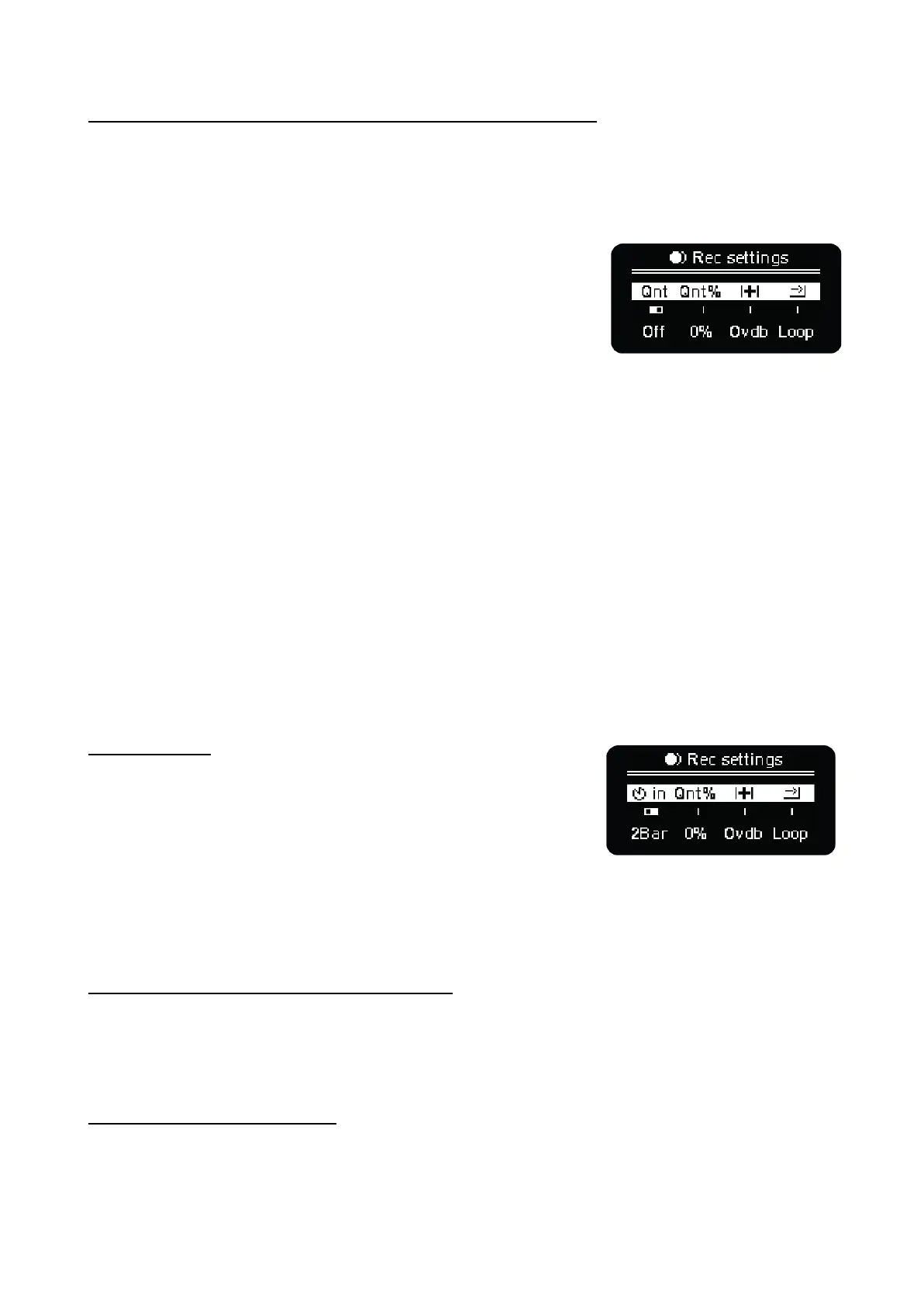
Press Shift + Rec to access Recording Menu, parameters from
left to right:
Quantization (Qnt). Toggles recording quantization ON/OFF, when
quantization is ON, the recorded notes are automatically quantized
to the grid division.
Time Quantization % (Qnt%). Percentage of quantization to the
division of the selected sequencer. To apply the quantization,
confirmation is required by pressing the same encoder. This is a destructive process that can be
undone with undo.
Overdub, recording behavior. If ON, the sequencer will keep the already existing notes, adding new
ones as played. If OFF, the transport bar will delete the events of the sequencer that are in its path.
Looping, 1-Shot or Extend.
Three different behaviors that work as follows.
- Looping will continue recording events inside the actual track length; the initial and end steps
will remain unchanged.
- 1-Shot will stop the recording once the transport bar reaches the final track step.
- Extend, the length of the track is increased until you stop the recording or the transport bar
reaches the maximum possible track size. This behavior allows MIDI Live Looping using
external MIDI input or the OXI One Keyboard layout.
COUNTDOWN
Hold SHIFT and click the 1st encoder to see the countdown
setting.
If enabled, a Countdown will appear on the screen when hitting
the Rec button. The countdown will be shown according to the
setting: 2 Bar, 1 Bar or Off.
If the sequencer is inactive, it will start playing after the countdown.
Otherwise, it will start recording immediately and the countdown will just serve as a time reference,
but it won’t prevent you from starting recording events.
STEP RECORDING / EXT. INPUT CAPTURE
When the OXI One is stopped, press the Rec button and the step recording will be enabled.
Then, in the sequencer view, keep any step pressed and any input MIDI note from an external source
(MIDI keyboard or controller) will be recorded into the pattern.
RECORDING QUANTIZATION
OXI One can record in quantized or unquantized ways. Recording can be done from the built-in
keyboard or from an external controller or MIDI hardware.



 To Next Page