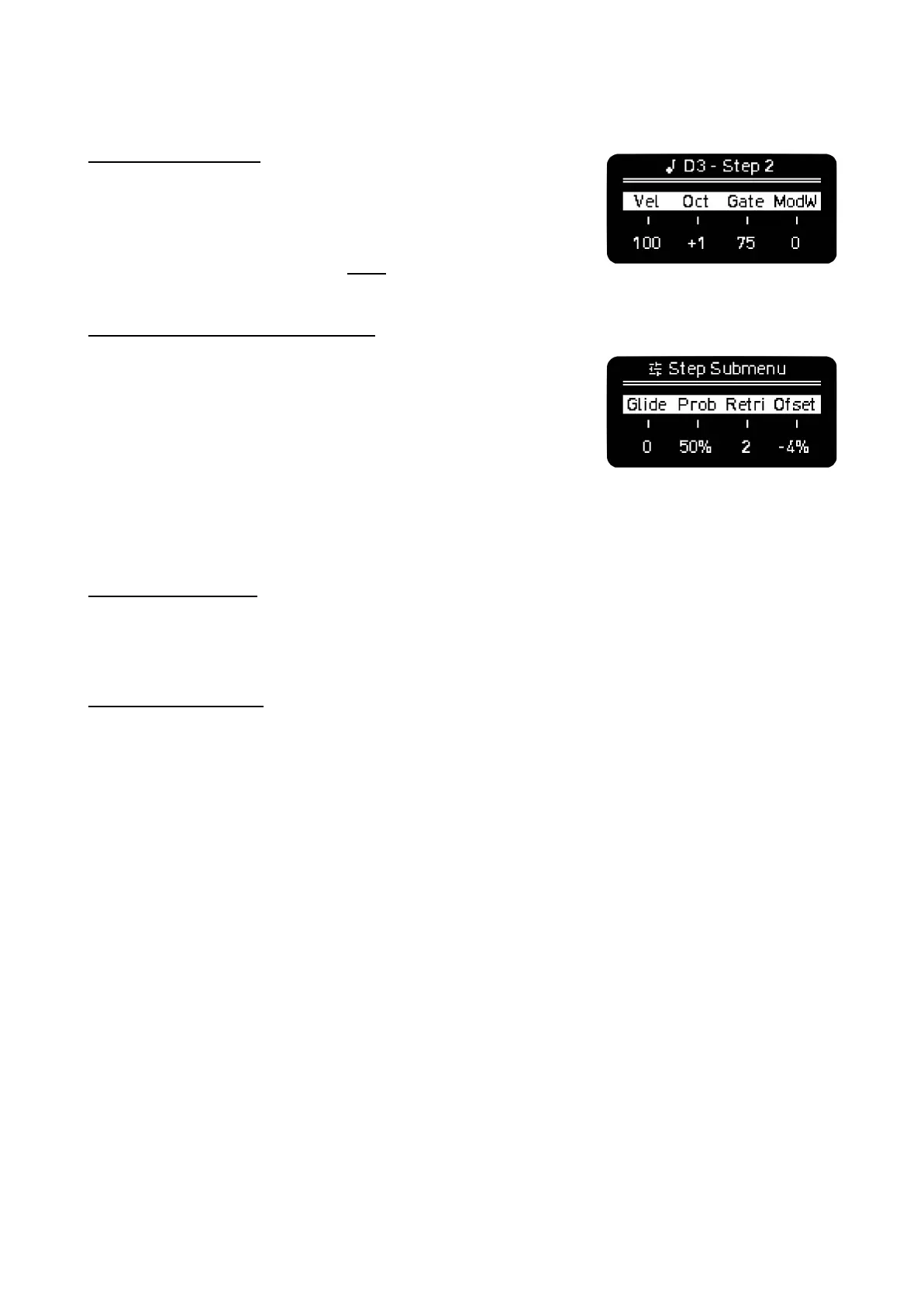
STEP PARAMETERS
Hold one or more notes at the same time (active or not) to see their
step parameters and the note information. You can change with
each encoder the Velocity, Octave (a pad will light up on the edge
of the column as indication of the octave positive or negative offset),
Gate and the Mod defined in the MOD section, by default it sends
ModWheel.
ADDITIONAL STEP PARAMETERS
With Step-Chord activated, holding a step will take you to the Step
Submenu. You can also press SHIFT + hold a step to access this
second layer of step parameters.
In this screen you can modify the following parameters:
Glide, it sets the time of the pitch to change continuously between
two consecutive notes. At the moment it only affects the CVs pitch output.
Prob, and Logic conditions. There’s two behaviors:
STEP PROBABILITY
- By default it’s set to 100%, that means that the step has a 100% chance of triggering a note.
Turning the second encoder CCW lowers the probability of the step triggered notes.
LOGIC CONDITIONS
- Turning the encoder CW will take you to A | B logic triggering. A and B are numbers in which
B sets the number of bars and A in which of those bars the note is triggered.
For example 3 | 4 means that the note will be triggered on the 3rd of each 4 bars.
This tool is handy to create longer patterns or launching samples every once in a while and not
in every loop.
- After A | B you will find NOT A | B logic condition. A sets the number of the bar where the note
is NOT triggered and B sets the number of bars before the condition is again evaluated.
- Next comes PRE and NOT PRE. PRE triggers the note if the previous step also triggered a
note. NOT PRE triggers a note if the previous didn’t trigger a note.
- FIRST and NOT FIRST. FIRST triggers note only the first time after playback starts. NOT
FIRST triggers note always but the first time after playback starts.
- FIXED means that the step is not affected by any modulation or randomization source and it’s
always triggered.
- FILL and NOT FILL new The Play button acts as FILL modifier. When it’s held, steps set to
FILL will play and steps set to NOT FILL won’t while
Retrig, sets the times the note is triggered during the step duration, up to 5 times. For better
resolution change the Time Division of the Sequencer or Track.



 To Next Page