· MULTITRACK
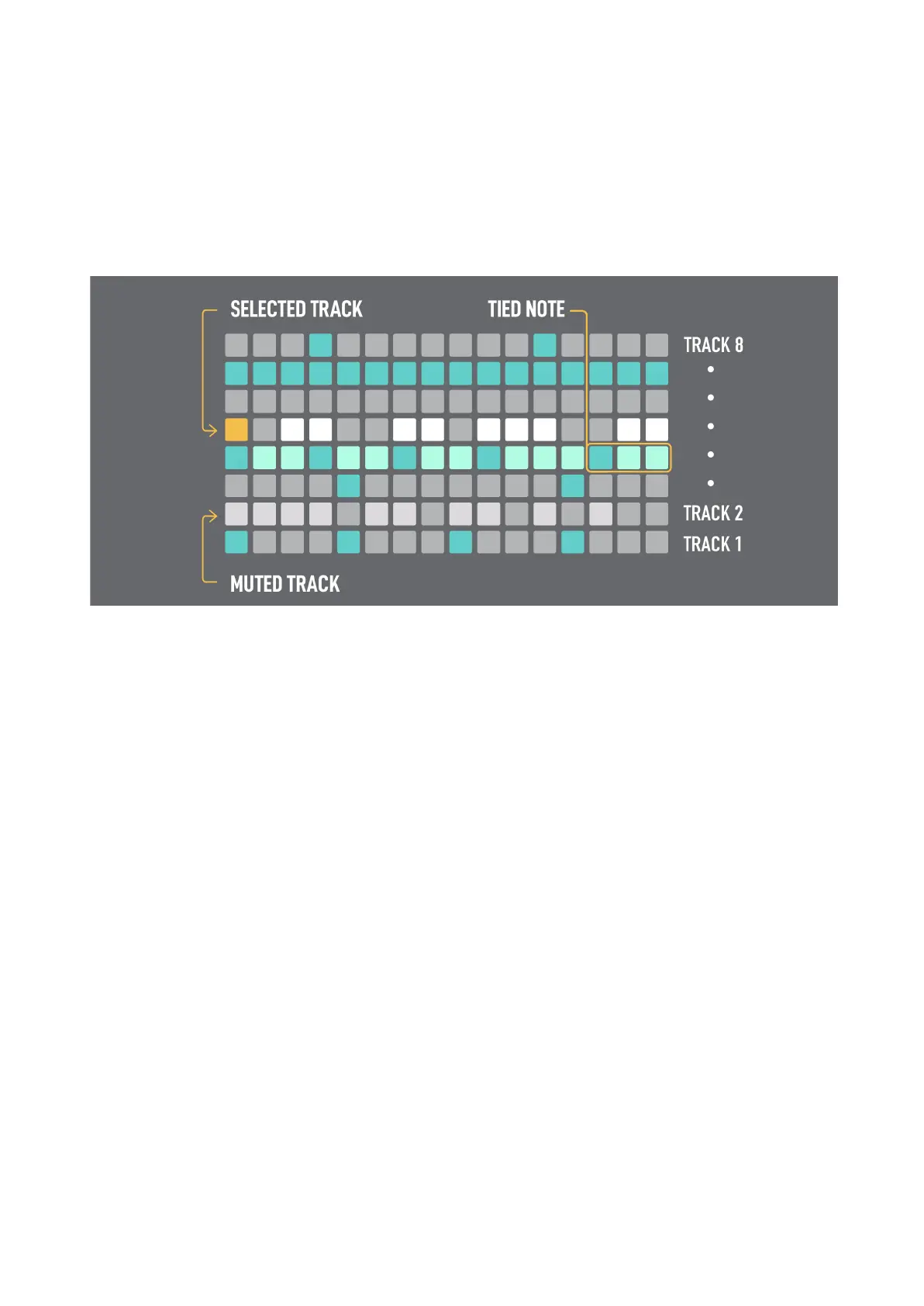
The Multitrack Sequencer is one of the biggest values of the OXI ONE, with its 8 separate tracks it's
perfect for drawing drum patterns or monophonic melodies as well to have direct control of them in
one layout.
Every row represents a separate track, which is a monophonic sequence with independent Init/End
steps, time division and length, up to 128 steps.
A MIDI channel and output can be assigned to any of the tracks and several tracks can share the
same MIDI channel. The MIDI channel of all the tracks is by default the MIDI channel of the sequencer
(see sequencer settings). The pads can be used to trigger a Drum Kit or samples in general, or even
extra melodic lines. This means several up to 8 steps can be activated per column.
There are shortcuts for Mute and Solo tracks, as well as to enable/disable tracks from being affected
by random and LFO modulation:
- MUTE + 1st column: Mute/Unmute the respective tracks
- MUTE + 16th column: Solo/group Solo/no Solo the respective tracks
Holding MUTE button the Mute/Solo states are shown in the grid with blue and yellow colors
respectively.
By holding the RANDOM or the LFO button the grid will show the 1st step of every track in yellow
and orange respectively, this indicates which tracks are affected by Randomization and LFOs
parameter changes. By default all tracks are enabled.



 To Next Page