- Track time division. It defines the speed of the trigger lane. Note that the main sequencer
screen shows the division of the selected track.
- Transport direction of the trigger track. The transport direction of the selected track is also
shown in the main sequencer screen.
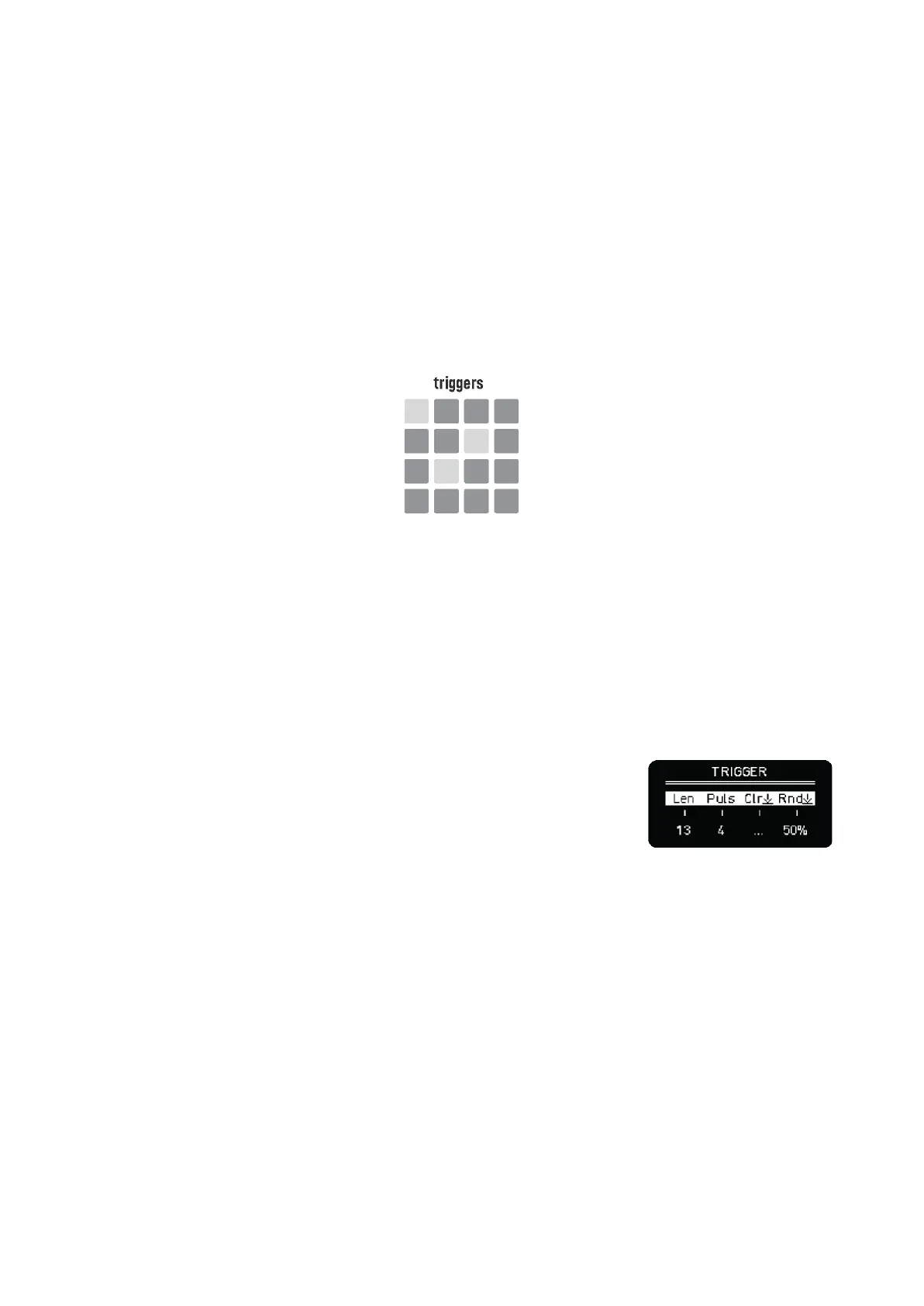
TRIGGERS
When starting working with Matriceal mode, there is no parameter page selected, all parameter LEDs
are lit in bright color and the steps area shows the triggers. The trigger transport settings were
defined in the track settings.
–––––––––––––––––––––
Triggers are the foundation of every Matriceal track.
Any of the other parameters are evaluated every time there is a new trigger to create notes.
–––––––––––––––––––––
There is a euclidean and a random generator that helps us to add triggers.
Hold any of the sixteen steps to open the trigger step screen.
From left to right:
- Sets the length of the trigger euclidean engine.
- Sets the number of pulses of the euclidean engine.
- Clear. Push to remove all the steps
- Random trigger placement. Click to randomly add triggers. Higher values means more
triggers. 100% to enable all 16 triggers.
Turning the length or pulses encoder will immediately create a euclidean pattern. However, to clear
and to randomize you have to click the respective encoder button.
You can also enter triggers manually: quick tap to toggle triggers on and off.
Once we have a few triggers we can continue to the parameters pages.



 To Next Page