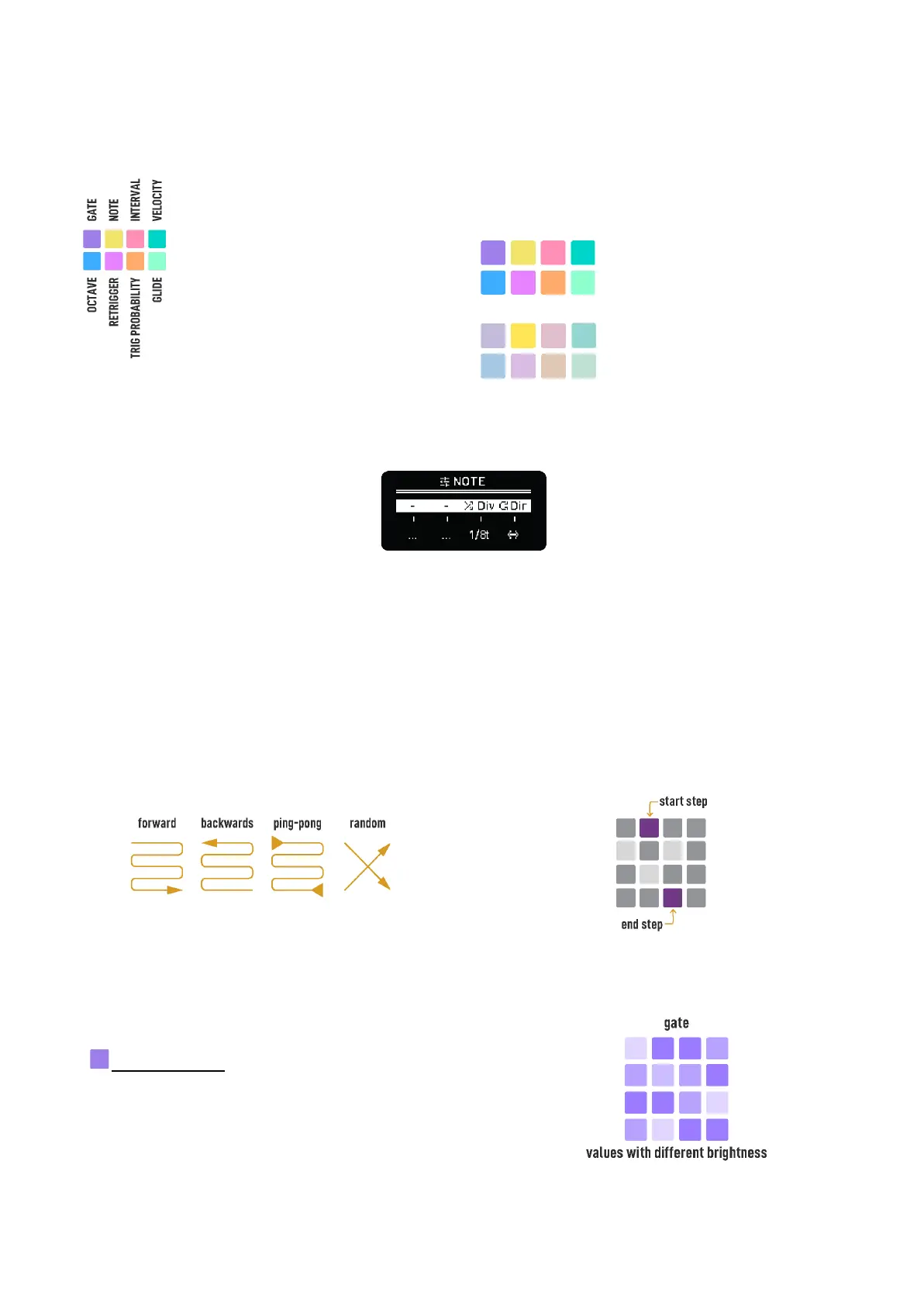
PARAMETERS PAGES
If any parameter is selected, the parameter page button has a brighter color (the others
have a softer one) and the steps area indicates the parameter values. How the values
are shown in the grid depends on the selected parameter.
No parameter selected:
Note parameter selected:
Hold any Parameter lane button to access its settings screen.
Note lane settings
Each parameter lane can have different:
- Start and End points, hold Init and End buttons and tap any track step to set them.
- Time division. This setting is available in each parameter screen.
- Playback direction.
Start End points indicated in purple color
Every parameter lane is explained next.
GATE (purple)
Like in other sequencer modes, Gate defines the note length.
Lower values are represented with softer LED brightness.
Gates can go from 5% of the step length to 100%, TIE and LEGATO.



 To Next Page