1.5 Smart Phone Setup for Live View & Remote Playback
For the convenience of monitoring your HDA CCTV security system on the move via
your smart phone we have provided a quick and simple remote connection setup
service. Please follow the steps below closely to successfully setup the connection for
live view and remote playback. See next page for step-by-step setup instructions.
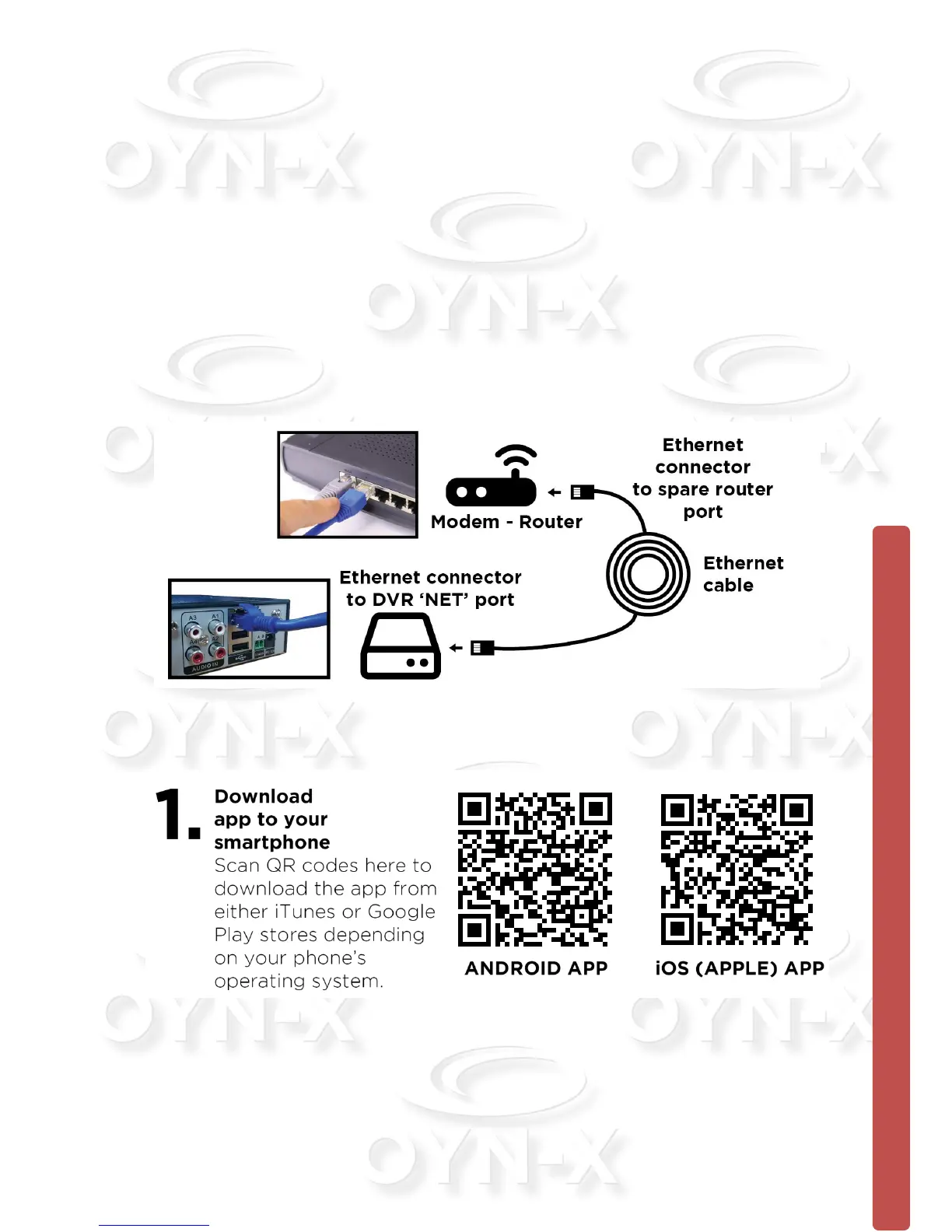
IMPORTANT: Please connect DVR to router/modem to access the Internet.
Connect the Ethernet cable into the ‘Net’ port on the rear of the device, then connect
the other end into one of the spare ports on your modem-router, as shown here:
Remote connection to view your DVR via a mobile smart device.



 To Next Page