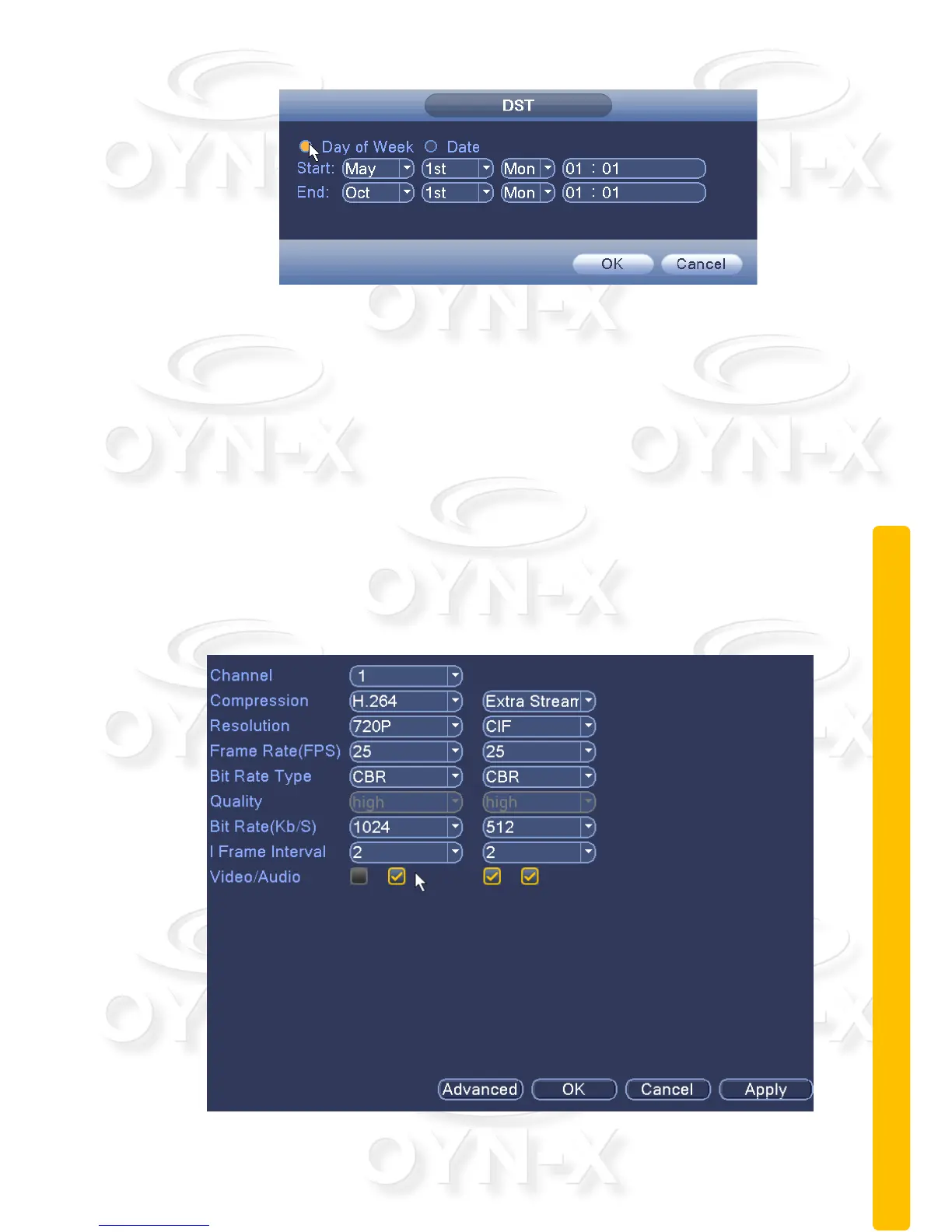
Figure 3.14Daylight Saving Time (days) setting.
2.9.2 Encoding settings
Set the video / audio encoding parameters including video files, remote
monitoring and other image parameters.
There are two columns of setup options within the encoding menu. The left
column is for the main channel stream and the right hand column is for the extra
(sub) stream. This dual-stream configuration allows for the main stream to
provide the chosen channel to this list of resolutions: 1080P / 720P / 960H / D1 /
HD1 / CIF / QCIF. The extra stream has lower resolution options such as
CIF/QCIF. The extra stream is provided for when you want to remotely access
the DVR over a network connection and the network bandwidth is too small to
accommodate a large data stream of higher resolutions in the main stream.
Figure 3.15 encoding settings



 To Next Page