© Copyright OYN-X ®. All documentation rights reserved.
the live camera feeds from a list of options. These options include single video
panel, four or sixteen.
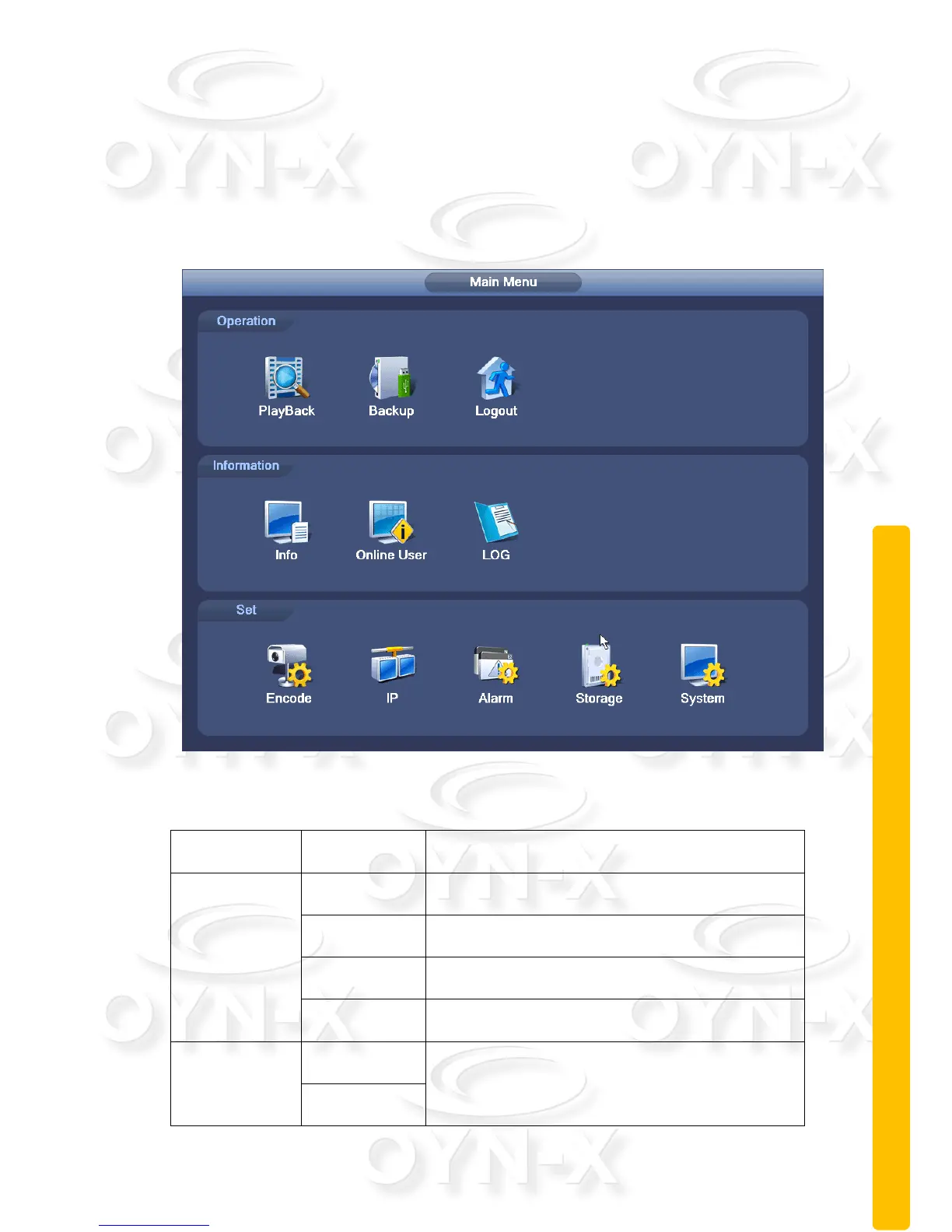
2.6 Main Menu
When you login, to view the system main menu, as shown below, you need to
bring up the desktop shortcut menu and select ‘Main Menu’.
2.6.1 Main menu navigation
Recording configuration, recording type,
recording time, etc.
Video search, video player, video file
Detect backup devices, formatting backup
device, backup selected files
Detect backup device, format backup
equipment, backup selected files
Set channel;
Device type;
Linkage parameters: Arming time, alarm
output, screen prompts, video, PTZ, round



 To Next Page