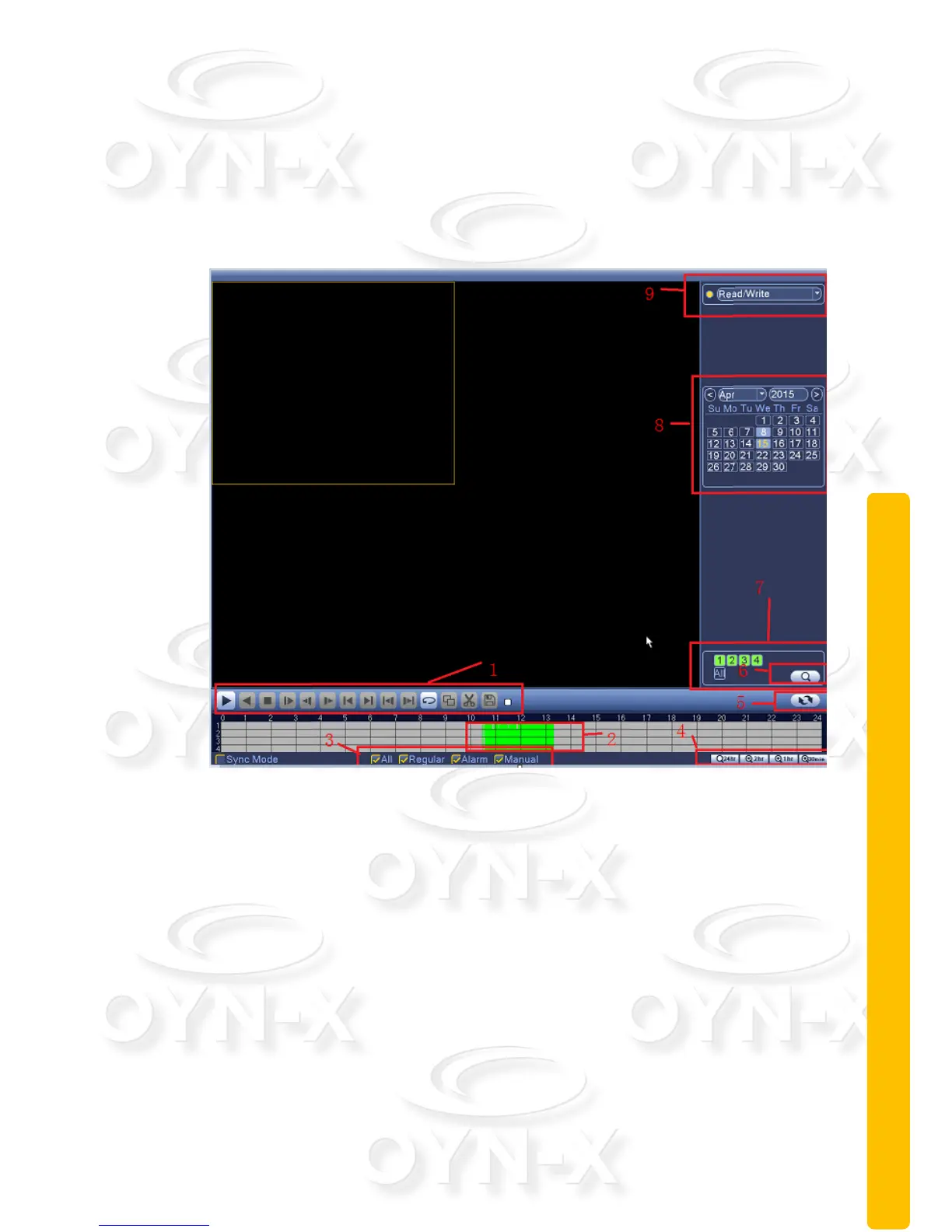
2.5.3 Playback
There are two methods for you to play the video files recorded to the hard disk;
either through the shortcut menu or via: Main menu>Record->Playback.
Note: The default hard disk that saves the video files must be set as either
read-write or read-only state.
1 – Playback control
2 – Time display
3 – Sychronise playback
4 – Video type
5 – Time schedule options
6 – Search by time/switch mode
7 – File attributes
8 – Listed files
9 – Search by time



 To Next Page