[Channel]: to select the channel number so that you can view the
corresponding channel information;
[Compression]: select encoding standard
[Resolution]: Select what resolution you want to set for the channel, depending
on the maximum capabilities of the camera on the channel.
[Frame Rate]: can be adjusted, this is dependant on the front end setup of the
DVR.
[Stream control]: including Limited stream and variable stream;
[Quality]: change the quality to set the stream value. If facilities allow, the
better quality of the stream, the better the video image quality is;
[Bit Rate]: adjust according to capabilities of the system.
[I Frame Interval]: selectable frame interval range is between 2-12 seconds
[Video / Audio]: tick either box if you want to allow either/or video or audion to
be transmitted along the streams.
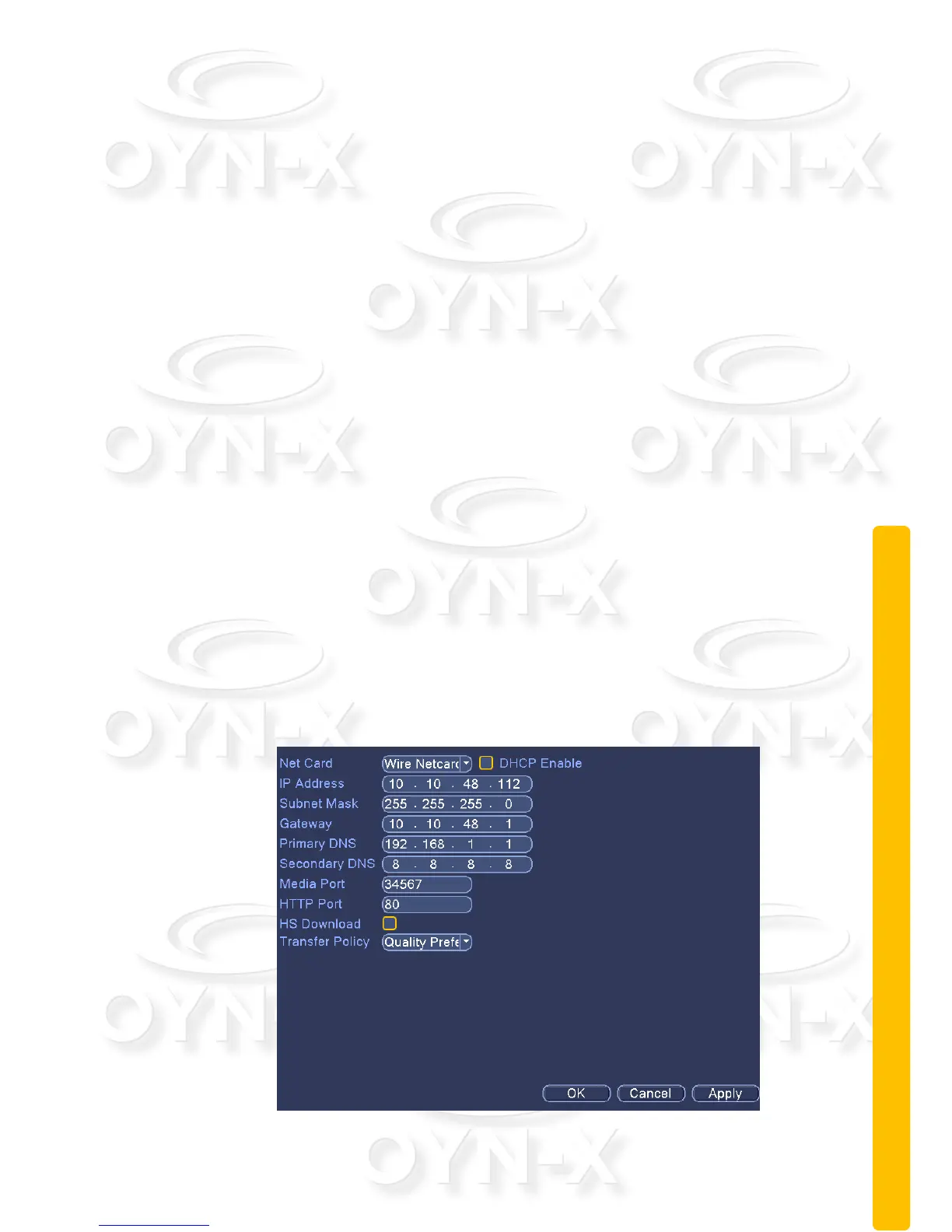
2.9.3 Network settings
Configure IP address, gateway, DDNS of an IP camera you wish to add to your
system.
Figure 3.16 network settings



 To Next Page