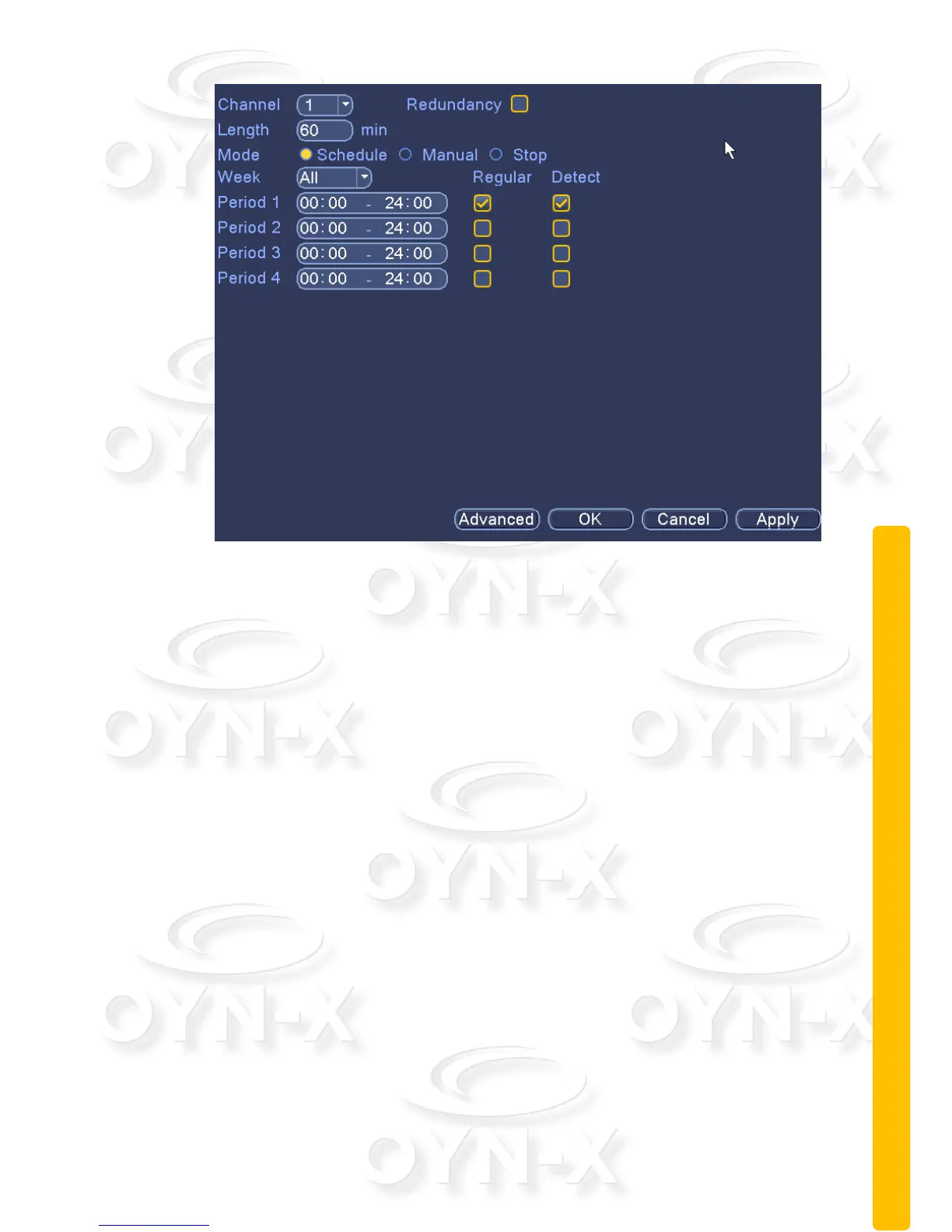
Figure 3.1 video settings
[Channel]: to select the appropriate channel number for the channel set, you
can then adjust all the settings for the chosen channel;
[Redundant]: selecting the redundancy function will enable the system to
backup the video files. The selected video channel will be simultaneously
recorded onto two hard drives (If a secondary hard drive is installed). For
detailed operation, please refer to section 3.5.1);
[Length]: to set the length of time for each video file. The default setting is 60
minutes;
[Recording Mode]: to set the recording mode of the video, there are three
states to select: configuration, manual on and off;
Configuration: record video in accordance with the recording type and
recording time period set (general, detection, and alarm);
Manual: No matter what state of the current channel, select the "Manual"
button and the corresponding channel will be set to ‘All’ for normal video;
Off: No matter what state of the current channel, select the "off" button
and the corresponding channel will stop recording.
[Time period]: to set what time period to start recording within;
[Recording type]: to set the recording type. There are three types: normal,



 To Next Page