Motion Detection Menu (Continued):
[Output]: (option is only available on devices with alarm outputs) output an
alarm to an external alarm device.
[MD Interval]: set an interval between two alarms. A short time interval can be
set between 0 and 600S.
[Video channel]: Set the video channels where the motion detection function
is enabled upon.
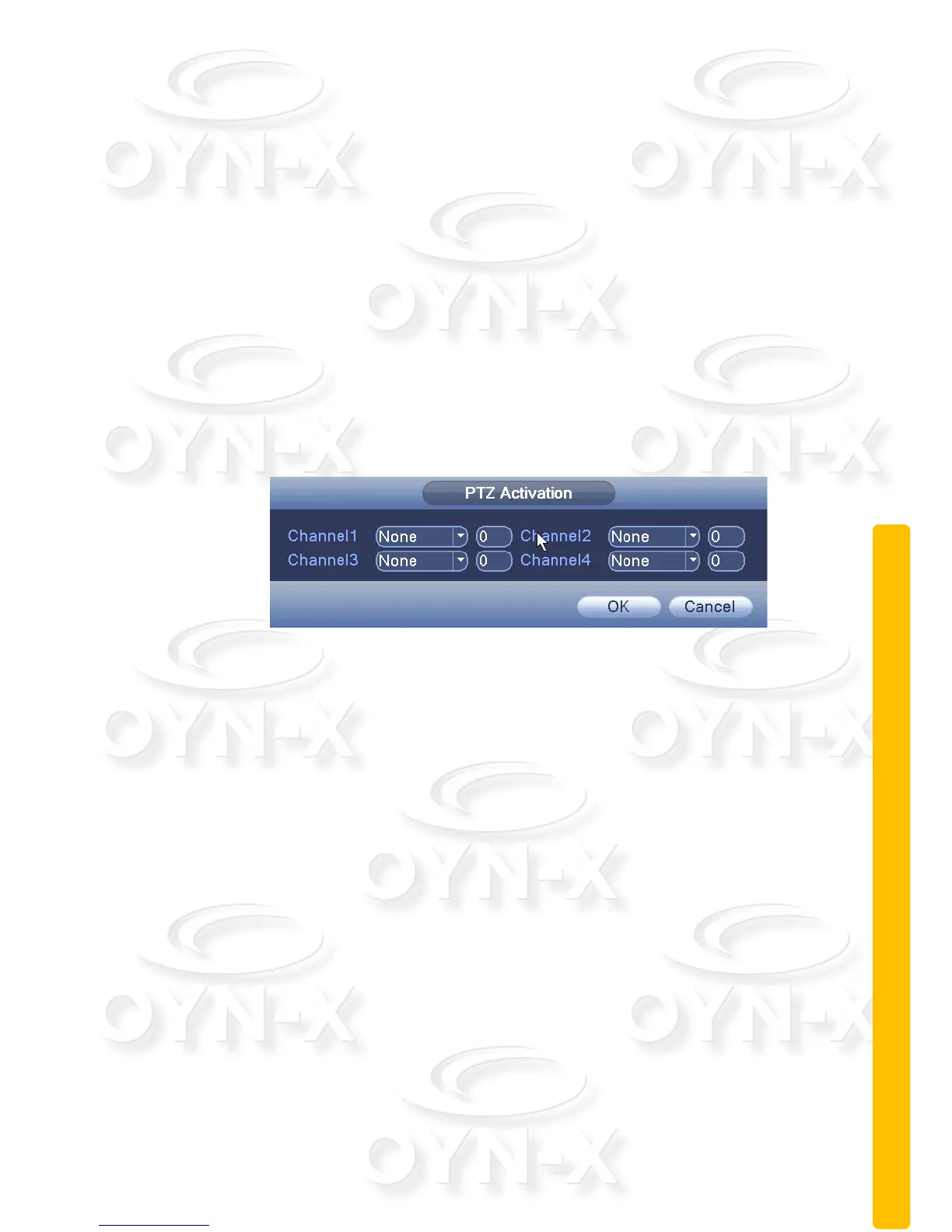
[PTZ Activation]: When the alarm is triggered, the PTZ preset tour/cruise
setup paused.
Note: PTZ linkage, you need [shortcut menu]: > [PTZ]: , set the preset
point, cruise between points, intervals and other parameters.
Figure 3.7 PTZ Linkage
[Post Rec]: After the alarm ends, the length of time to continue the local
recording can be set between 10 and 300S.
[Show Message]: a pop-up dialog box will appear on screen and will prompt
warning information;
[Send EMAIL]: When an alarm is triggered, it will send an alarm message to
the specified mailbox, which can be set in the mailbox settings.
[FTP Upload]: when the box is highlighted it means FTP upload is enabled.
When the motion detection alarm is triggered the recorded file of the incident
will be uploaded as backup to a user specified FTP storage server.
Note: to specify a FTP to backup video footage to you need input the FTP
details in the [Network Services] menu section.
[Beep]: when an alarm is triggered, the device will produce an alarm sound in
the form of a large “Beep”.



 To Next Page