3
Calibration
12
3.3.2 0% Calibration
1 Rinse the probe well with DI water
or rinse solution.
2 Press MODE to select % saturation.
3 Dip the probe into zero oxygen solution.
Wait for the reading to stabilise.
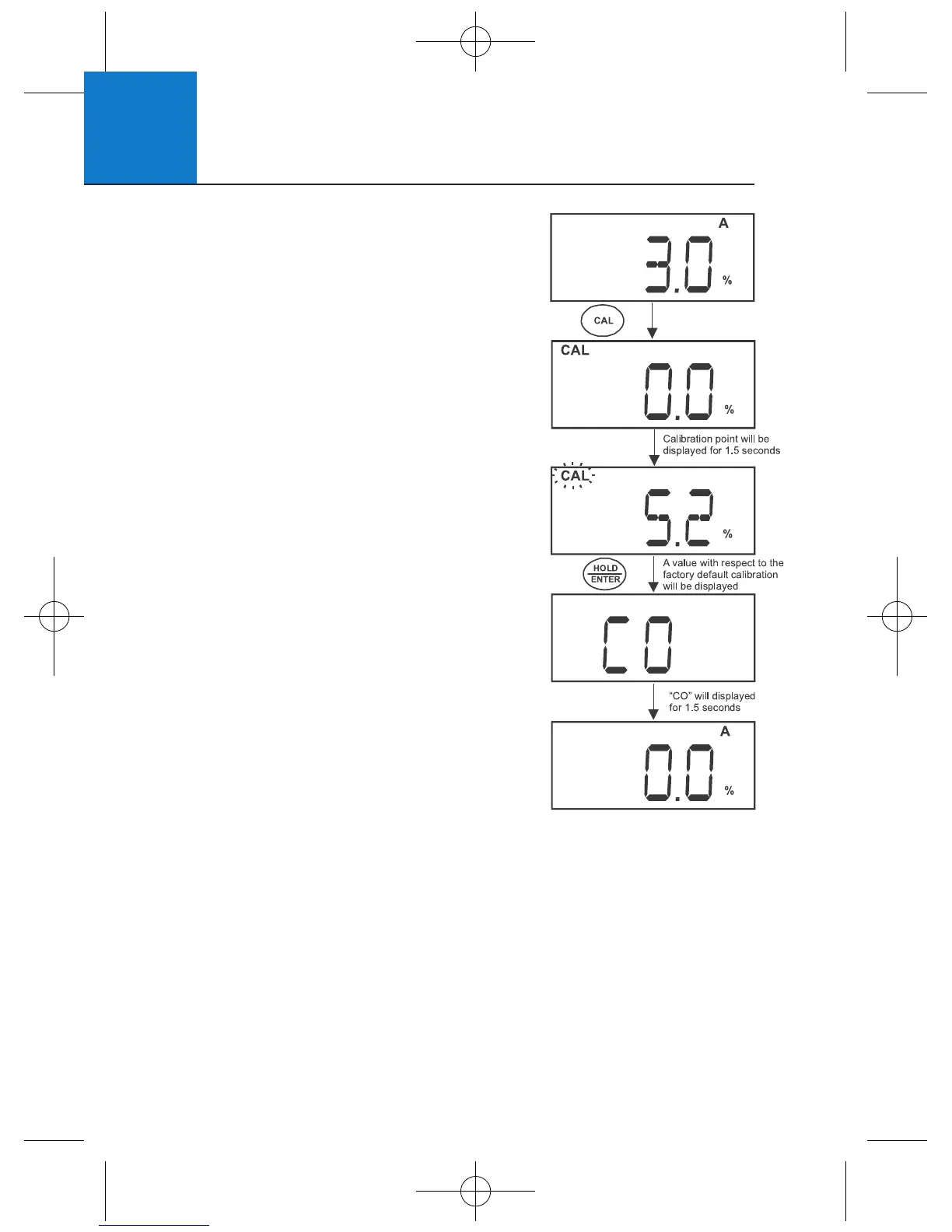
4 Press CAL. The CAL indicator and intended
percentage calibration point (0%) display
briefly, before CAL flashes. The % value
based on the factory default calibration
is shown.
5 Press HOLD/ENTER to confirm the
calibration. The meter displays “CO”,
automatically calibrates to 0.0% saturation,
then returns to measurement mode.












 To Next Page