5
Setup
22
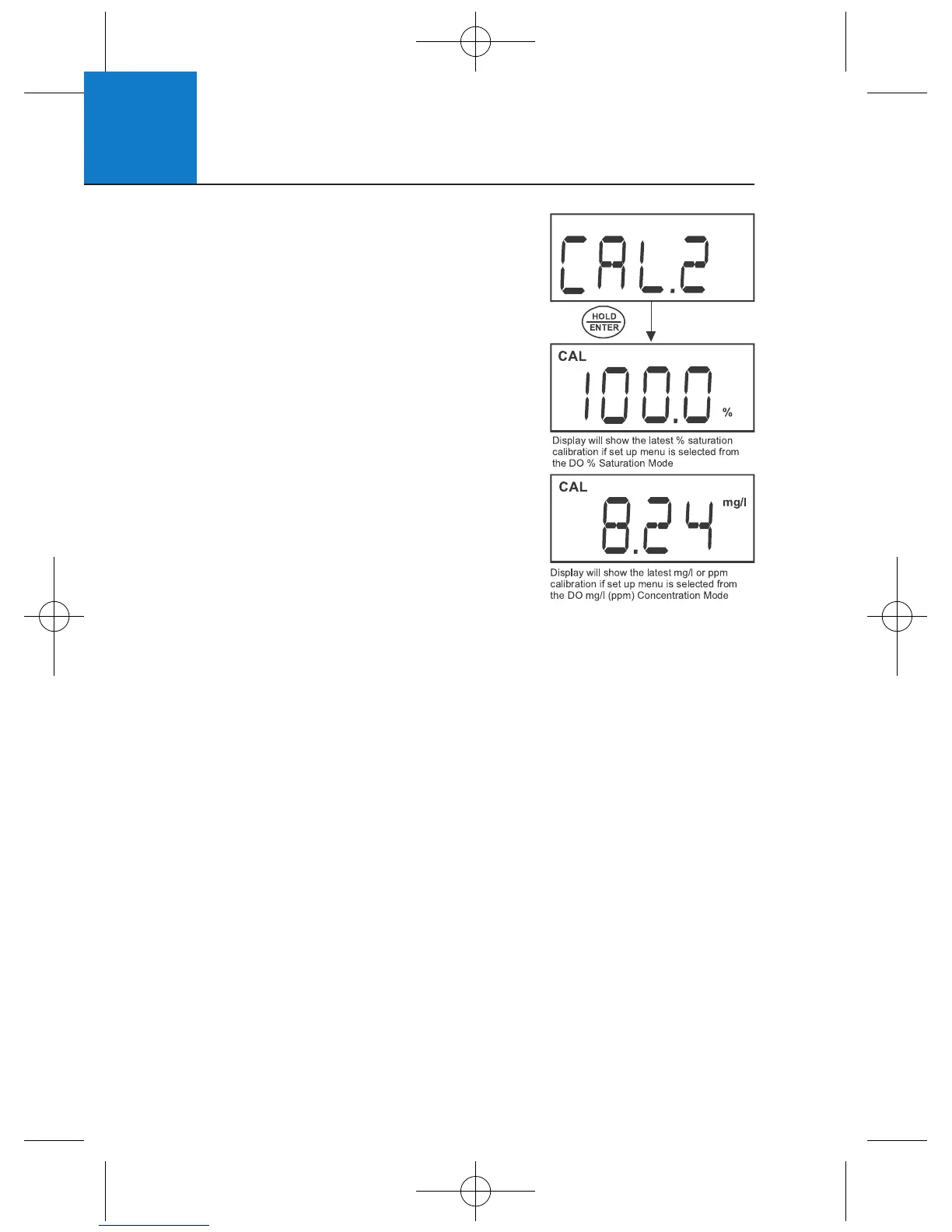
5.4 Calibration Data (CAL.2)
To view the % saturation or mg/L (ppm)
concentration calibration data, proceed
from the corresponding setup menu.
1 From the setup menu, press ▲▼ to select
“CAL.2” for the most recent calibration data.
2 Press HOLD/ENTER to view calibration data.
3 Press HOLD/ENTER or CAL to exit.
4 Press CAL to return to measurement mode.
Note: “ -- -- -- -- “ indicates no calibration
data exists for the selected mode.
5.5 Electrode Data (ELE.3)
Use this menu to view electrode data for diagnostic purposes. Data includes;
slope factor (FACT), % saturation offset (OFS), 100% saturation mV value
(HI.mV), and 0% saturation mV value (LO.mV). To view electrode data for %
saturation or mg/L (ppm) modes, enter from the corresponding setup menu.
The electrode slope factor gives an indication of the probe’s efficiency. It is
the ratio of the actual mV produced by the probe to the theoretical mV value.
The ratio displays from 0.5 to 1.999.
The % saturation offset allows you to view the electrode offset adjustment
made in Section 5.8 - % Saturation Offset Adjustment.
1 From the setup menu, press ▲▼ to select “ELE.3”.
2 Press HOLD/ENTER to enter the menu. “FACT” is momentarily shown
before displaying the slope factor.
3 Press HOLD/ENTER again. “OFS” is momentarily shown before displaying
% saturation offset. Note: this is not available from the mg/L (ppm)
concentration setup menu.
4 Press HOLD/ENTER again. “HI.mV” is momentarily shown before
displaying the electrodes mV output at 100%.












 To Next Page