5
Setup
25
Use this feature to offset the meter’s value
when cross referenced to another DO meter.
The Micro 600 DO allows +/- 10.0% offset
adjustment. View the offset value from the
Electrode Data menu “ELE.3”.
1 Using the % saturation mode of your
Micro 600 DO, observe the reading a
sample solution after it has stabilised.
2 Similarly, observe the reading of the
same sample using another DO meter as
a reference. The probe of the reference
meter should be immersed in the same
sample at the same depth.
3 Switch off the Micro 600 DO and enter
the % saturation setup menu.
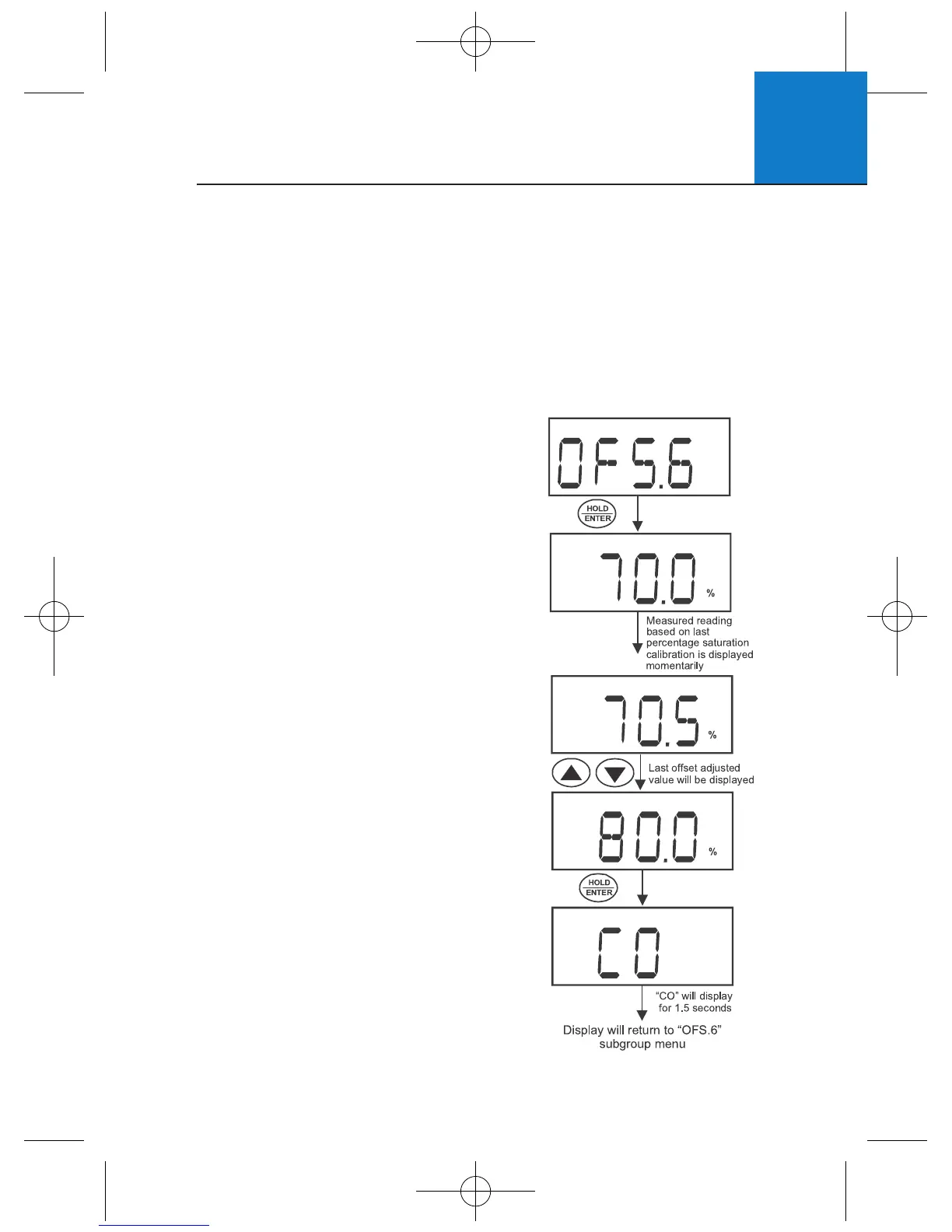
4 Press ▲▼ to select “OFS.6”.
5 Press HOLD/ENTER to enter the menu. The
display will momentarily show the measured
reading based on the last calibration before
displaying the last offset adjusted value.
6 Use ▲▼ to enter the value of the
reference DO meter.
7 Press HOLD/ENTER to confirm.
8 Press CAL to return to measurement mode.
Note: User calibrations will reset the
offset adjustment to 0.0%.
5.8 % Saturation Offset Adjustment (OFS.6)
6 If “NO”, the User Reset menu “b.USR” is displayed.
7 Press HOLD/ENTER to enter the menu.
8 Use ▲▼ to select YES (reset user) or NO (do not reset user).
9 Press HOLD/ENTER to confirm.
10 If “YES”, the meter returns to measurement mode after resetting.
11 Press CAL to return to measurement mode.












 To Next Page