2
Getting Started
7
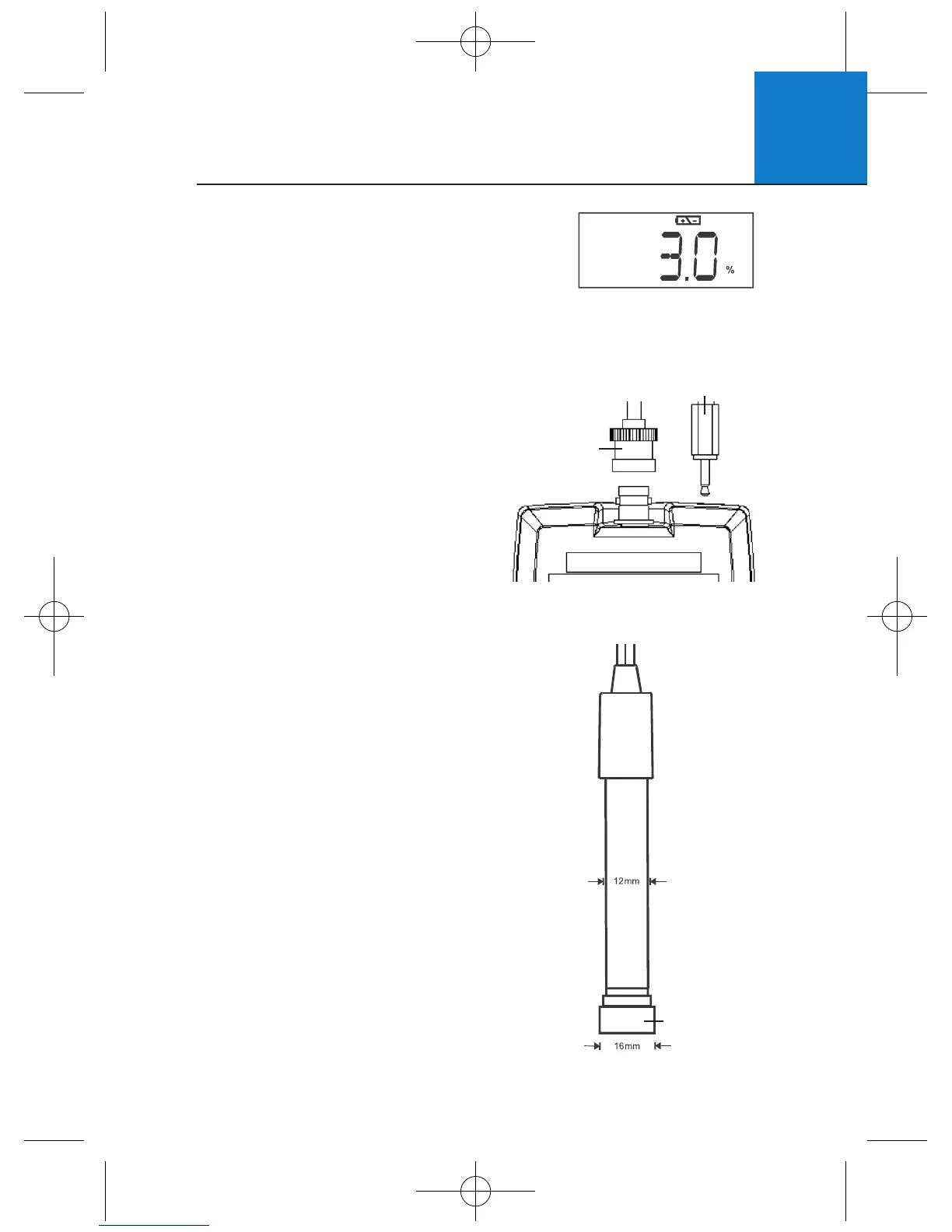
1 To connect the electrode, align the connector
slots with the posts of meter’s socket and
rotate connector clockwise until it locks.
2 To remove, rotate the connector in anti-
clockwise direction until it unlocks,
and slide the connector off the socket.
3 Insert the mini phono jack of
temperature sensor into the socket
on the meter as shown opposite.
2.6 Connecting the Electrode
A low battery annunciator in the LCD alerts you
when battery power is running low. Caution:
Power off the meter before replacing battery.
2.5 Battery Replacement
Low Battery Condition
BNC
connector
2.5mm mini phono
for temperature
Detachable
Pre-membraned
Cap (Probe
Sensing Area)
Galvanic
DO probe
PT 148/3
The Micro 600 DO includes a galvanic DO electrode
PT 148/3 which doesn’t require warm-up. It generates
a millivolt signal proportional to the amount of oxygen
in the solution.
The electrode has a dual cable; a BNC connector for DO
measurement and a phono jack plug for temperature.
The sensor utilises a cathode, anode, and electrolyte that
are separated from the sample by an oxygen permeable
membrane. The membrane is pre-assembled for you
and fixed to a detachable cap. The pre-assembled cap
design allows simple replacement and fast conditioning.
The probe is light weight and includes a built-in
temperature sensor. The epoxy body of the probe
is 12mm diameter while the detachable Noryl cap
is 16mm diameter. The compact sensing area
reduces air entrapment resulting in quick, accurate,
and stable readings.
2.7 Electrode Information












 To Next Page