4
Measurement
15
1 Rinse the probe well with DI water
or rinse solution.
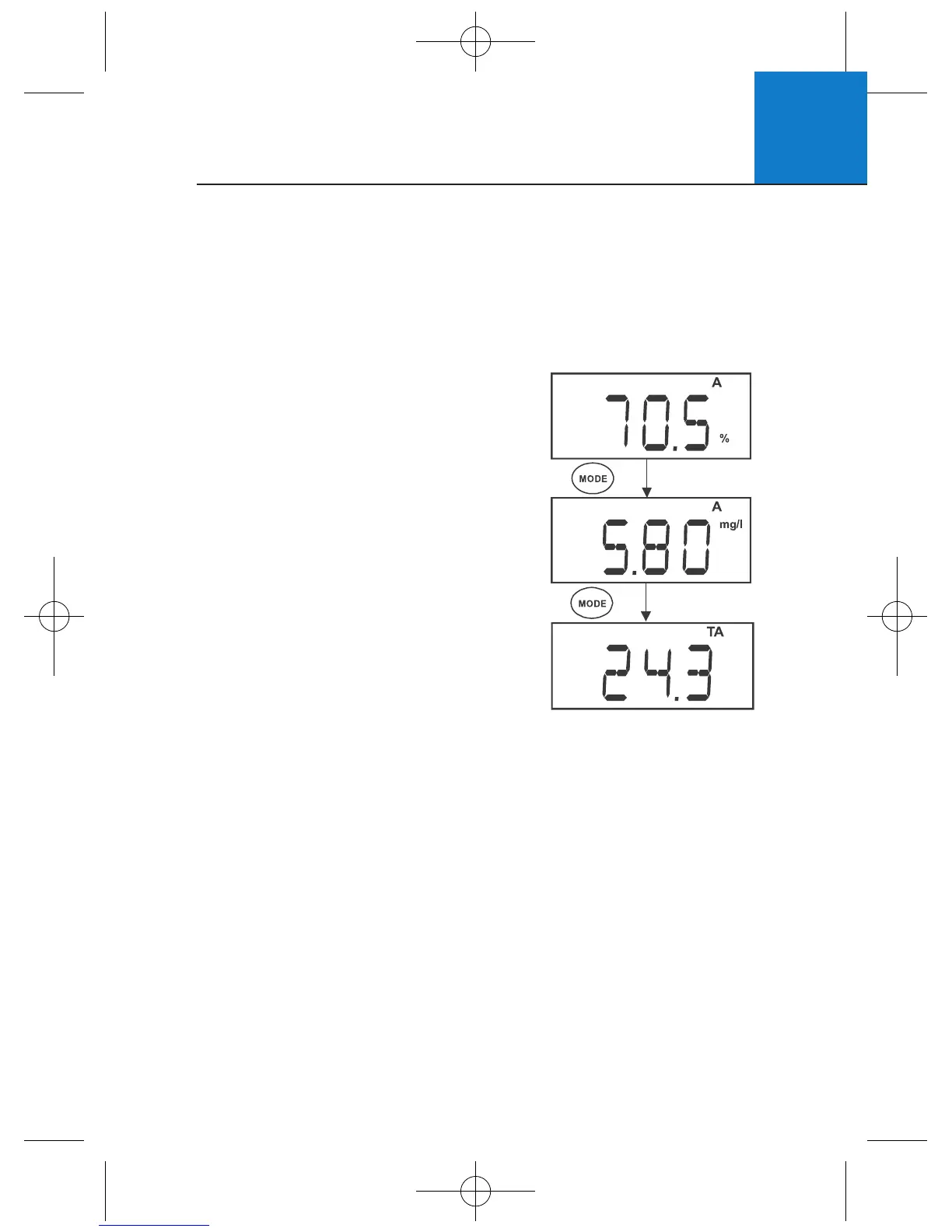
2 Select the appropriate measurement mode.
Press MODE to toggle between modes:
a. Percentage Saturation (%)
b. Concentration (mg/L) or (ppm)
c. Temperature (T)
3 Dip the probe into the sample.
4 Allow reading to stabilise and
observe reading.
To change the concentration units see
Section 5.3 - Selection of mg/L or ppm.
4.2 Taking Measurements
Follow these general rules when taking measurements: keep the membrane
free from contact with solid objects, provide stirring of your solution - this
helps to overcome the oxygen consumption of the probe and prevents
air bubble entrapment, do not strike against hard surfaces, and do not
submerge the cable for extended periods.
4.3 Pressure & Salinity Compensated Measurements
During measurement the dissolved oxygen reading is automatically
compensated for salinity and pressure based on values entered in the setup
menu. For best DO accuracy, ensure pressure and salinity are adjusted
accordingly from the setup menu. The factory default values are 760mm Hg
(101.3 kPa) barometric pressure (sea level) and 0.0 ppt salinity (no salinity).
See Section 5.9 - Pressure & Salinity Adjustment.












 To Next Page