2
Getting Started
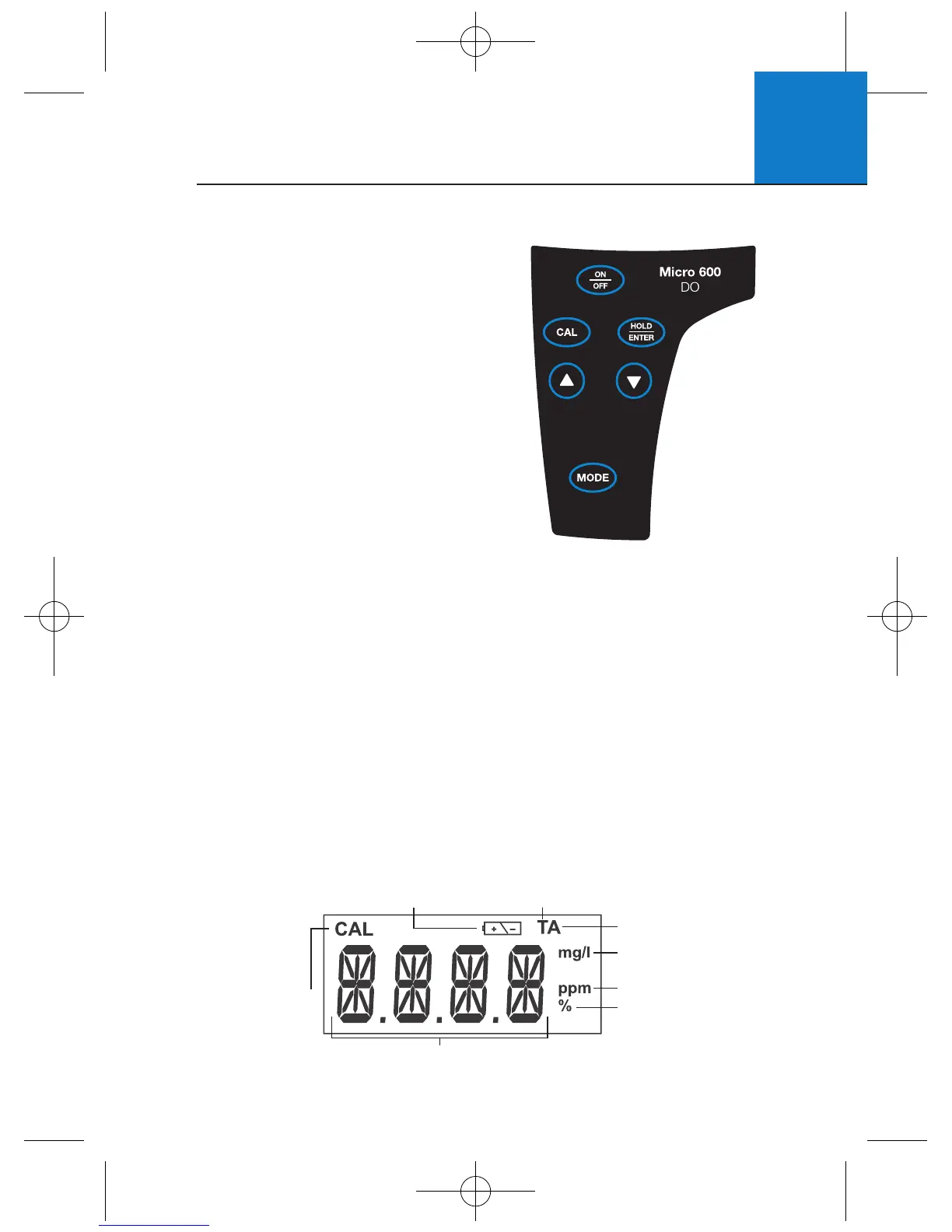
Your meter has 6 keys on its splash-proof
keypad. Some buttons have multiple functions
depending on the mode of operation.
ON/OFF Powers meter on and off. Meter
starts up in the measurement mode
that you last switched off from.
CAL Enters into calibration mode. Pressing
while in calibration mode will abort
calibration without confirming value.
MODE Selects desired measurement mode.
When pressed simultaneously with
ON/OFF, it will take you into the
SETUP mode. For more information see Section 5 - SETUP.
HOLD Freezes measured reading. Press again to resume live reading.
ENTER Confirms calibration value in calibration mode and confirm
selections in SETUP mode.
▲▼ Increment/decrement values during calibration mode or scroll through
SETUP menus. Set offset adjustments and configuration settings.
5
2.1 Description of Keypad Functions
2.2 Description of LCD Annunciators
Active LCD
display for
Micro 600 DO
Your meter has a large custom LCD that consists of 4-digit segments plus
annunciators for percentage saturation (%), concentration (mg/L or ppm)
and Temperature in degrees Celsius (T).
Other annunciators include “A” (when the ATC function is activated),
“CAL” (when meter is in calibration mode) and low battery condition.
Calibration
Mode
Annunciator
ATC Annunciator
milligram per litre
(Concentration Mode)
parts per million
Percentage (Percentage
Saturation Mode)
Low Battery Annunciator Temperature Mode
14-segment Liquid Crystal Display












 To Next Page