4.4.1 Fast response
IMPORTANT:
ATEX compliance requires both:
• Fast Response calibration of the XMO2 transmitter
• Pressure Compensation of the XMO2 or constant
control of the sample system pressure.
IMPORTANT:
The response type has been factory preset for your
application requirements. If considering a response-type
change, always contact Panametrics first.
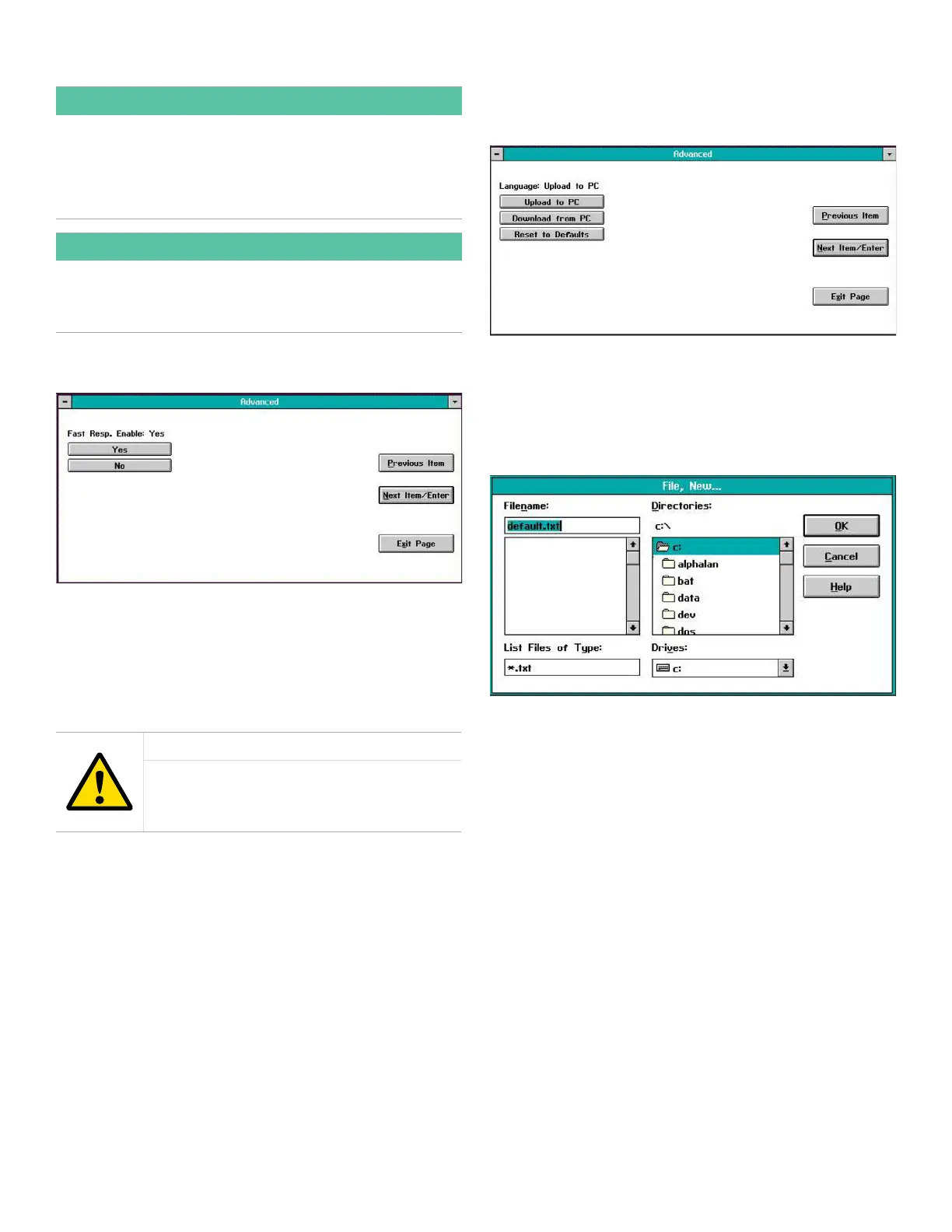
When you select the Fast Response option, a window similar
to Figure 52 below opens.
Figure 52: Fast response window
Click on the appropriate button to either enable or disable
the Fast Response software. If you clicked on the No button
to disable Fast Response, you are immediately returned to
the Advanced main menu. However, if you clicked on the Yes
button to enable Fast Response, you are prompted to enter
values for the following three parameters:
CAUTION!
Do not change the factory default values
for any of these parameters without first
contacting Panametrics.
• Fast Tau up
• Fast Tau down
• Fast Threshold %FS
Enter a value for the first parameter, and click on the Next
Item/Enter button to confirm the entry and move to the next
parameter. After confirming the final parameter, you are
returned to the Advanced main menu.
4.4.2 Language
When you click on the Language button, a window similar to
Figure 53 below opens.
Figure 53: Language window
The standard language used for the XMO2 menus is English,
and these strings are stored in a meter file called default.txt.
If you wish to translate this file into another language, click
on the Upload to PC button, and a window similar to Figure
54 below opens.
Figure 54: Creating a data file
In the above window, specify the directory on your PC
where you want to copy the default.txt file and click on the
OK button. The file will be saved to your PC and you will be
returned to the Language main menu.
Next, open the PC file in any word processor and translate
the menu strings into the desired language. Be very careful
not to change any of the formatting or punctuation in the
file. Finally, save the file with a new name (*.txt).
32


 To Next Page