3.13.2c Before delay time
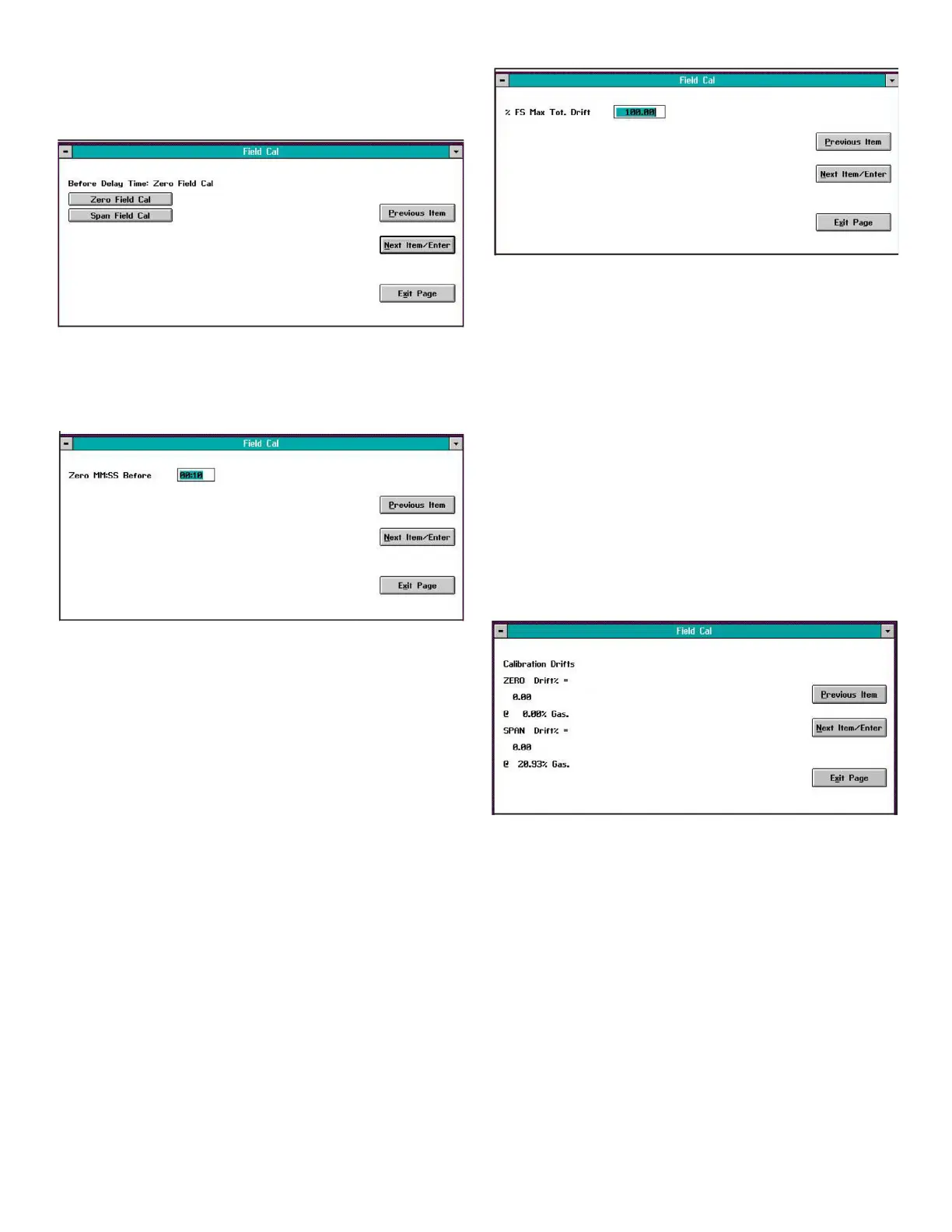
Clicking on the Before Delay Time button opens a window
similar to Figure 21 below.
Figure 21: Before delay time window
In the above window, click on the Zero Field Cal button to
enter the before delay time for the zero calibration point. A
window similar to Figure 22 below opens.
Figure 22: Zero point delay time window
Enter the desired zero point before delay time, in minutes
and seconds, in the text box. Then, click on the Next Item/
Enter button to confirm the entry (click the Previous Item or
Exit Page button to exit the window without changing the
existing value).
Repeat the above procedure to enter the before delay time
for the span point.
3.13.2d After delay time
Repeat the procedure in the above section to set the after
delay time for both the zero and span points.
3.13.2e Max total drift
Max Total Drift is the maximum total calibration drift
allowable, expressed as a percentage of the full-scale
reading. Selecting this option opens a window similar to
Figure 23 below.
Figure 23: Max total drift entry window
Enter the desired percentage of the full-scale reading in the
text box, and click the Next Item/Enter button to confirm the
entry (click the Previous Item or Exit Page button to leave the
window without changing the existing percentage).
3.13.2f Max drift/cal
Max Drift/Cal is the maximum calibration drift allowable
per calibration, expressed as a percentage of the full-scale
reading. To enter a value, repeat the procedures in the
above section.
3.13.3 Calibration drifts
The Calibration Drifts option enables you to view the current
calibration drift at both the zero and span points since
the last calibration was performed. Clicking on this button
opens a window similar to Figure 24 below.
Figure 24: Calibration drifts window
Click on any button to return to the main Field Cal window
22


 To Next Page