3.13.4 Clear calibration
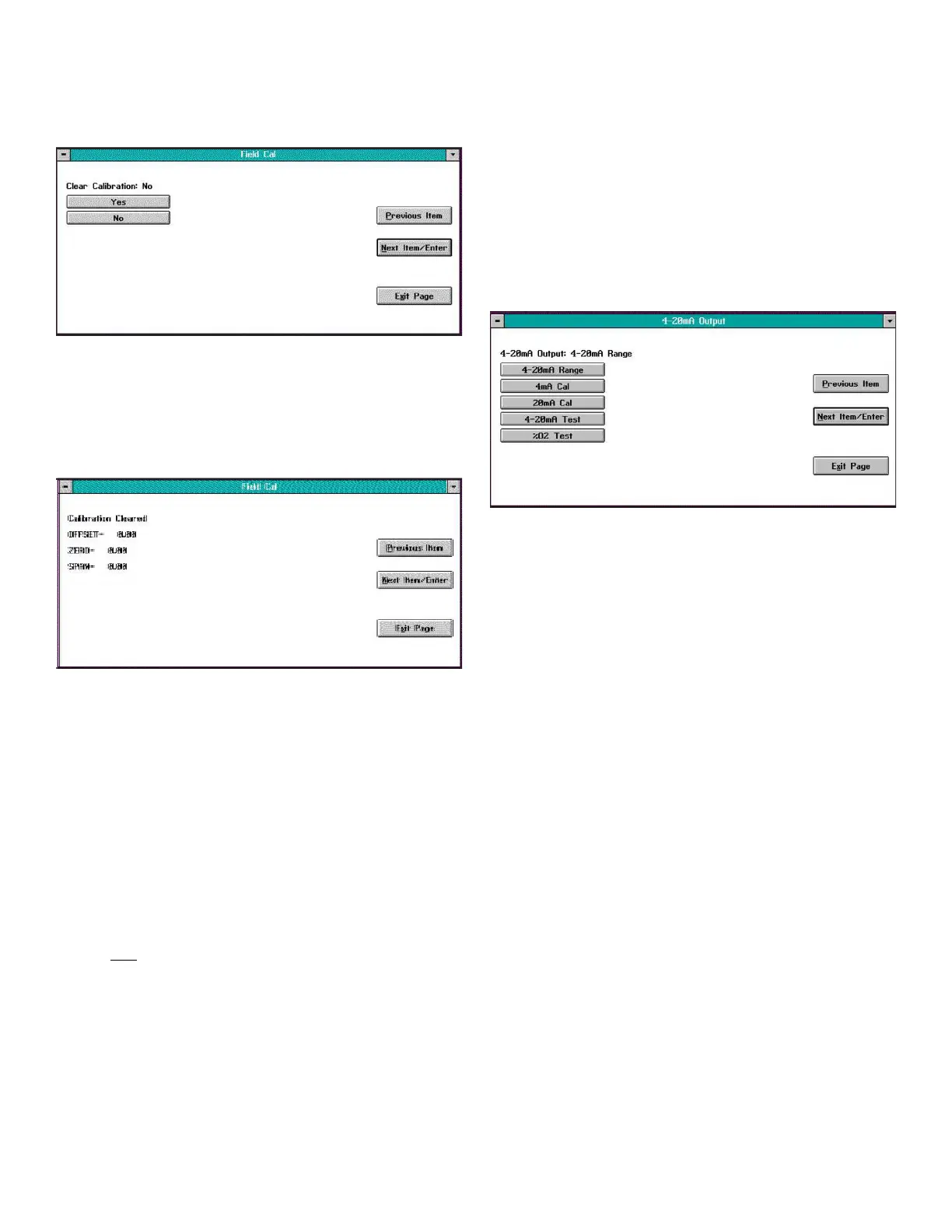
The window for the Clear Calibration option is similar to
Figure 25 below.
Figure 25: Clear calibration window
Click on the Yes button to clear the most recent calibration,
or click on the No, Previous Item or Exit Page button to close
the window without clearing the most recent calibration. If
you click on the Yes button, a confirmation screen similar to
Figure 26 below opens.
Figure 26: A typical cleared calibration
Click on the Previous Item button to return to the Clear
Calibration window, or click on the Next Item/Enter or Exit
Page button to return to the main Field Cal window.
3.13.5 Hold last value
In addition to performing a field calibration or configuring
the calibration parameters, you can program the XMO2 to
hold the last calibrated value. To perform this task, click on
the Hold Last Value button. You will notice that the text on
the button now reads Disable Hold Last. To cancel the Hold
Last Value programming, just click on this new button. You
can toggle between the two states for this parameter by
clicking on this button (remember that the current state is
the one NOT written on the button).
3.14 Changing the 4-20 mA analog
output range
The XMO2 Calibration Sheet shipped with the unit lists the
4-20 mA analog output range that was set at the factory.
IDM enables you to change this range via the 4-20mA
Output option. After you click on the 4-20mA Output button
from the Edit Functions menu (Figure 12 on page 19), a
window similar to Figure 27 below opens. Clicking on any
option opens the window for that option, while clicking on
Next Item/Enter opens the menu listed on the status line
above the options.
Figure 27: 4-20 mA output window
The 4-20mA Output option offers the following five choices:
• 4-20mA Range - specifies the oxygen percentage for
both the 4 mA and 20 mA analog output points
• 4mA Cal - calibrates the 4 mA point
• 20mA Cal - calibrates the 20 mA point
• 4-20mA Test - tests the analog output at various
percent oxygen points
• %O2 Test - tests the analog output at various percent
oxygen points
Note: Clicking on the Next Item/Enter button selects the
option listed on the status line above the option buttons
(4-20mA Range in Figure 27 above). The option listed on the
status line in any window is the option that was chosen the
last time that menu was used.
Clicking on any of the above choices opens a new window
that allows you to perform that function. Proceed to the
appropriate section for a detailed description of each
option.
23


 To Next Page